51
MB1 User Manual
© 2016 Expert Electronics
MAIN SCREEN DESCRIPTION
5.1.3 Section 3
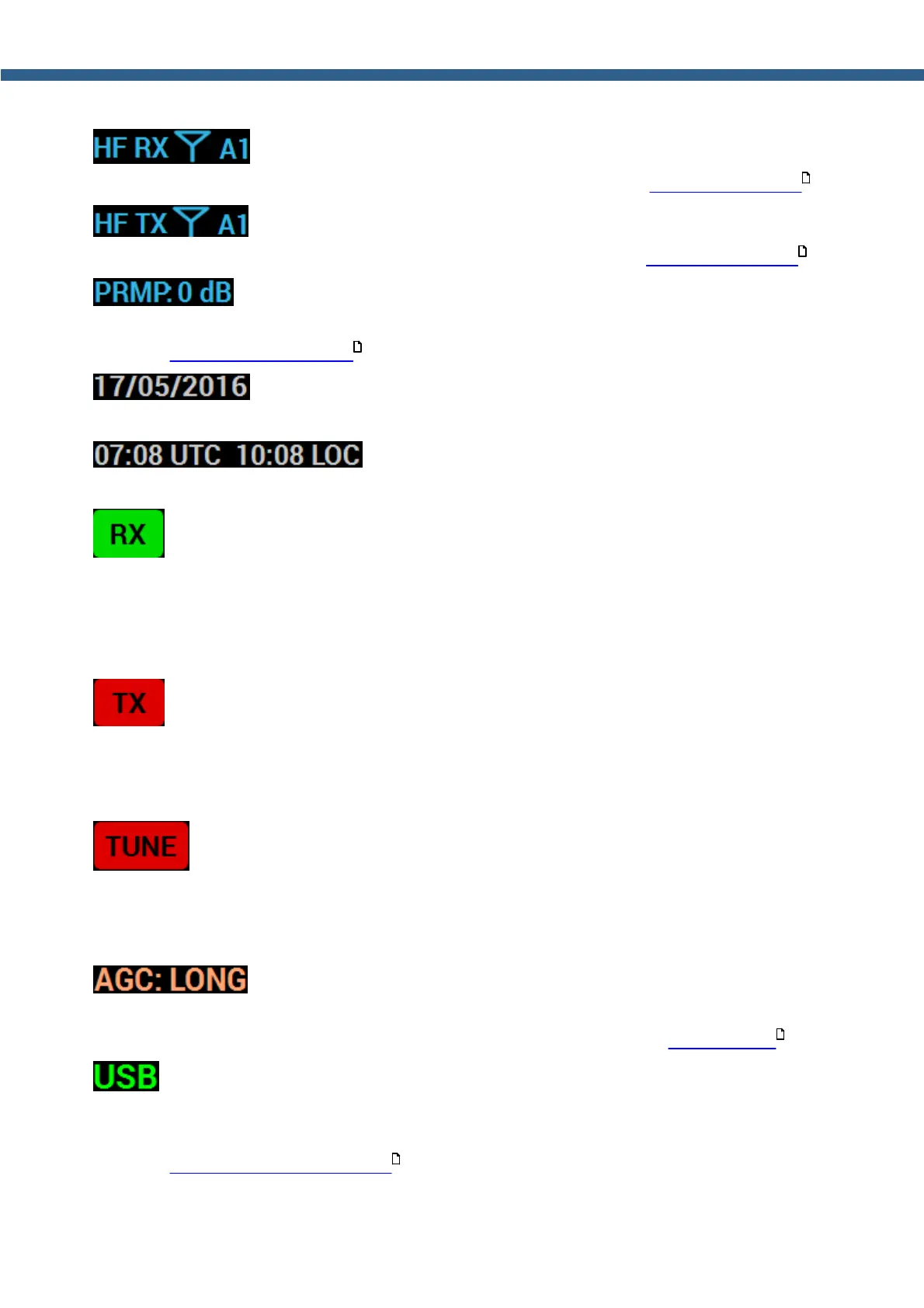
- Indicator/RX antenna switch.
Indicates and allows you to choose the RX antenna (more details in Antenna switching ).
- Indicator/TX antenna switch.
Indicates and allows you to choose the TX antenna (more details in Antenna switching ).
- Indicator/preamplifier switch.
Indicates and allows you to switch preamp value of the transceivers receive HF path (more
details in ATT_PREAMP control ).
- Current date indicator.
Displays current system date in DD/MM/YYYY format.
- Current time indicator.
Displays current system time by the UTC and local standards.
- Indicator/button to switch on RX mode.
If the indicator shines with a green light (as on the picture), then the MB1 transceiver is in the
RX mode. If the transceiver is in any other mode, then the RX indicator will be dark-gray color.
Press the RX button with either the mouse cursor or via touch screen to turn the transceiver in
the RX mode.
- Indicator/button to switch on the TX mode.
If the indicator shines with a red light (as on the picture), then the MB1 transceiver is in the TX
mode. If the transceiver is in the RX mode, by pressing the TX button with either the mouse
cursor or via touch screen you'll turn it to the TX mode.
- ATU indicator/button.
If the indicator shines with a red light (as on the picture), then the MB1 transceiver matching the
transmitters output impedance with antennas impedance. To switch on/off this mode press the
ATU indicator/button with either the mouse cursor or via touch screen.
- AGCs indicator/menu.
AGC indicator shows current AGC mode. Press this indicator/menu with either the mouse cursor
or via touch screen to choose the required AGC mode (more details in AGC presets ).
- Modulation Indicator/menu.
USB indicator shows current modulation mode. Press this indicator/menu with either the mouse
cursor or via touch screen to choose in the drop-down menu required modulation mode (more
details in Operating modes choosing ).
167
167
156
157
154



 To Next Page