96
MB1 User Manual
© 2016 Expert Electronics
MAIN SCREEN DESCRIPTION
5.3.4.3 OmniRig
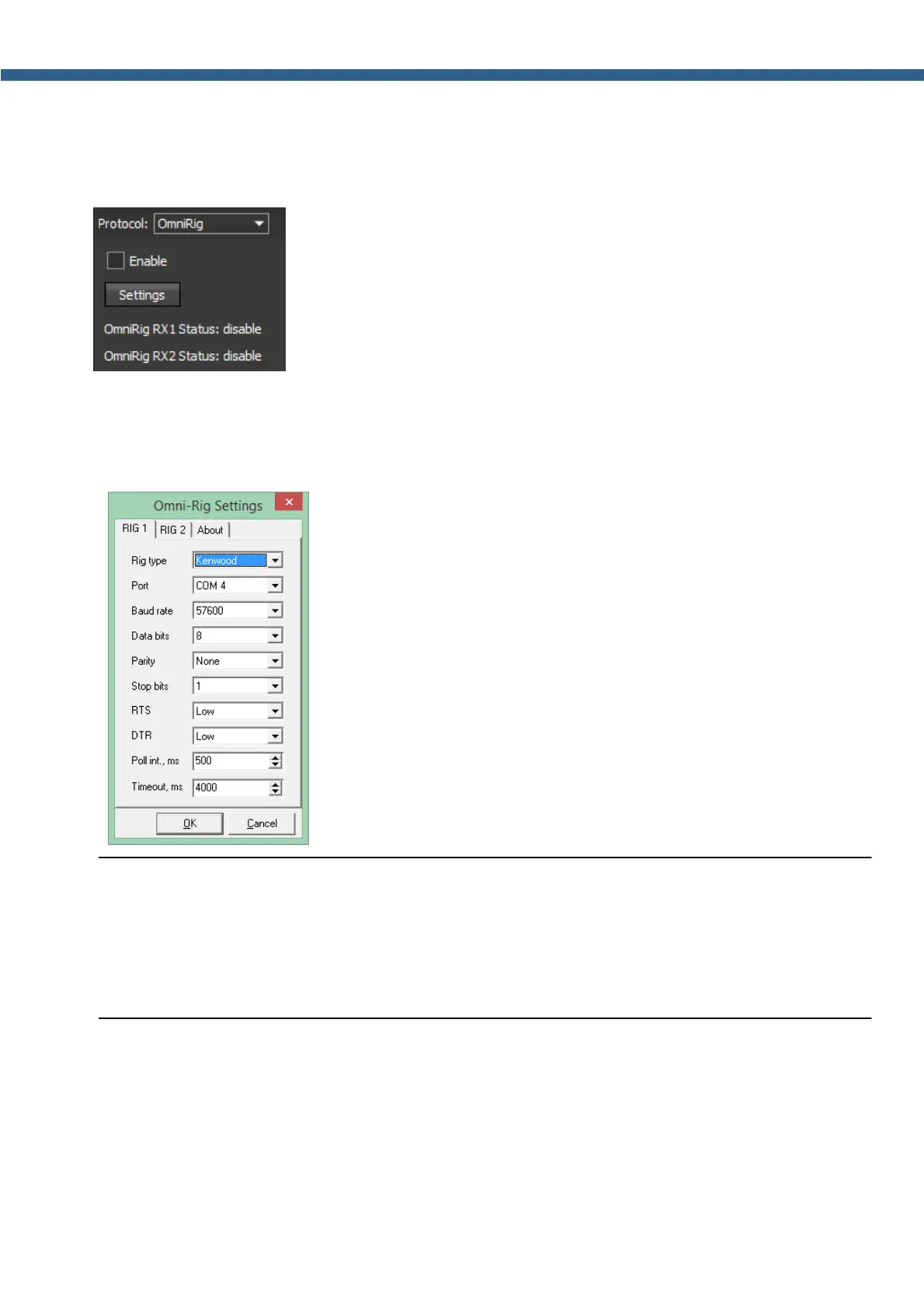
In the OmniRig menu you can find the settings of the OmniRig software, MB1 transceiver
exchange data with external devices and software through it.
· Enable - Checkbox to enable control of the transceiver via the OmniRig software.
Set the Enable checkbox to enable control of the transceiver via the OmniRig software.
· Settings - Button to open the OmniRig software settings for adjustment.
Press the Settings button to open the OmniRig software settings.
Note:
(
If the transceiver's software ExpertSDR2 uses OmniRig protocol to exchange data with
external contest log software, which also uses OmniRig, then COM-port and other settings in
the OmniRig software are not required. Select in the OmniRig settings any idle COM-port in
the system, to avoid conflict.
· OmniRig RX1 Status - RX1 receiver and OmniRig connection status.
· OmniRig RX2 Status - RX2 receiver and OmniRig connection status.



 To Next Page