97
MB1 User Manual
© 2016 Expert Electronics
MAIN SCREEN DESCRIPTION
5.4 Panel menu
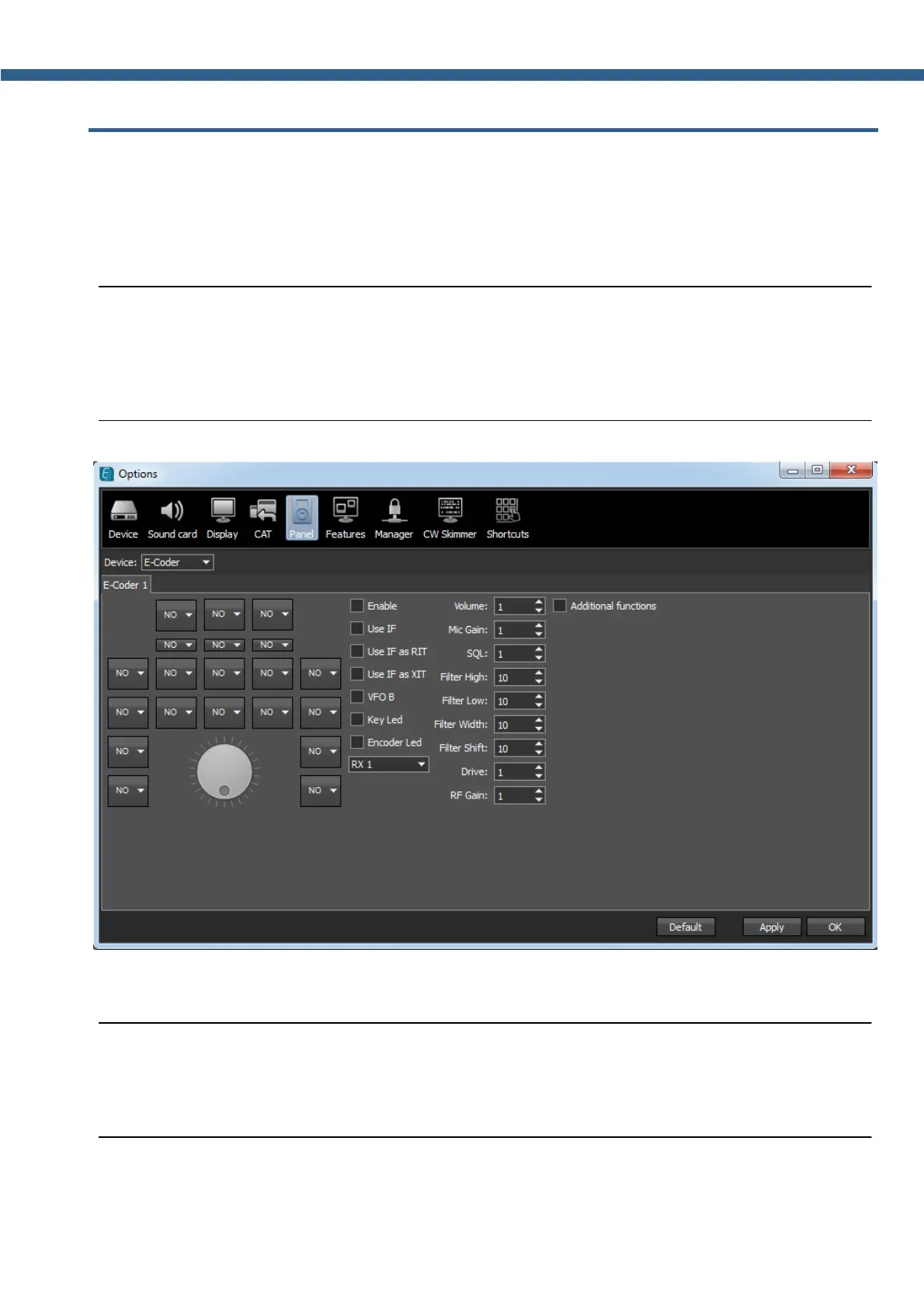
In the Panel menu you can see the settings of the E-Coder control panel.
In the drop-down Device menu you can select the type of the connected control panel. In the
meantime only one type is available - E-Coder.
Note:
(
If one E-Coder panel is connected to the transceiver in the Panel menu displayed one E-
Coder 1 tab, if a several E-Coder panels are connected to the transceiver in the Panel menu
displayed a several tabs E-Coder 1 , E-Coder 2 etc. with identical settings for each panel.
In the left part of the menu you can see the schematic picture of the E-Coder panel with buttons
and knobs. Press any button, you'll see the list of the available functions.
Note:
(
The list of the available functions is constantly growing. Keep track of the software updates.
(
You can make a request to add a new function on the control button.



 To Next Page