91
MB1 User Manual
© 2016 Expert Electronics
MAIN SCREEN DESCRIPTION
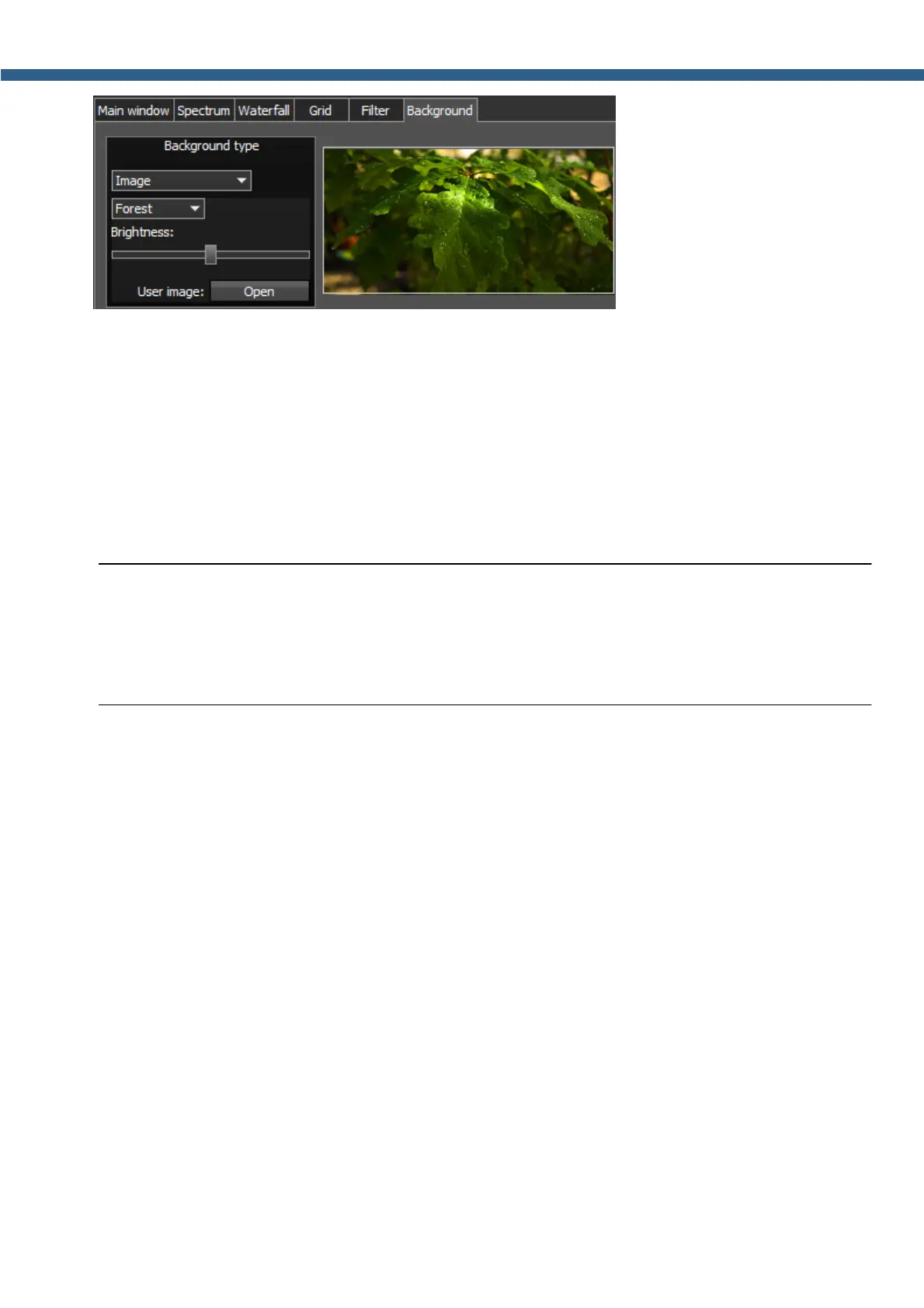
In the Image menu available settings are:
· Image menu – Image presets menu (Forrest, Bubbles, Space, Water, User).
Pick the required image from the menu or lock one of your own images.
· Brightness – Background image brightness slider.
Set the required background image brightness.
· User image - Choose the required image to be displayed on the background.
Press the Open button, in the opened window choose the image file to set as the
background.
Note:
(
If the image file wasn't chosen previously via the Open button, then if you choose the User
image in the presets list it'll open the window to choose the image file.
(
Supported files types: png, jpg, jpeg, bmp.
5.3.4 CAT menu
In the CAT menu you can see the settings CAT-system. CAT-system is the transceiver's
exchange interface with an external devices and software.
CAT-interface is used to control the transceiver from a third-party software. This could be
contest logs, digital modes decoder-software, SAT-tracker etc.
Software receivers 1 and 2 could be controlled separately via the CAT-protocol.
Protocol - Exchange protocol with an external devices or software.
Choose the required exchange protocol from the list.
· TS-480 - Exchange protocol compatible with TS-480 transceiver.
Choose this protocol to exchange data with an external devices and software via COM-port.
When you choose this protocol, will be available separate settings for RX1 and RX2 on
corresponding tabs.
· OmniRig - Exchange protocol via the OmniRig software.
Choose this protocol to exchange data with an external devices and software via OmniRig
software.



 To Next Page