59
MB1 User Manual
© 2016 Expert Electronics
MAIN SCREEN DESCRIPTION
RX VHF A1..A2 - Receive antenna buttons for the VHF band.
Press the RX VHF Ax button to choose receive antenna for the VHF band (more details in
Antenna switching ).
TX VHF A1..A2 - Transmit antenna buttons for the VHF band.
Press the TX VHF Ax button to choose transmit antenna for the VHF band (more details in
Antenna switching ).
RX IN - Receiver direct input button.
Press the RX IN button to enable receiver direct input RX IN.
RX IN input will be connected to the ADC input by-passing band filters (more details in Using
RX IN input ).
When you enable RX IN you automatically disable RX OUT (more details Using RX OUT output
).
DAC OUT - 10 mW low-power output button.
Press the DAC OUT button to enable transceiver low-power output. Low-power output
frequency range is 100 kHz-160 MHz (more details in DAC OUT operation ).
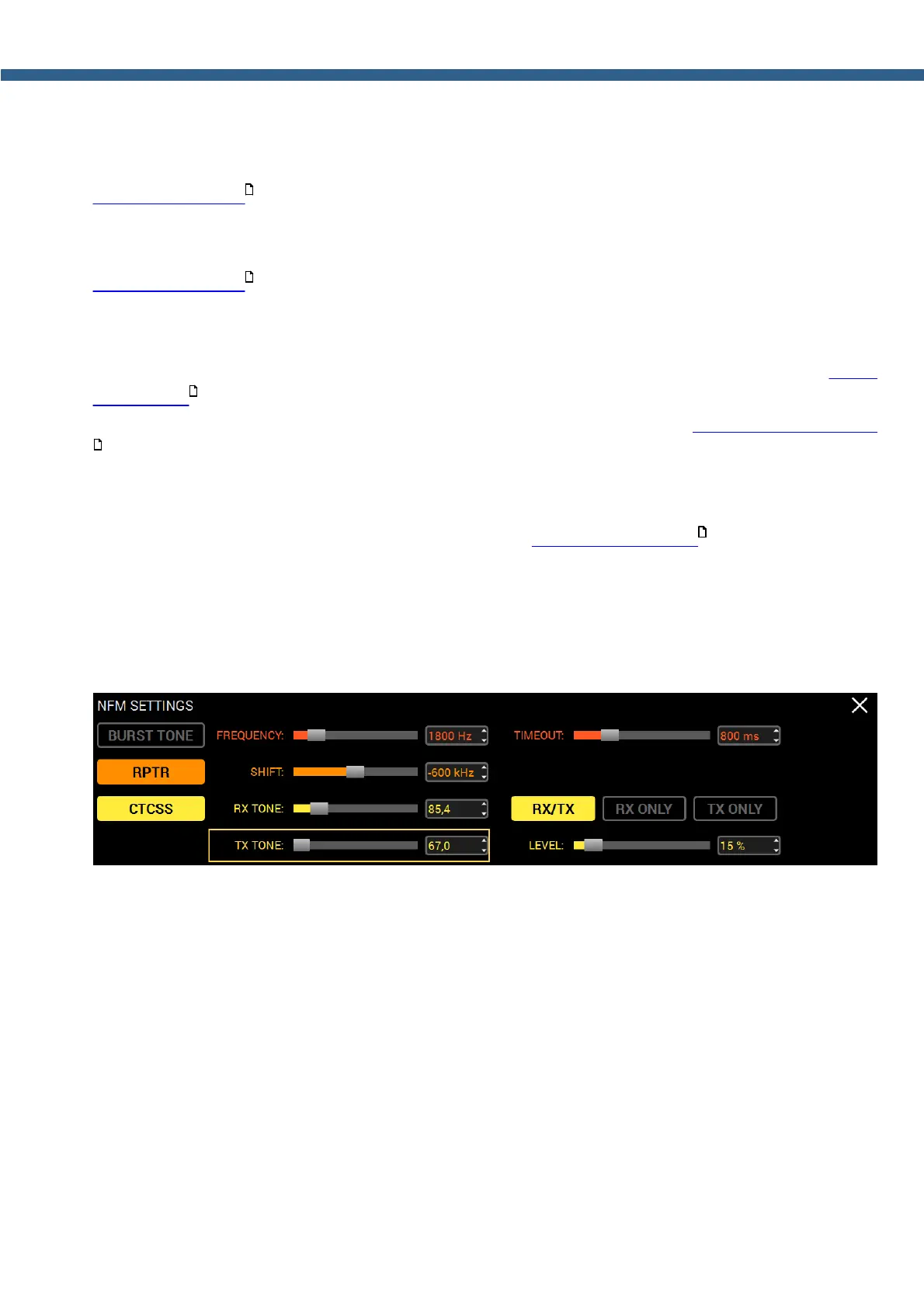
5.2.4 NFM-SETTINGS
Press and hold the MD or MU mode button on the front panel of the transceiver to open/close
the local panel.
BURST TONE - Repeater tone TX button.
Press the BURST TONE button to transmit tone on air, which will open the repeater - "wake it
up".
FREQUENCY - Tone frequency slider.
Set the tone frequency with the FREQUENCY slider or enter the required number from the
keyboard in the input box.
TIMEOUT - TX tone timeout.
Set the required timeout to transmit tone with the TIMEOUT slider.
RPTR - Repeater mode button.
Press the RPTR button to enable repeater mode.
167
167
169
169
180



 To Next Page