77
MB1 User Manual
© 2016 Expert Electronics
MAIN SCREEN DESCRIPTION
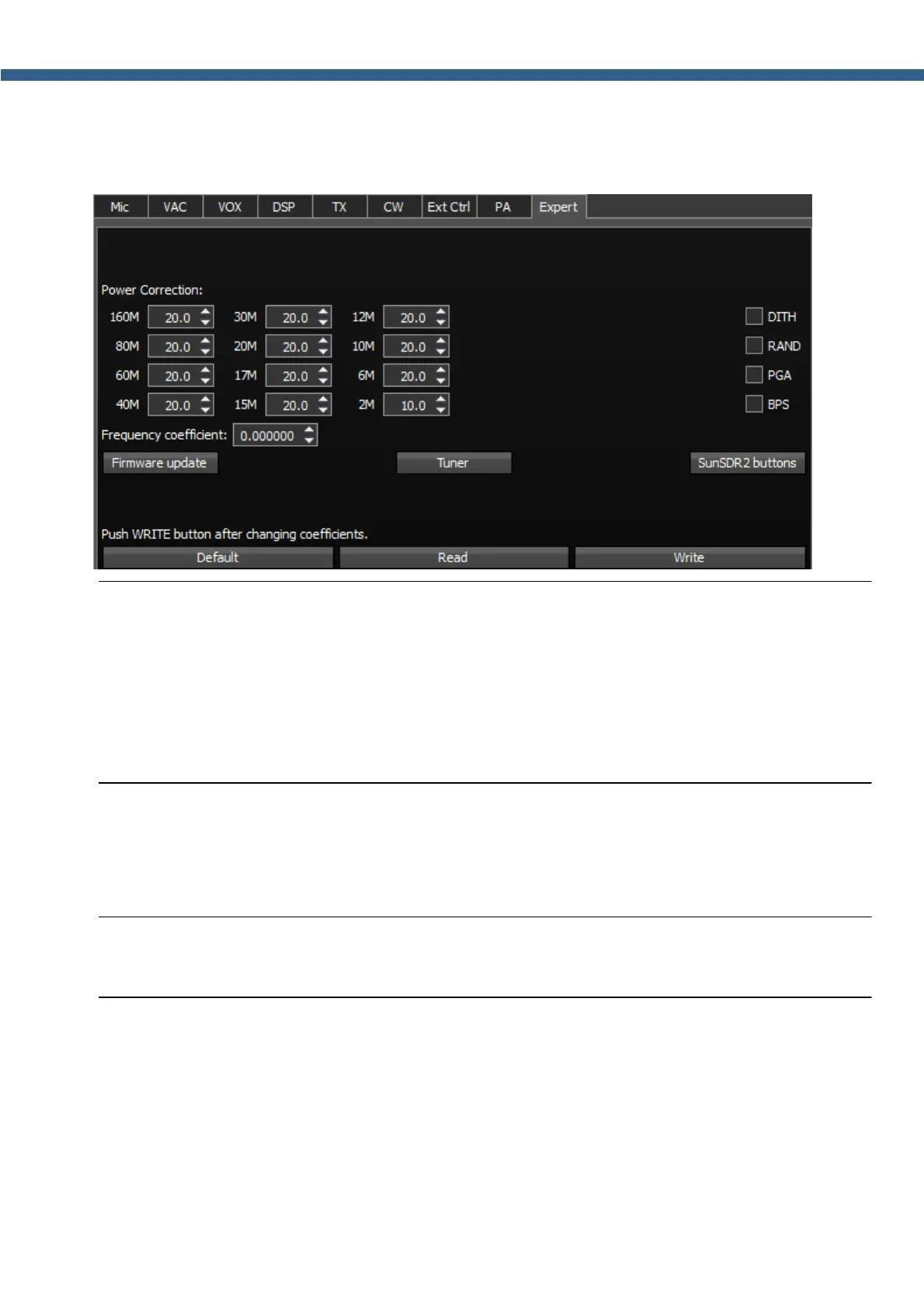
5.3.1.10 Expert
On the Expert tab you can see the fine hardware settings of the transceiver.
Note:
(
All settings in this tab are stored in the transceiver's energy independent memory.
(
After setting the required values, set/unset checkboxes, press the Write button to store the
info in the memory.
(
To read the current settings state from the memory, press the Read button. Auto-read
happens with every software launch.
Power Correction - Output power correction menu of the transceiver by bands.
Set the output power value for each band. Value = 20 means maximum output power of the
transceiver.
Note:
(
After tuning the power values, press the Write button.



 To Next Page