89
MB1 User Manual
© 2016 Expert Electronics
MAIN SCREEN DESCRIPTION
5.3.3.5 Filter
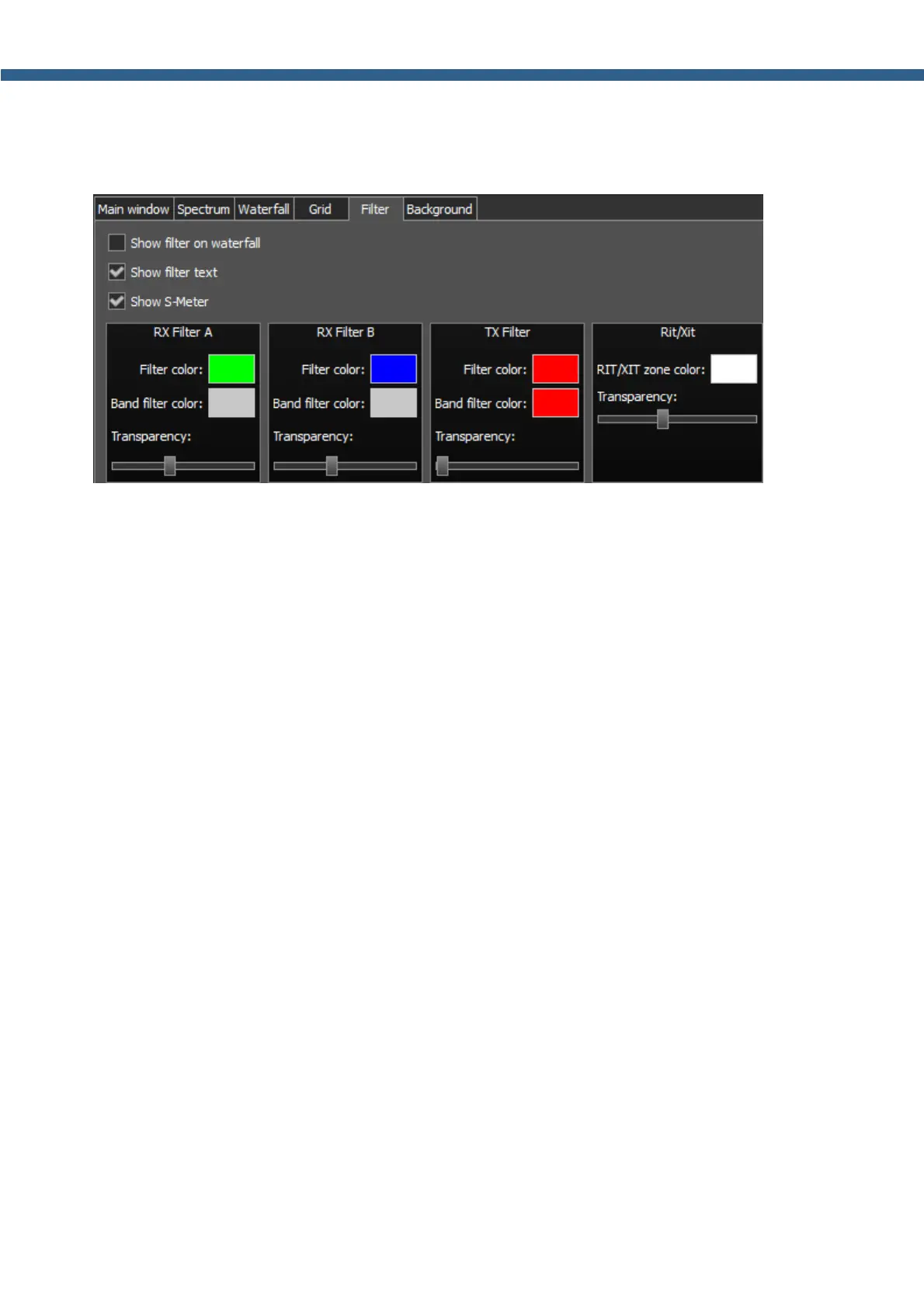
On the Filter tab you can see the filter's display settings on the spectrum scope and waterfall.
· Show filter on waterfall - Show receiver(s) filter on the waterfall.
Set the Show filter on waterfall checkbox to show receiver(s) filter on the waterfall.
· Show filter text – Show text info near the receiver's filter on the spectrum.
Set the Show filter text checkbox to display filter's tuned frequency, signal level in S-units
etc. in the used filter bandwidth.
· Show S-Meter – Enable animated S-Meter near the receivers' filter on the spectrum.
Set the Show S-Meter checkbox to display S-Meter near the receiver's filter.
In the RX Filter А, RX Filter В, TX Filter categories displayed filters' color and
transparency settings.
· Filter color - Filter's frequency color menu.
Choose the required filter's tuned frequency color from the palette.
· Band filter color - Filter's bandwidth color menu.
Choose the required filter's bandwidth color from the palette.
· Transparency - Filter's transparency slider.
Set the required filter's transparency.
In the Rit/Xit category displayed RIX/XIT active zone settings.
· Rit/Xit zone color - RIX/XIT active zone color menu.
Choose the required RIX/XIT active zone color from the palette.
· Transparency - RIX/XIT zone transparency slider.
Set the required RIX/XIT zone transparency.



 To Next Page