67
MB1 User Manual
© 2016 Expert Electronics
MAIN SCREEN DESCRIPTION
· Use RX Wide filter – Wide band filter checkbox.
Set the Use RX Wide filter checkbox to enable wide filter for the whole HF (0...65 MHz) or
VHF (95...155 MHz) band.
· Auto enable – Auto enable RX WF checkbox.
Set the Auto enable checkbox to auto enable RX WF when the band-scope and/or the
second receiver on the other band are switched on.
· VHF LNA – VHF LNA checkbox.
Set the VHF LNA checkbox to auto enable Low Noise Amplifier for the VHF band.
· Use external reference – REF input enable checkbox.
Set the Use external reference checkbox to enable REF input on the rear panel of the
transceiver and use it as reference input.
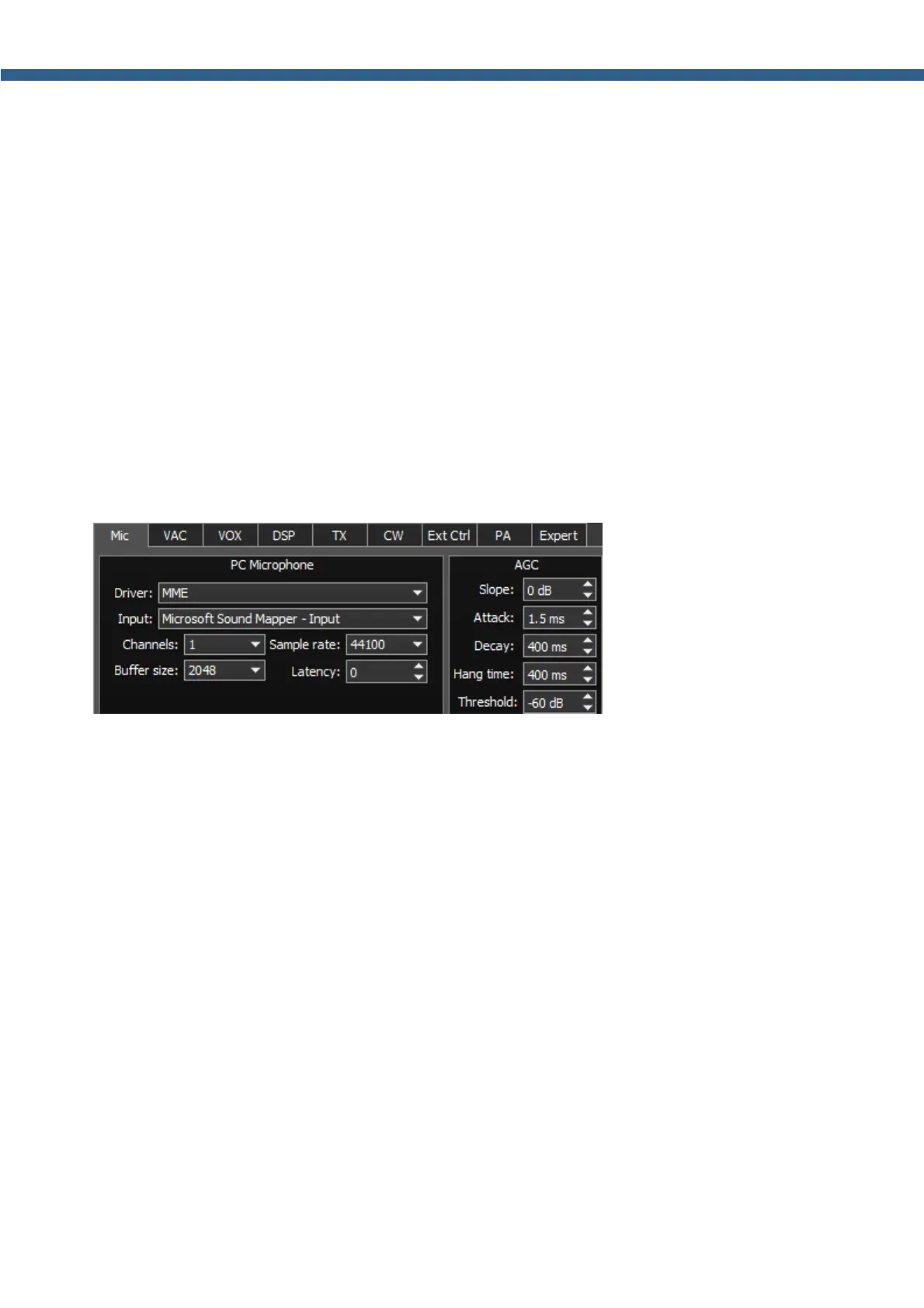
5.3.1.2 Mic
There are two microphone settings categories in the Mic tab: PC Microphone, AGC.
In the PC Microphone category you can adjust the internal PC's sound card, which is
connected to the microphone.
PC Microphone category consists of the following items:
· Driver – choose the sound card's driver type.
· Input – choose the sound card's physical input.
· Channels – choose the amount of the sound card's used channels.
· Sample rate – sampling frequency.
· Buffer size – buffer size.
· Latency – signal delay time.
In the AGC category you can adjust the microphone's AGC. This settings influences both types
of microphones.
AGC category consists of the following items:
· Slope – set the slope of the transfer characteristic.
· Attack – when a signal gets stronger, this value determines how quickly the AGC will
decrease gain.
· Decay – when a signal gets weaker, this value determines how quickly the AGC will increase



 To Next Page