87
MB1 User Manual
© 2016 Expert Electronics
MAIN SCREEN DESCRIPTION
· Show the difference between VFOA and VFOB - Show the difference between VFOA
and VFOB.
Set the Show the difference between VFOA and VFOB checkbox to display the
difference between VFOA and VFOB near the cursor.
· Auto hide cursor - Automatically hide the cursor from the spectrum scope.
Set the Auto hide cursor checkbox to let the cursor disappear after idle 2 seconds.
· Show stations from Memory panel - Show the stations previously stored in the frequency
memory.
Set the Show stations from Memory panel checkbox to show on the spectrum scope
previously stored stations as a markers (blue dots in the top area of the spectrum scope).
When rollover the station's marker you'll see the commentary.
· Show spots - Show spots from the CW Skimmer on the spectrum scope.
Set the Show spots checkbox to show spots from the CW Skimmer on the spectrum scope
as a markers with call-signs.
· Show S-Meter on Band Scope - Show the S-Meter on the Band Scope.
Set the Show S-Meter on Band Scope checkbox to show the S-Meter on the Band Scope
for each VFO.
5.3.3.3 Waterfall
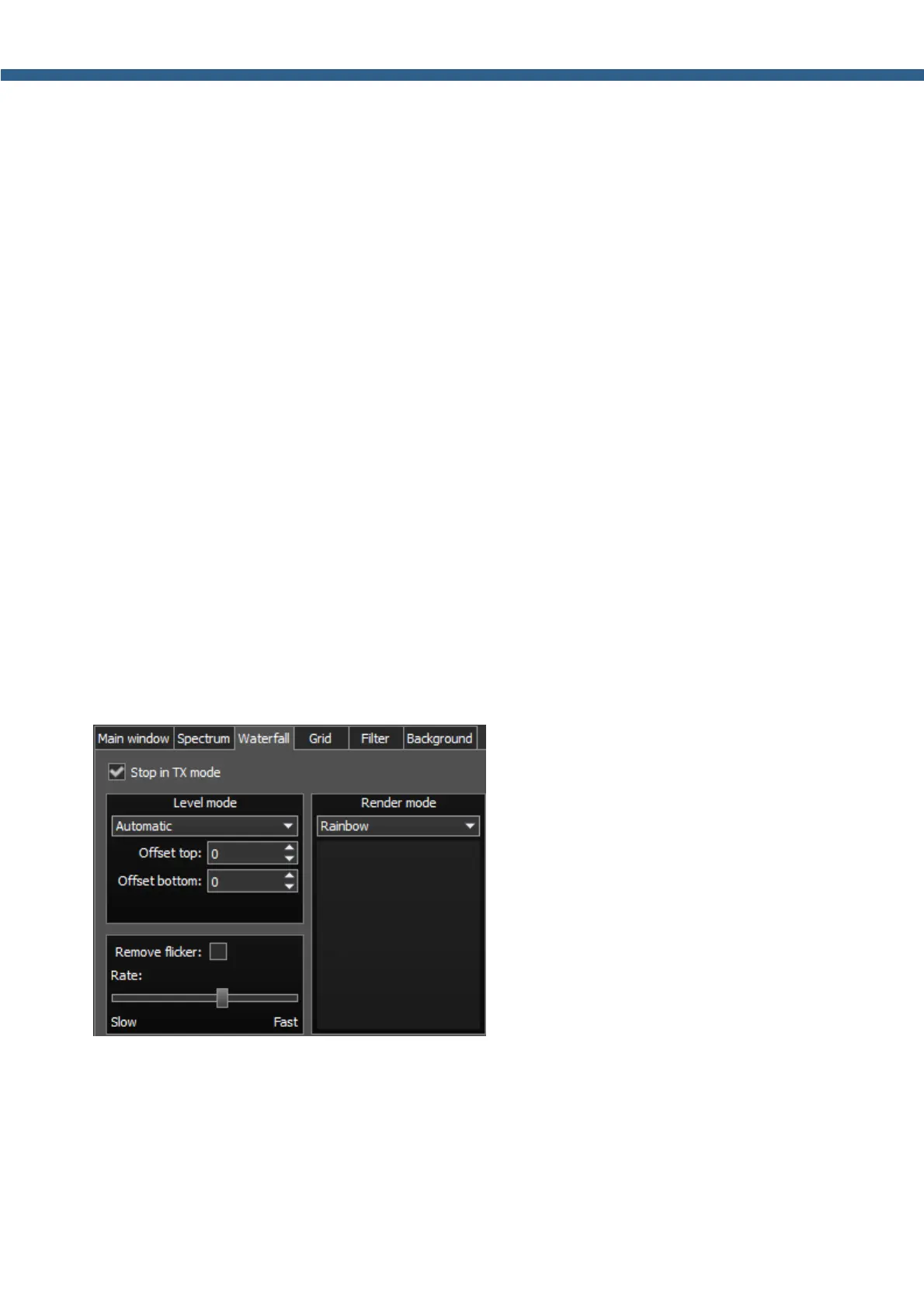
On the Waterfall tab you can see the transceiver's waterfall settings.
· Stop in TX mode - Stop the waterfall in TX mode.
Set the Stop in TX mode checkbox to disable the waterfall while transmitting.
· Level mode - Waterfall bright menu.
Choose the bright mode from the list: Automatic, Synchronous.
Synchronous mode depends on the set limits of the spectrum amplitude.
Automatic mode depends on air signals and set offset in the settings below.



 To Next Page