82
MB1 User Manual
© 2016 Expert Electronics
MAIN SCREEN DESCRIPTION
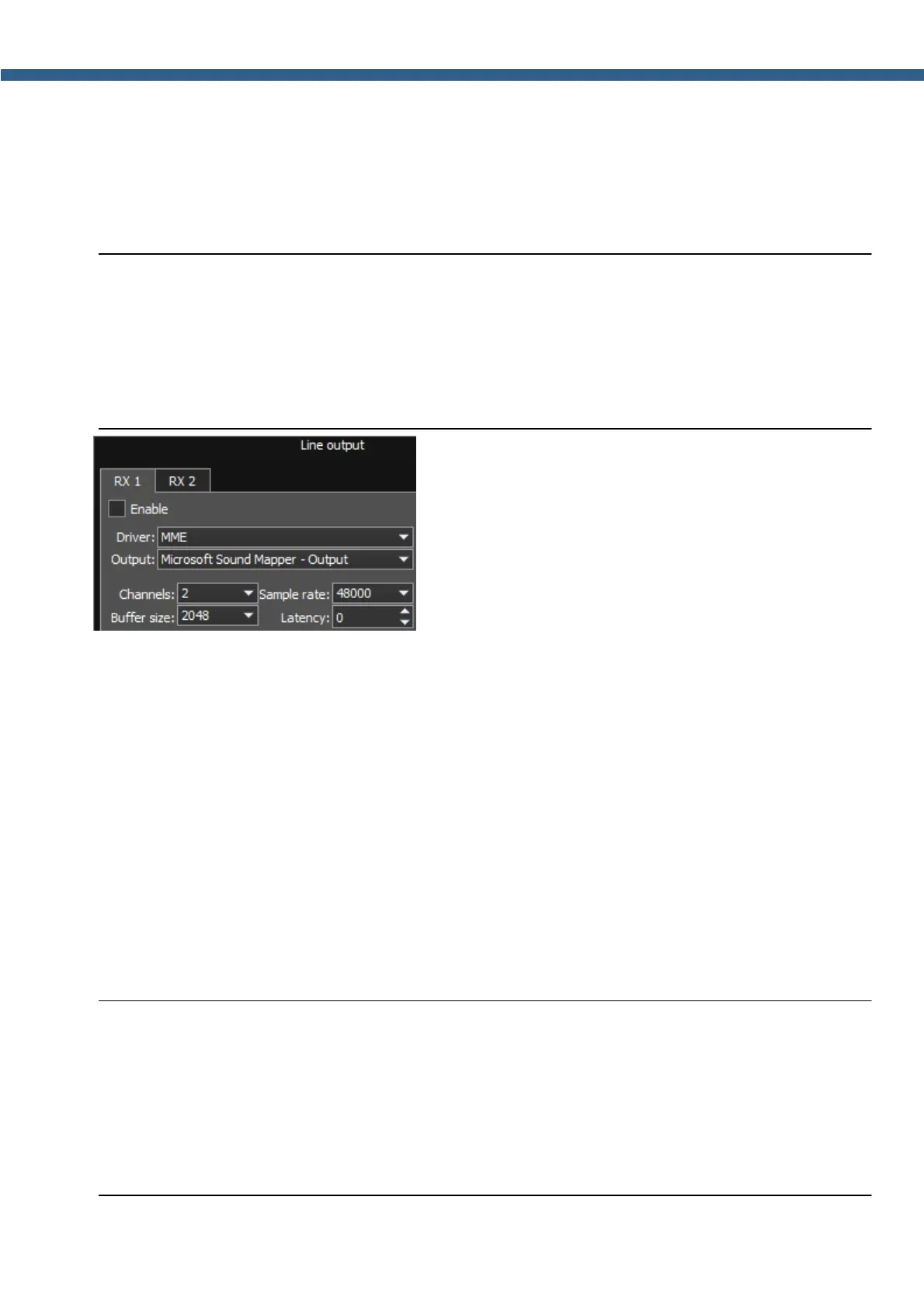
5.3.2.2 Line output
In the Line output category you can see the settings of the sound card or virtual audio cables,
which could be used for linear sound output in the RX and TX modes, separately for RX1 and
RX2 receivers.
Note:
(
Sound output via the Line output will be simultaneous with the sound from the transceiver.
(
Line output volume has a constant max value and can not be changed by the operator.
(
As a rule sound output via the Line output is used for recording communications on
contests and other purposes.
There are two two tabs with identical settings for RX1 and RX2 receivers, in the Line output
category, let's look at one of them.
· Enable - Checkbox to enable Line output.
Set the Enable checkbox to enable Line output.
· Driver – Choose the sound device' driver type.
· Output – Choose the sound device' physical output.
· Channels – Choose the amount of active sound device' channels.
· Sample rate – Sampling frequency.
· Buffer size – Buffer size.
· Latency – signal delay time.
Note:
(
Before you'll enable the Line output by the Enable checkbox, make sure that all sound
devices settings are set correctly
(
You can use the sound card as a sound device - the signal goes out of the transceiver, you
can use the virtual audio cable as a sound device - the signal goes in the transceiver in the
software, which functions on the internal PC, e.g. in contest log.



 To Next Page