31
MB1 User Manual
© 2016 Expert Electronics
CONNECTIONS
3
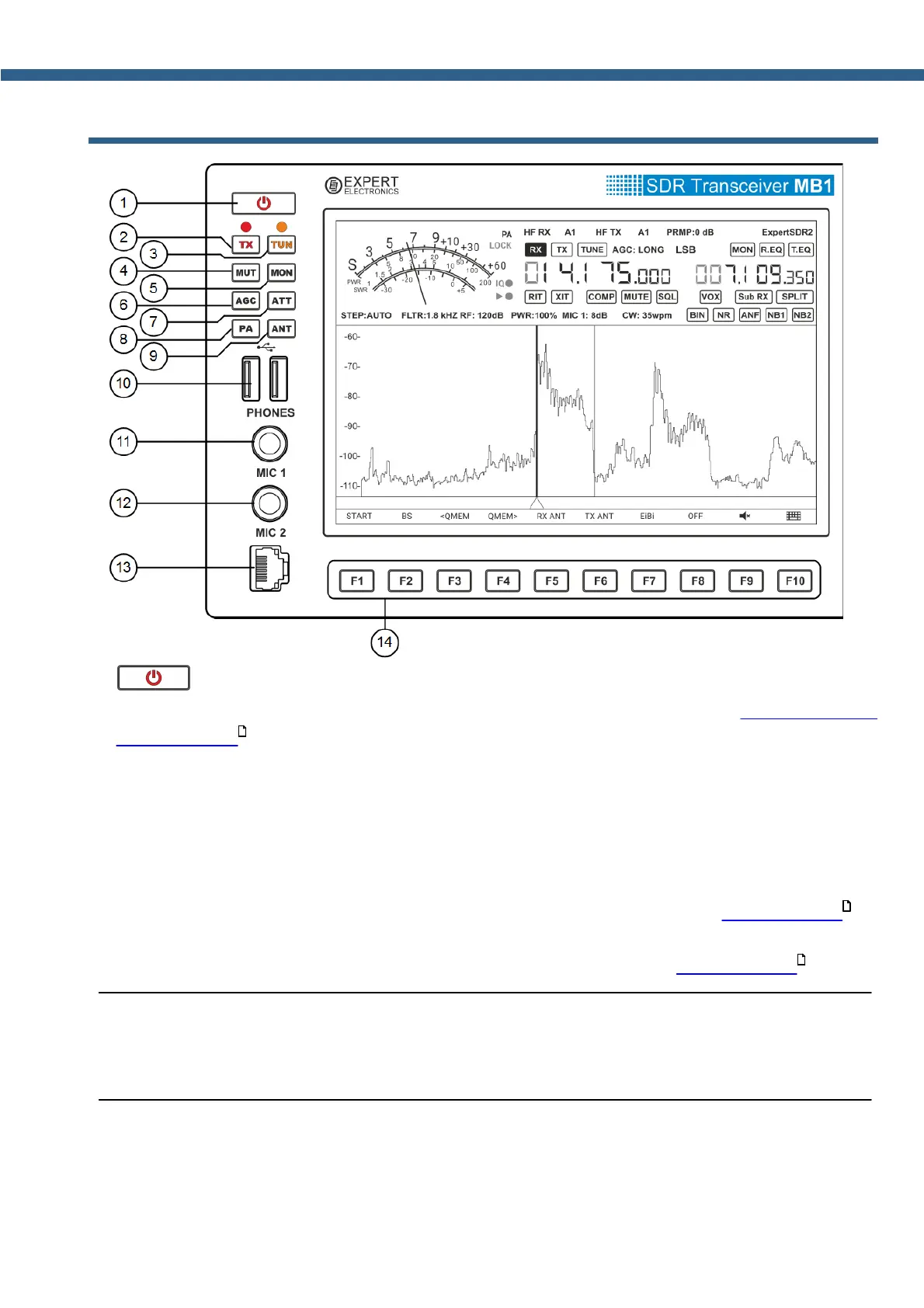
FRONT PANEL DESCRIPTION
1)
-
Power button.
Press the power button to turn the transceiver on and off (more details in Turning ON/OFF
the transceiver ).
2) ТХ - Button to turn on transmission mode.
Press to put the transceiver in transmission or receiving mode.
A red LED indicates that transmission mode is on. Press one more time to put the transceiver
in receiving mode.
3) TUN - Automatic Tuner Unit on button.
Short press the TUN button to start the matching process (more details in ATU operation ).
An orange LED indicates that the settings mode is switched on.
Press and hold TUN button to enter local ATU menu (more details in ATU operation ).
Note:
(
If the ATU option is not installed, when pressing the TUN button the transceiver will go to
transmission mode and will transmit the center frequency.
146
184
184



 To Next Page