63
MB1 User Manual
© 2016 Expert Electronics
MAIN SCREEN DESCRIPTION
PITCH(Hz) - CW signal's frequency tone control.
Set the required CW signal's frequency tone (also used for the RX mode).
WIDTH(%) - Dot to Dash ratio control.
Set the required Dot to Dash ratio.
RAMP(ms) - CW signals' slope length control.
Set the required CW signals' slope length.
The higher manipulation speed the shorter should be slopes.
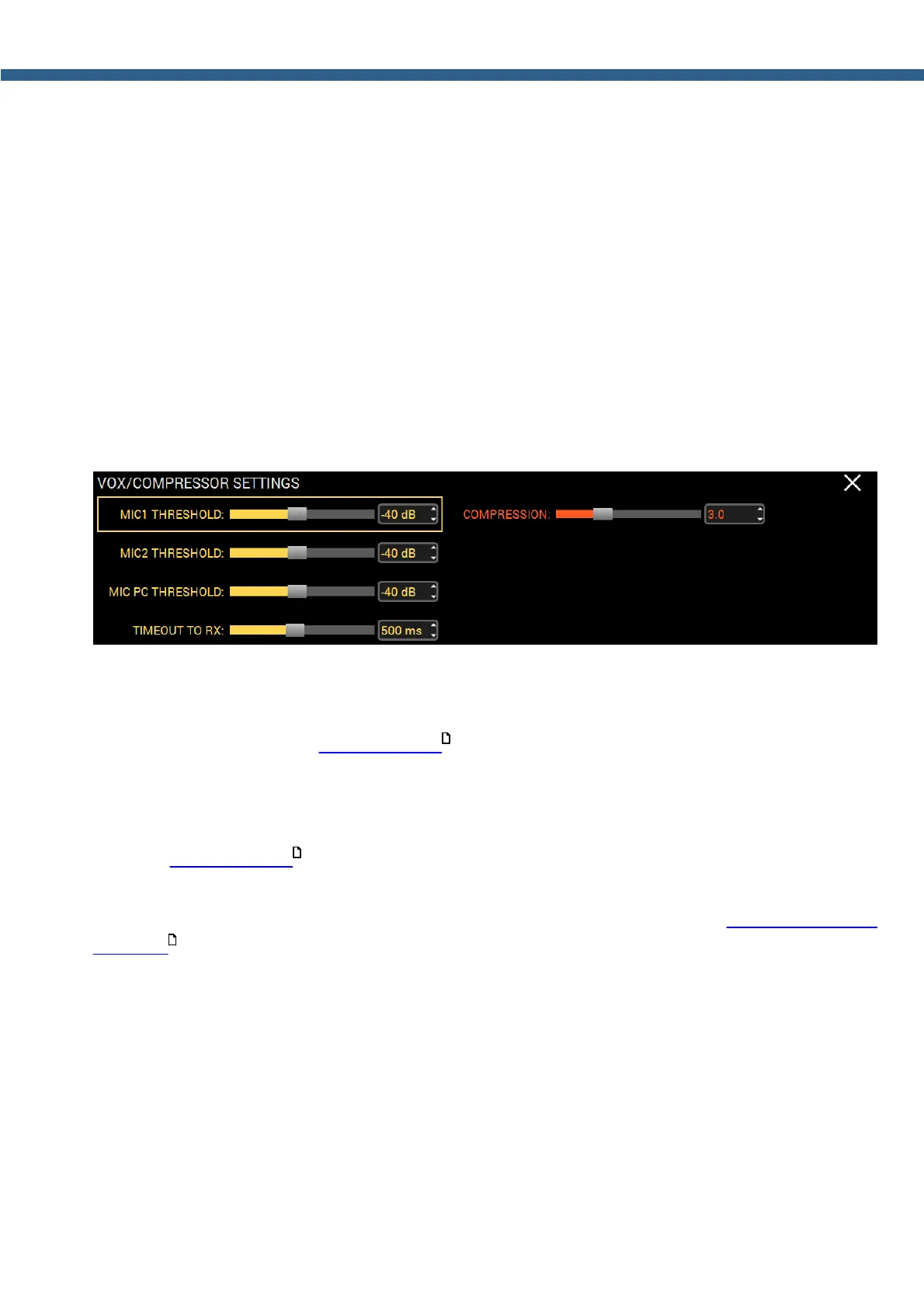
5.2.8 VOX/COMPRESSOR SETTINGS
Press and hold the CMP/VOX button on the front panel of the transceiver to open/close the
local panel.
MIC1 THRESHOLD, MIC2 THRESHOLD, MIC PC THRESHOLD - VOX system
operating threshold control, separately for each MIC input.
Set the VOX operating threshold for the corresponding microphone according to the noise level
in the room (more details in VOX operation ).
TIMEOUT TO RX - Delay control to switch from the TX mode to the RX mode after the VOX is
off.
Set the required delay time to switch from TX to RX for comfortable operation on the air (more
details in VOX operation ).
COMPRESSION - Compression of the transmitted signal.
Set the required compression level for the transmitted signal (more details in Compression level
adjusting ).
175
175
174



 To Next Page