69
MB1 User Manual
© 2016 Expert Electronics
MAIN SCREEN DESCRIPTION
· TX gain – additional signal amplifying in the virtual audio cable's TX path in dB.
More details on the digital modes functionality you can see here Transmitting in Digital mode .
Note:
(
Before enable the VAC , make sure all settings for audio devices are correct.
(
If transceiver's ExpertSDR2 and digital modes software works on the same PC, you can
connect them via the virtual audio cable, mentioned in this settings.
(
If the digital modes software works on the external PC, then in VAC settings you should set
the internal MB1 sound card.
5.3.1.4 VOX
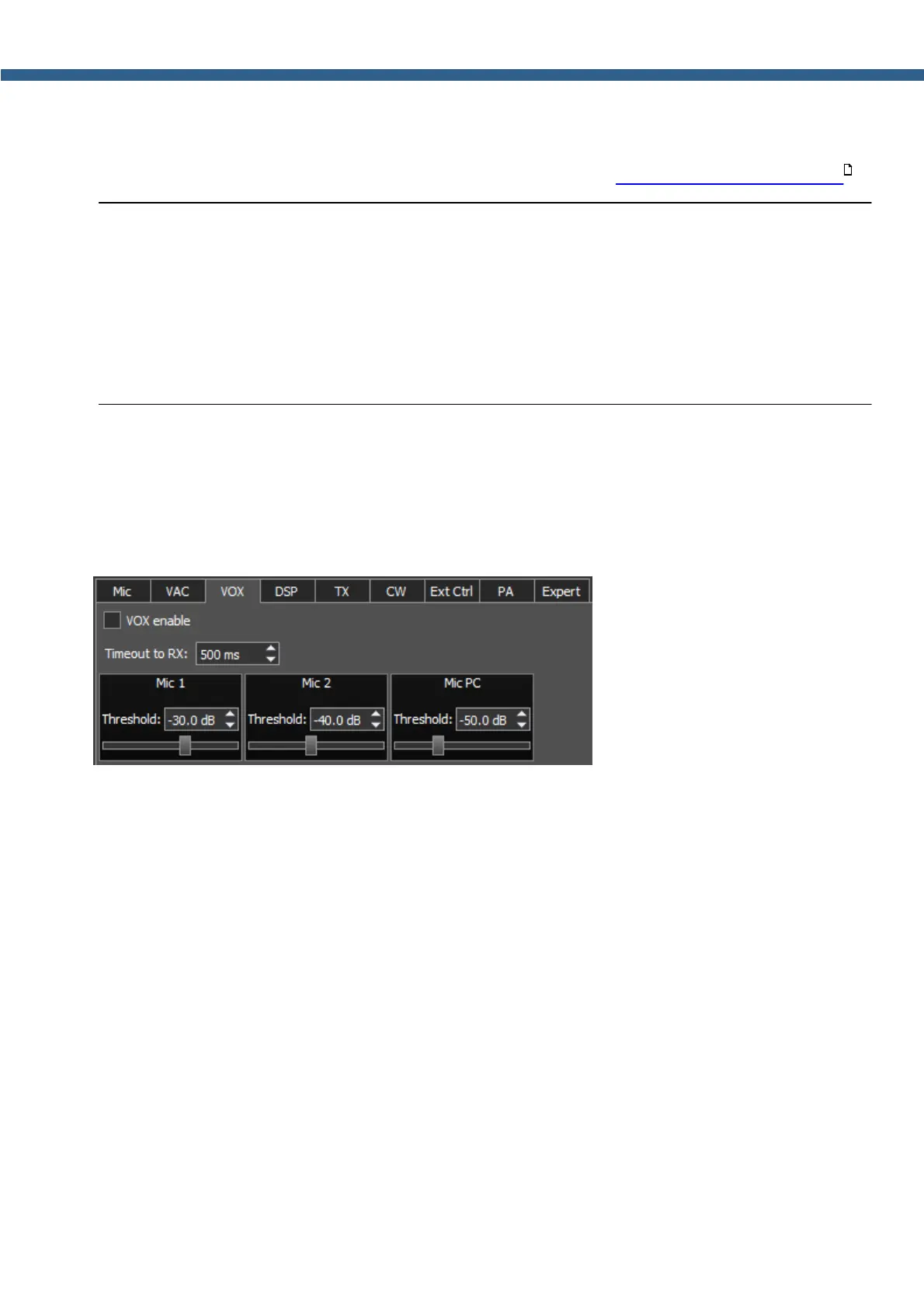
On the VOX tab you can see the settings of the Voice-Operated Transmit system.
VOX system triggers when the microphones voice signal exceeds the Threshold. Threshold
could be set for each microphone individually.
VOX enable - VOX system enable checkbox.
Set the VOX enable checkbox to enable VOX system.
· Timeout to RX – VOX delay time to switch from the TX mode to the RX mode.
· Threshold – VOX trigger threshold.
5.3.1.5 DSP
On the DSP tab you can see the AGC's and Digital Signals Processing settings.
There are two types of settings in the drop-down menu:
· AGC – receiver's AGC settings.
· DSP – digital processing filter's settings.
Receiver's AGC settings.
There you can find fine AGC settings. AGC settings are divided by the processing speed on
Long, Slow, Med, Fast and User.
191



 To Next Page