105
MB1 User Manual
© 2016 Expert Electronics
MAIN SCREEN DESCRIPTION
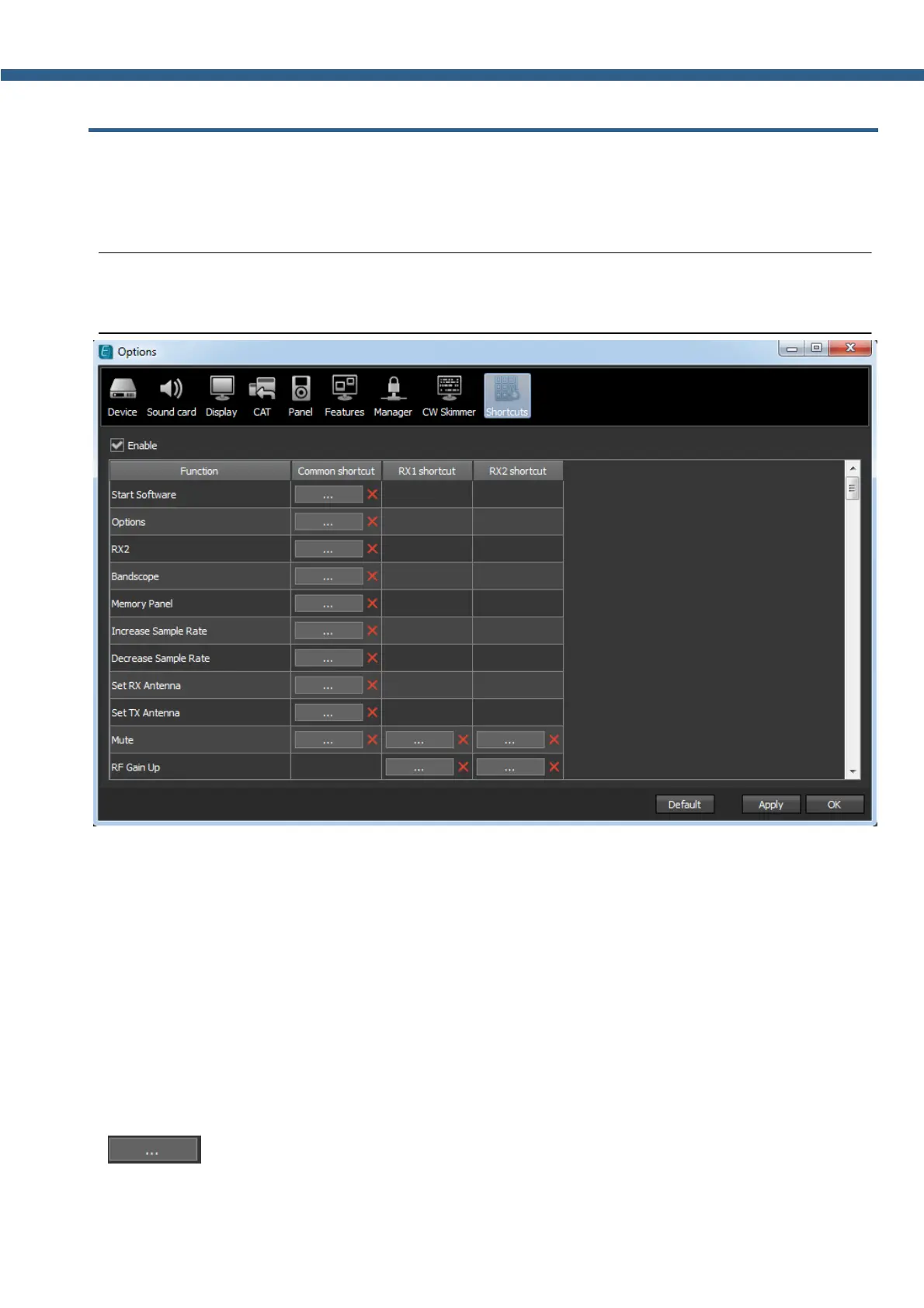
5.8 Shortcuts menu
In the Shortcuts menu you can see the shortcut key combinations settings.
With the help of the key combinations you can control the transceiver from your keyboard.
Note:
(
Shortcuts will be active only if the transceiver's software window is in focus.
· Enable - Shortcuts enable button.
Set the Enable checkbox to activate assigned shortcuts.
· Function - Transceiver's functions column.
In the Function column displayed all transceiver's functions available for shortcuts.
· Common shortcut - Column with the main shortcuts.
In the Common shortcut column you can set the main transceiver's functions.
· RX1 shortcut - RX1 receiver shortcuts column.
In the RX1 shortcut column you can set RX1 receiver functions.
· RX2 shortcut - RX2 receiver shortcuts column.
In the RX2 shortcut column you can set RX2 receiver functions.
· - Shortcut button.
Press the Shortcut button, then press the key combination on the keyboard.



 To Next Page