20
MB1 User Manual
© 2016 Expert Electronics
CONNECTIONS
Twin-paddle key (single-paddle). Connects to the KEY socket using the stereo 6.3 mm
Jack. Pressing one of the key's paddles (or one side - for single-paddle) will switch the
transceiver to the TX mode and begin automatic generation of dots and dashes.
Releasing the paddle returns the transceiver to the RX mode.
Note:
(
Tuning and switching of manipulation modes, speed and other parameters of the CW signal,
can be done in the local panel on the transceivers display (more details in Transmitting in CW
mode ).
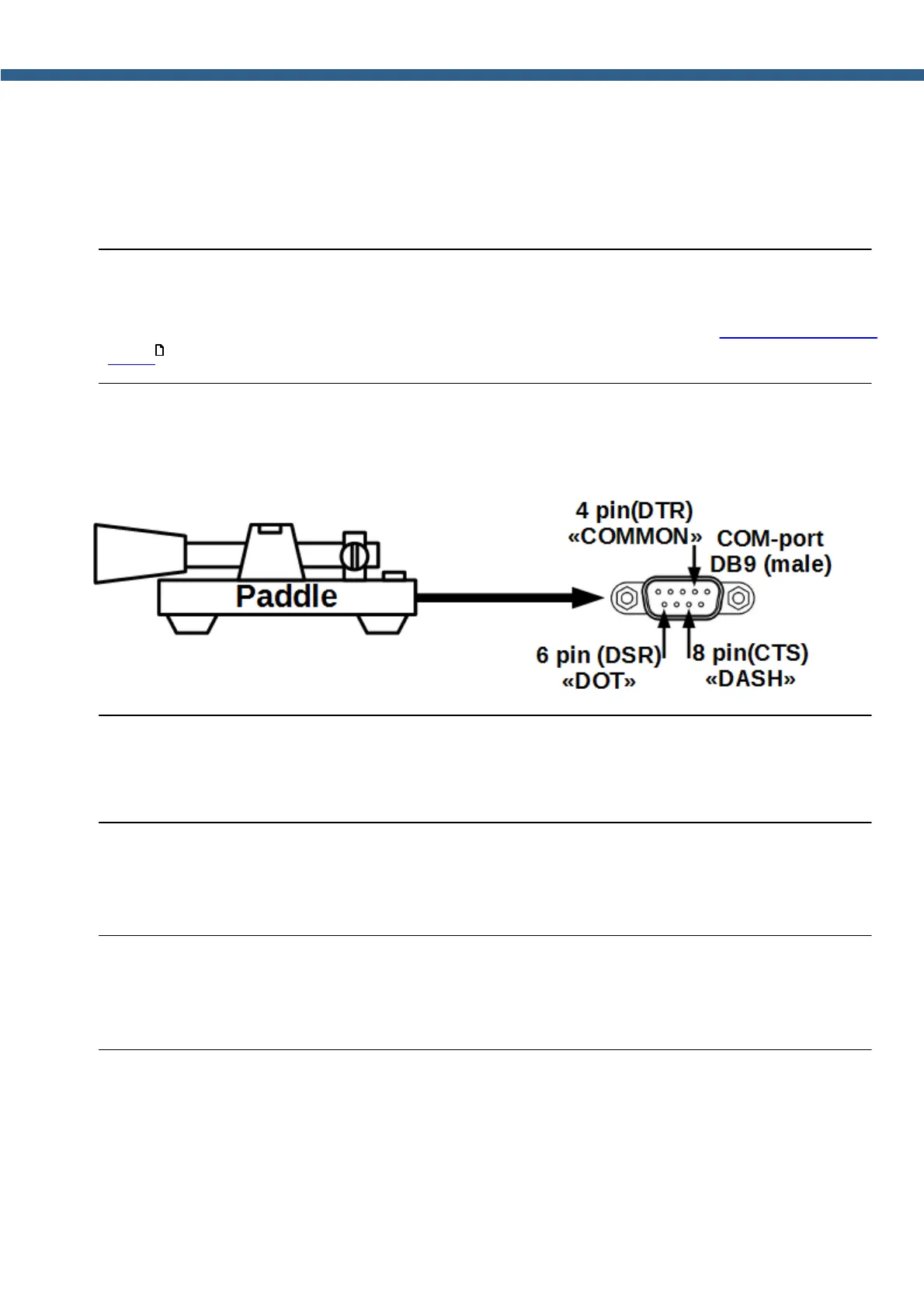
COM-port for connection of the CW key.
CW paddle can also be connected to the COM-port as per the picture below.
Warning!
i While connecting a CW key to the COM-port, avoid any contact of the key with the
transceivers's case, other devices' chassis and/or any other earth point!
2.5.2 External PC
The transceiver can be connected to another PC with a COM-port cable. Using the COM-port
cable and the CAT-system, you can adjust the transceiver's frequency and it's other parameters.
Note:
(
The cable type should be Null modem / crossing.
(
While connecting the cables, transceiver and PC should be switched off.
Transceiver may be connected to the other PC via Ethernet cable. With that connection you
create local network between PC and transceiver. There are may be more PCs if you connect
them via commutator or router.
The transceiver may be connected to another PC via a WLAN connection. To do that, connect a
WLAN adapter to a USB-port.
180



 To Next Page