17
MB1 User Manual
© 2016 Expert Electronics
CONNECTIONS
2.4 Front Panel accessories
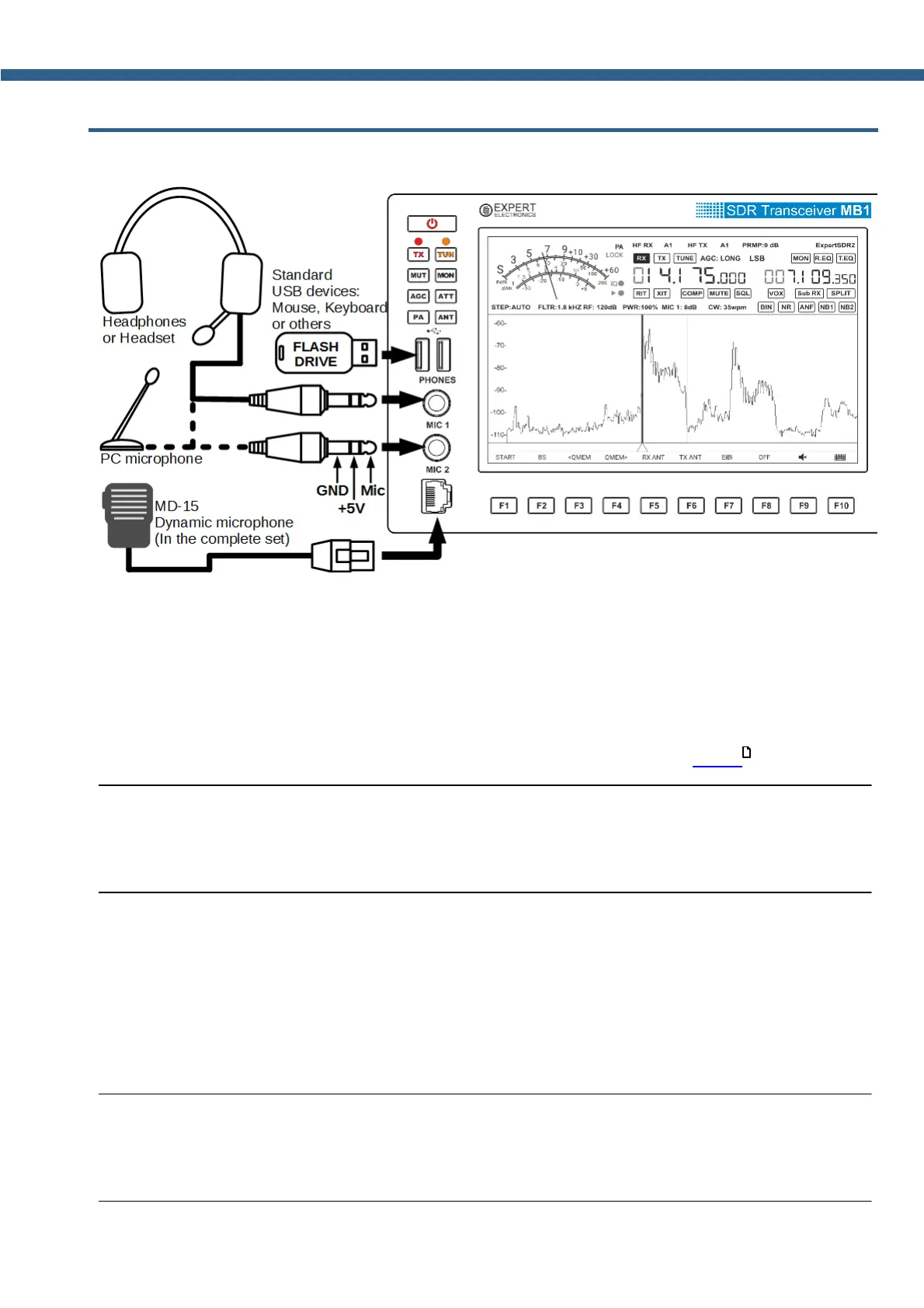
You can connect different accessories to the from panel of the MB1.
2.4.1
Microphone(Dynamic/Electret)
Dynamic microphone. The transceiver's kit includes a standard dynamic MD-15 microphone
with PTT button - to activate transmission.
MD-15 microphone connects to the MIC2 connector on the front panel of the transceiver.
MIC 2 microphone input is designed to connect dynamic microphones with an output
impedance of 500-600 Ohm. MIC 2 connector pinout is shown in section MIC 2 .
Note:
(
By repeated short presses of MIC button, you can select the MIC 2 input in the software, to
work with a dynamic microphone.
Electret microphone. Not supplied with the transceiver.
MIC 1 microphone input on the front panel of the transceiver is designed to connect electret
microphones.
You can connect any computer or other electret microphones via the Adapter Jack 6.3mm -
3.5mm.
Note:
(
By repeated short presses of MIC button, you can select the MIC 1 input in the software, to
work with an electret microphone.
27



 To Next Page