190
MB1 User Manual
© 2016 Expert Electronics
RIT/XIT OPERATIONS
11.2 XIT
XIT offset in the TX mode means that receiving will be held on the tuned frequency and
transmission frequency will differ by the offset value.
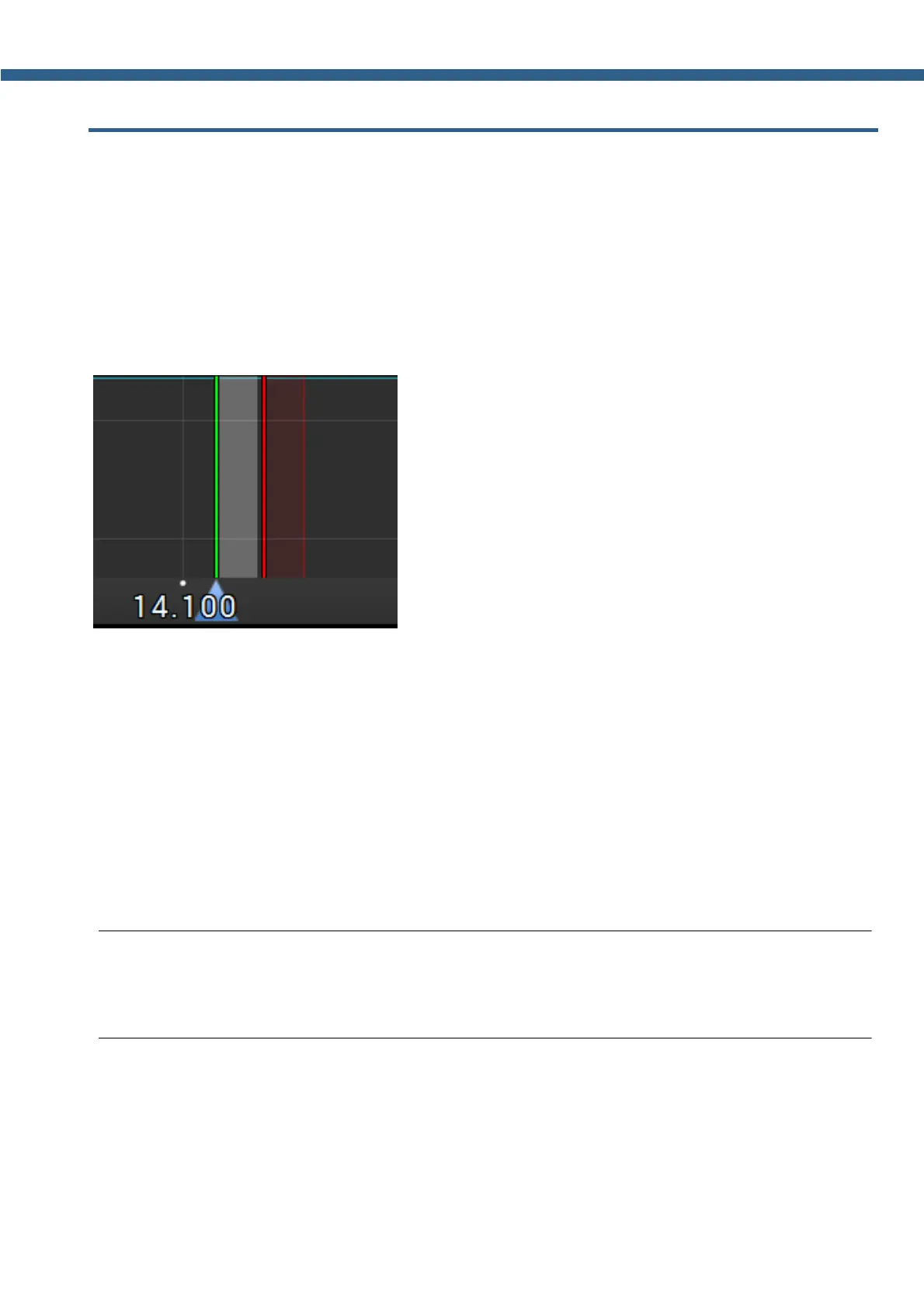
Offset is displayed as a translucent band on the spectrum scope.
RX frequency displayed as the tuned receiver's frequency - green line.
TX frequency displayed as the tuned transceiver's frequency - red line with the filter band (on
the picture below you can see USB mode).
To activate the XIT mode:
1. Short press the XIT button on the front panel of the transceiver..
Orange indicator over the XIT button signals that the mode is active.
2. Rotate the Multi 3 knob to set the required offset.
Press and hold the XIT button for about 0.5-0.8 sec to return the offset to zero.
To disable XIT - short press the XIT button again.
Idle orange indicator over the XIT button signals that the mode is disabled.
Note:
(
If the XIT offset wasn't reset , then if you disable the XIT it's state will be saved. When
you'll activate the XIT next time, transceiver will set the offset according to the previous value.



 To Next Page