70
MB1 User Manual
© 2016 Expert Electronics
MAIN SCREEN DESCRIPTION
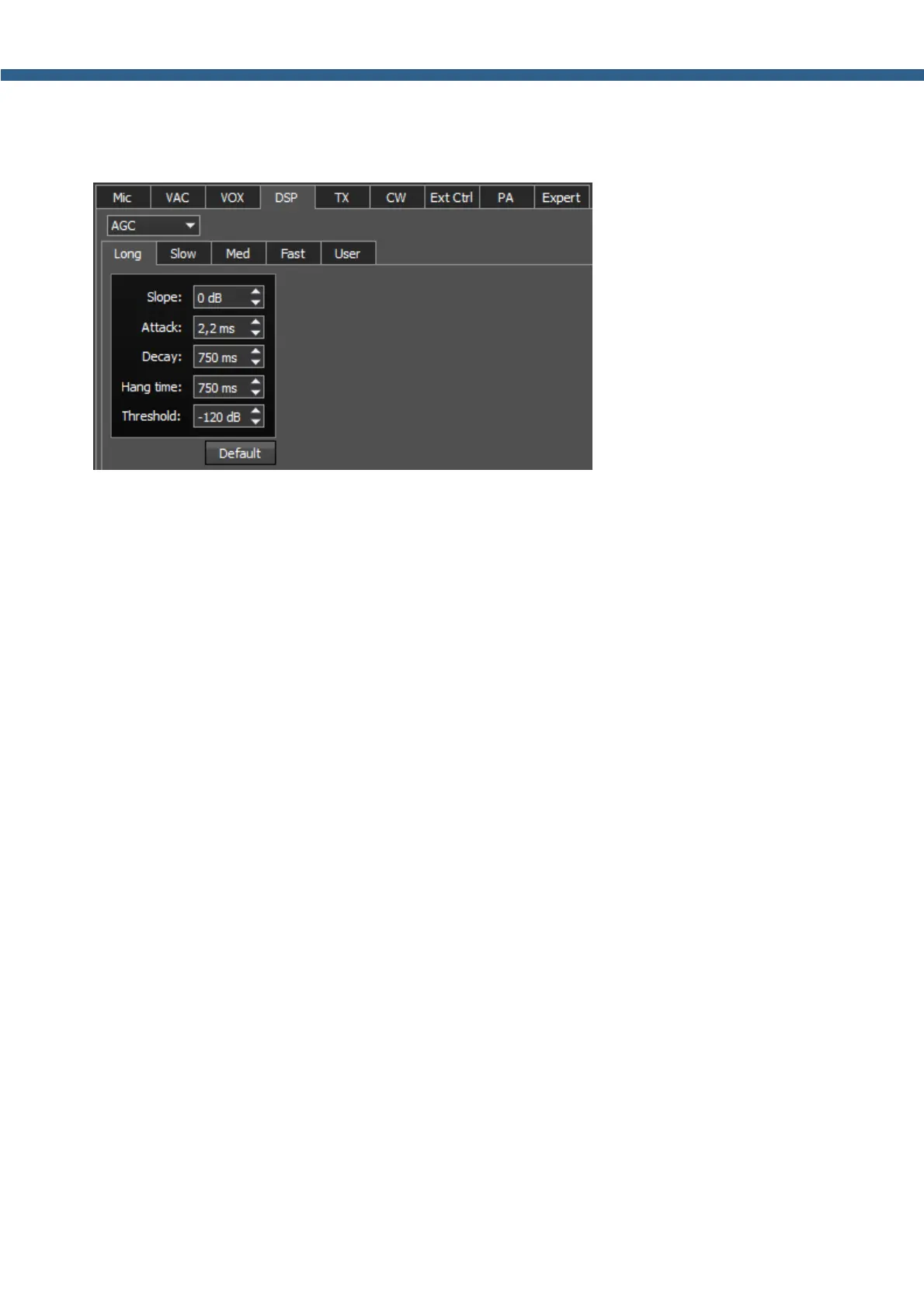
Each settings type has it's own tab and differs from others in terms of Attack, Decay and Hang
time.
AGC parameters:
· Slope – set the slope of the transfer characteristic.
· Attack – when a signal gets stronger, this value determines how quickly the AGC will
decrease gain.
· Decay – when a signal gets weaker, this value determines how quickly the AGC will increase
gain.
· Hang time – signal recovery time.
· Threshold – AGC trigger threshold.
Default – reset AGC setting to the default level.
Press the Default button if you set wrong AGC values and don't like the result. Each AGC tab
has a Default button.
Digital processing filter's settings.
There you can find fine the settings of the receiver's digital processing filters.
DSP functions clears the signal from abnormal noises and crosstalk.
These are the standard functions:
· ANF – Auto Notch filter, removes the carrier signals. This is a special adaptive filter, which
removes any periodical signals from the air in the RX filter band.
· NR – Noise Reduction, removes the white noise. This is a special adaptive filter, which
removes any abnormal noises from the air in the RX filter band.
· NB – Noise Blanker, removes impulse interference.
· APF - Analog peak-filter for CW mode. Provides a more comfortable listening of the CW
signals by amplifying the CW signal in the center of the receive filter (triangle filter's AFC
(amplitude-frequency characteristic) in the filter bandpass).



 To Next Page