118
MB1 User Manual
© 2016 Expert Electronics
MAIN SCREEN DESCRIPTION
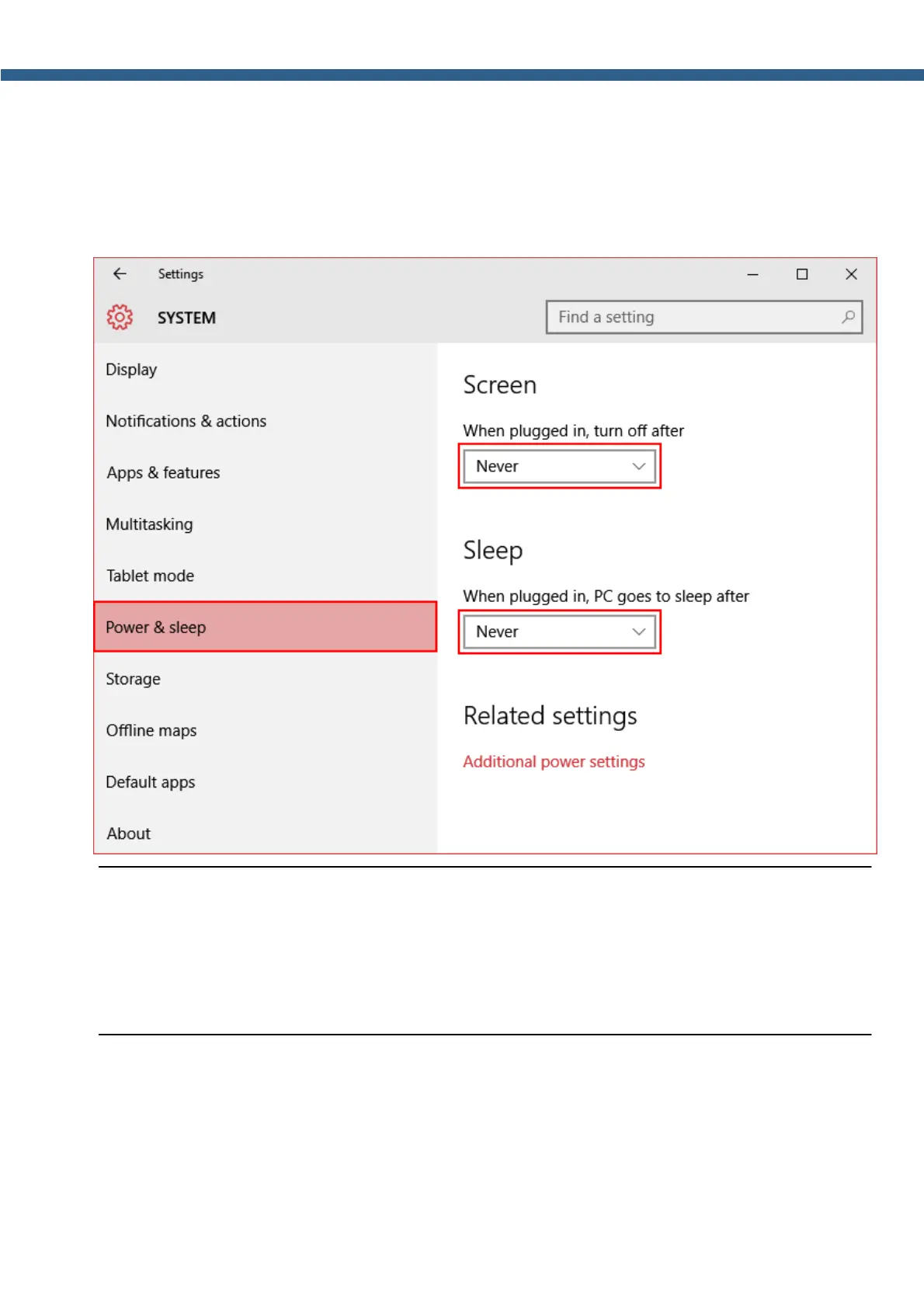
4. In the System window select the Power & sleep menu by the click of the left mouse button
(marked with a red rectangle on the picture below).
5. In the When plugged in, turn off after drop-down menu select - Never.
6. In the When plugged in, PC goes to sleep after drop-down menu select - Never.
Note:
(
If the internal PC went to the sleep mode, after it'll come back transceiver won't function
properly. For correct functioning of the transceiver switch it off and then switch on.
(
If your OS was updated, it might change selected (Never ) value to manufacturer settings.
Check this out, and switch off the sleep mode again, if necessary.



 To Next Page