168
MB1 User Manual
© 2016 Expert Electronics
TRANSCEIVER OPERATIONS
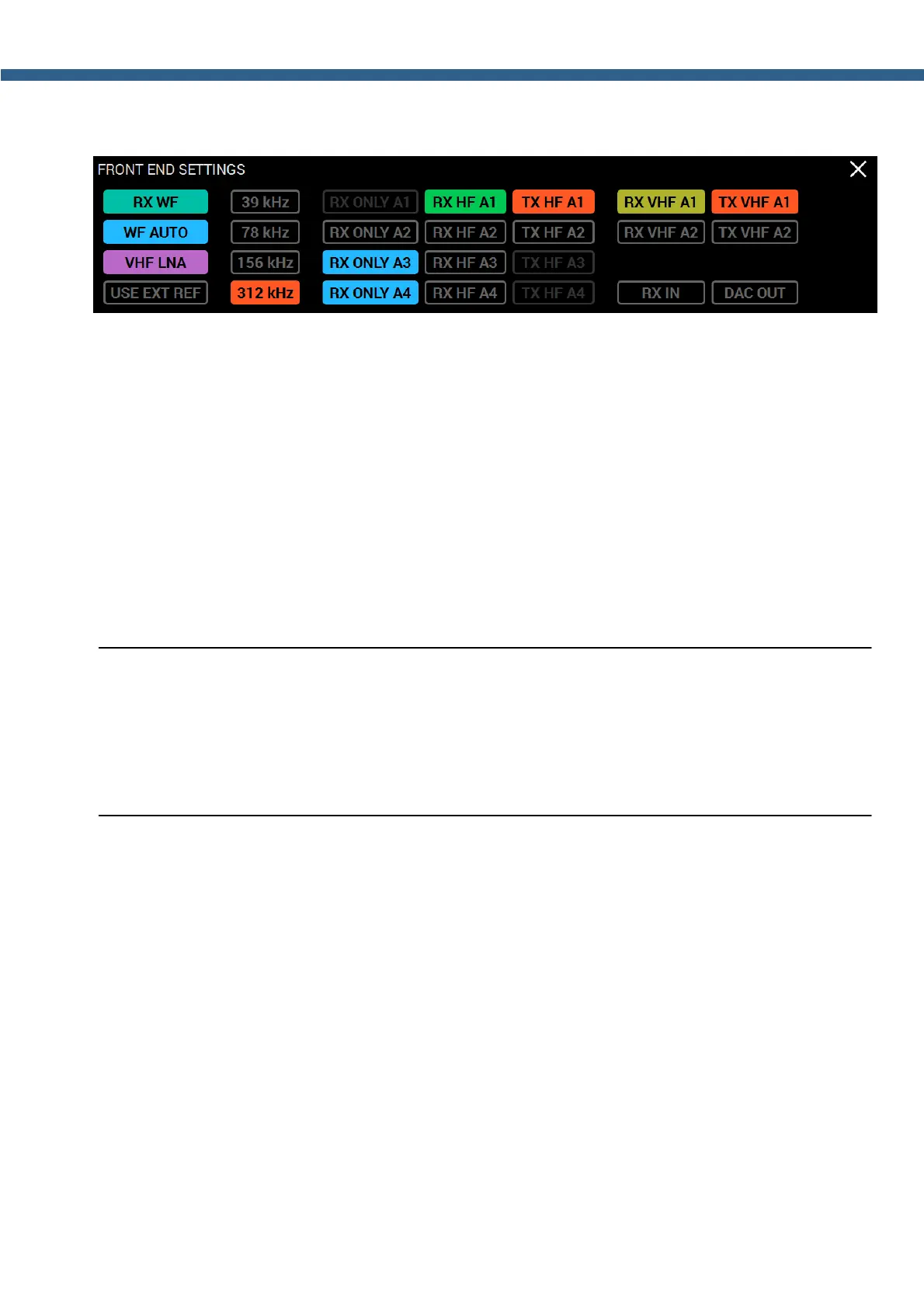
Press and hold the ANT button to open the antenna switch local panel (see the picture below).
With either the mouse cursor or via touch screen you can press these buttons:
RX HF A1...RX HF A4 - Buttons to select antenna for RX mode in HF band.
Press one of the RX HF A1...RX HF A4 buttons to select the antenna for RX mode in HF
band (0...80 MHz).
TX HF A1...TX HF A4 - Buttons to select antenna for TX mode in HF band.
Press one of the TX HF A1...TX HF A4 buttons to select the antenna for TX mode in HF
band (in amateur bands).
RX ONLY A1...RX ONLY A4 - Buttons to set the RX ONLY mode for the HF antenna
inputs.
Press RX ONLY A1...RX ONLY A4 buttons to select the RX ONLY mode to the
corresponding antenna inputs in HF band (0...80 MHz).
Note:
(
When setting the RX ONLY mode for the antenna inputs, you can select 3 antenna inputs
maximum. One antenna input should be assigned for the TX mode.
(
When setting the RX ONLY mode for the antenna inputs, TX mode is automatically locked
for them.
RX VHF A1...RX VHF A2 - Buttons to select antenna for RX mode in VHF band.
Press one of the RX VHF A1...RX VHF A2 buttons to select the antenna for RX mode in
VHF band (95...155 MHz).
TX VHF A1...TX VHF A2 - Buttons to select antenna for TX mode in VHF band.
Press one of the RX VHF A1...RX VHF A2 buttons to select the antenna for TX mode in
VHF band (2М band).
Antenna switch with the help of the functional buttons F1-F10 on the front panel of the
transceiver.



 To Next Page