179
MB1 User Manual
© 2016 Expert Electronics
TRANSCEIVER OPERATIONS
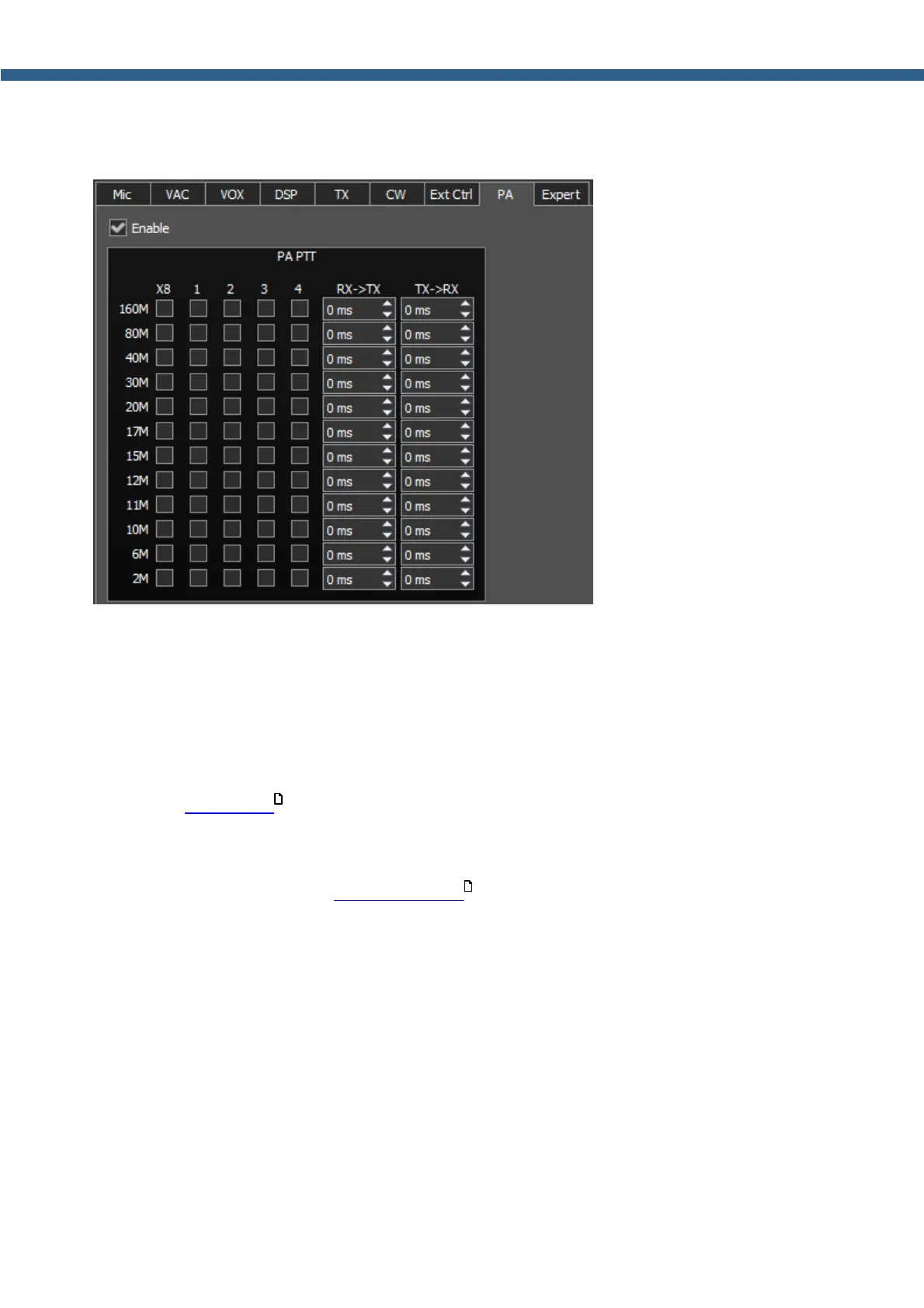
There are PTT keys settings on the PA tab - which control the TX mode of the external power
amplifiers (PA).
Enable - Checkbox to enable the PTT key control.
Set the Enable checkbox to work with the keys.
PA PTT - Category with PTT keys settings.
· X8 - РТТ control key for external PA control.
Key's output is placed on the rear panel of the transceiver in the EXT CTRL connector (more
details in EXT CTRL ).
· 1...4 - РТТ control keys for external PAs control.
Keys' outputs are placed on the rear panel of the transceiver on the corresponding PTT 1-4
connectors (more details in PA PTT outputs ).
· RX->TX - HF signal delay after switching from RX to TX.
· TX->RX - Switching delay from TX to RX after the PTT signal is off.
· 160М-2М - Keys' activation checkboxes for the corresponding bands.
29
30



 To Next Page