72
MB1 User Manual
© 2016 Expert Electronics
MAIN SCREEN DESCRIPTION
· Quality – Analog peak-filter quality.
Set the required quality of the analog peak-filter.
DSE – Digital Surround Effect for CW signals.
· Quality – DSE filter quality.
Set the required quality of the DSE filter. The higher the quality value the more prominent
function's effect.
· Swap channels - Swap right and left receiver's channels.
Set the Swap channels checkbox for correct DSE functionality, if required. Correct
functionality - slowly increasing the receiver tuning frequency, while receiving the CW signal,
sounds as if CW signal moves from the right to the left channel.
Filter taps - receiver's filter taps.
The higher the receiver's filter taps value, the more rectangle filter shape, but also longer signal
pass delays. That is why user should find the best settings for himself, between acceptable filter
shape steepness and signal delay. Optimal filter taps are set by default.
Default - press to return settings to the default state. Each settings category has Default
button.
Press the Default button if you set wrong values and don't like the result.
5.3.1.6 TX
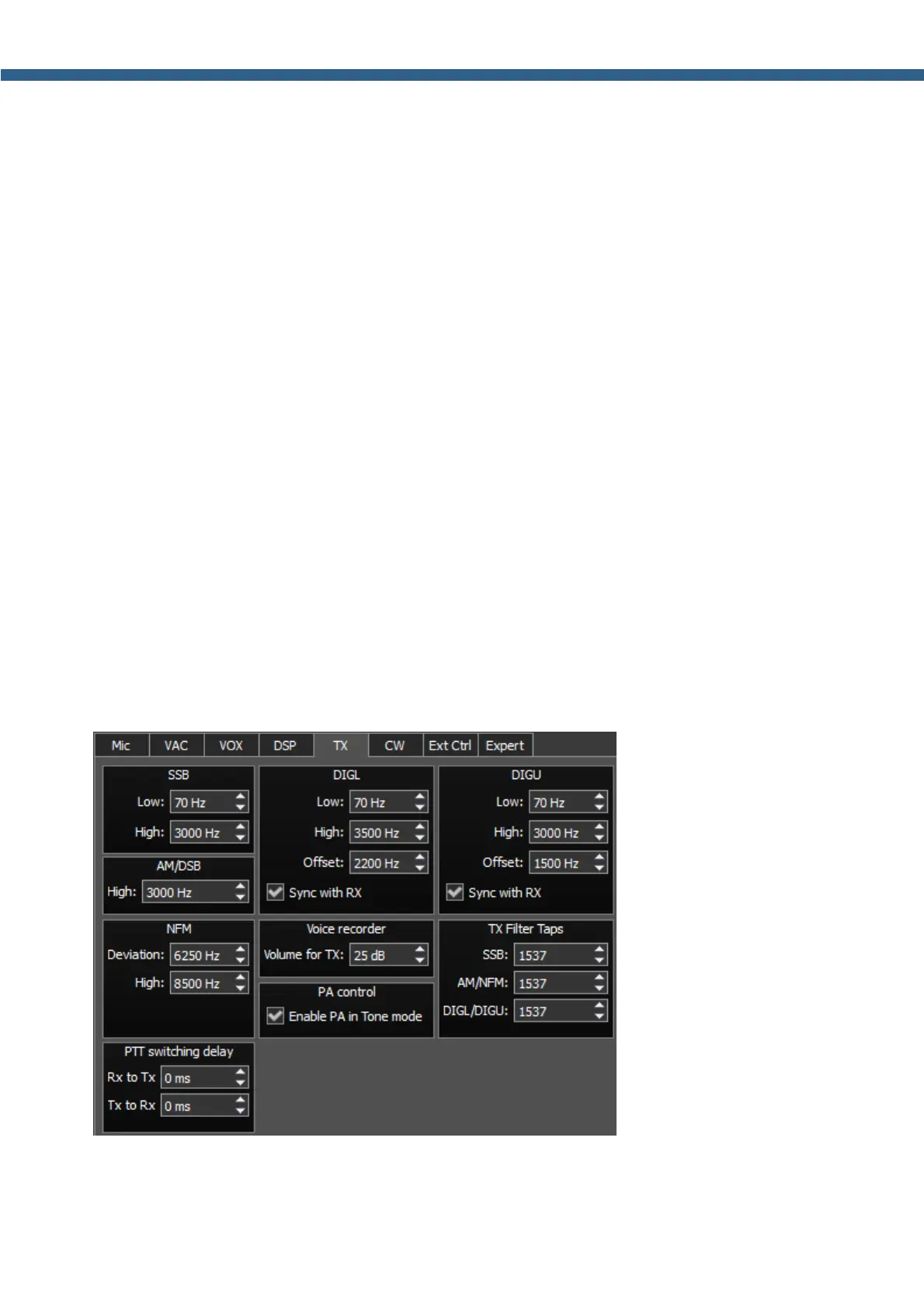
On the TX tab you can see the transceiver's settings.
SSB/DIGL/DIGU/AM/DSB - settings for the low or/and high TX filter fronts.
· Low – low front filter's frequency.



 To Next Page