74
MB1 User Manual
© 2016 Expert Electronics
MAIN SCREEN DESCRIPTION
5.3.1.7 CW
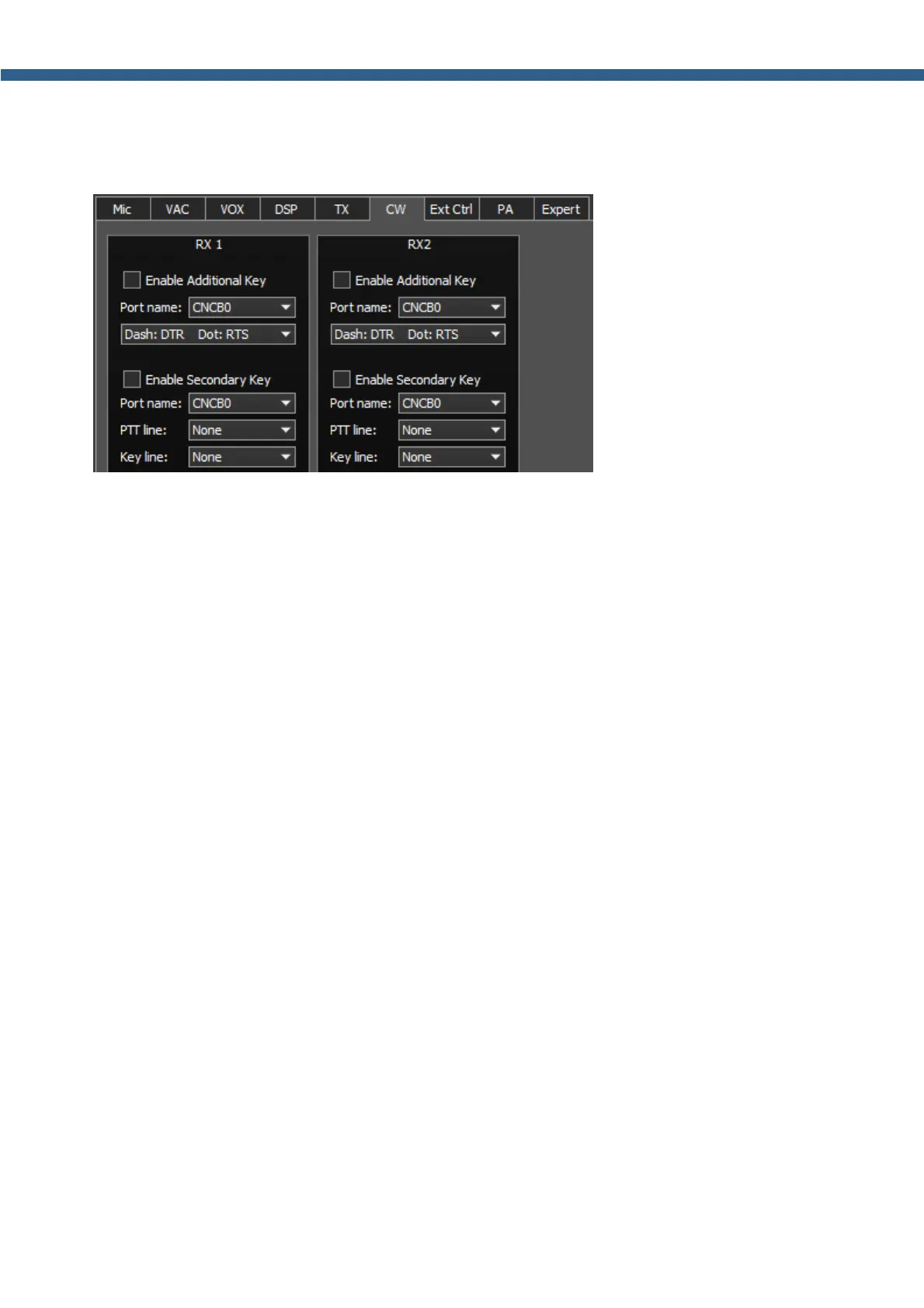
On the CW tab you can see the settings of the secondary CW keys.
RX1, RX2 - These categories have similar settings for RX1 and RX2 receivers.
· Enable Additional Key - Checkbox to enable additional CW keys.
Set the Enable Additional Key checkbox to enable additional iambic CW key, which is
connected to the COM-port.
· Port name - COM-port number, which is connected to the key.
· Lines - Lines menu, used for Dot and Dash signals.
In the Lines menu you may swap Dot and Dash signals with COM-port bits RTS and DTR.
· Enable Secondary Key - Checkbox to enable secondary additional CW key.
Set the Enable Secondary Key checkbox to enable secondary additional CW key, which is
connected to the COM-port. As a rule this port is being used for CW signal generated by the
additional software (message logs, contest logs and others).
· Port name - COM-port number, which is connected to the key.
· PTT line - Line menu, is being used to turn the transceiver to the TX mode.
· Key line - Line menu, is being used to generate CW signal.



 To Next Page