Chapter 8 System Operation
PAGE 8- 13
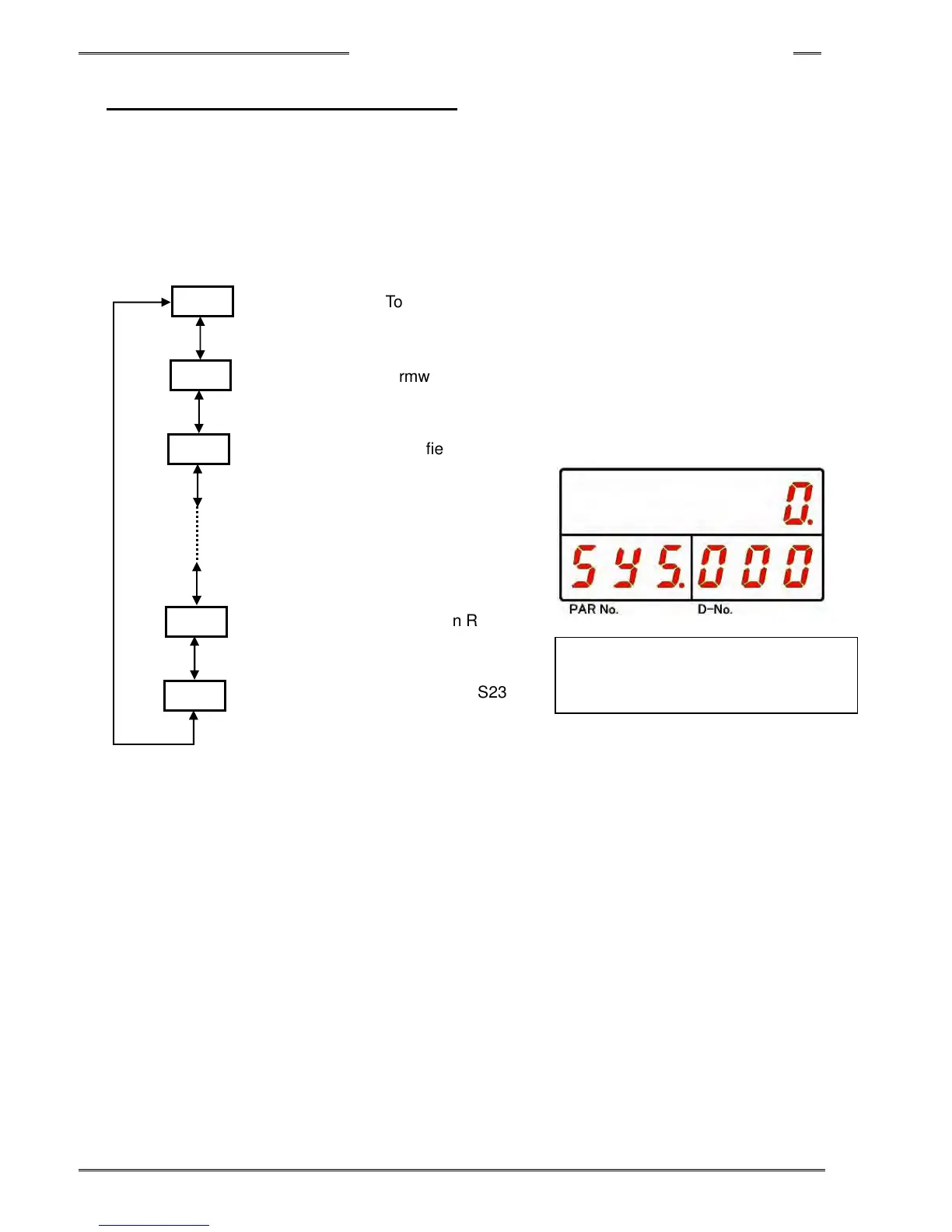
8-3-5 System Parameter Display Mode
The following data is displayed in System Parameter Display Mode. In the system setting mode, “SYS” is
indicated in the PAR No. display area. By pressing the [▲] or [▼] push-button, the “D-NO” can be changed
±1. The numbers can be advanced 10 at a time by holding the [▲] or [▼] push-button longer.
Refer PAGE 24 “Parameter List” regarding the detailed about parameters.
「
「「
「D-No.
..
.」
」」
」
「
「「
「PAR No.
..
. 」
」」
」
「
「「
「DATA」
」」
」
SYS
Torque unit
SYS
Firmware version
SYS
Amplifier version
SYS
Expansion RS232C-3
Stop Bit
SYS
Expansion RS232C-3
Data Bit
[▲] switch or [▼] switch
Skip 10 numbers while holding
~
000
001
002
407
408



 To Next Page