FT-111, User Manual Rev. 2.0.0, June 2022 Page 18 of 137
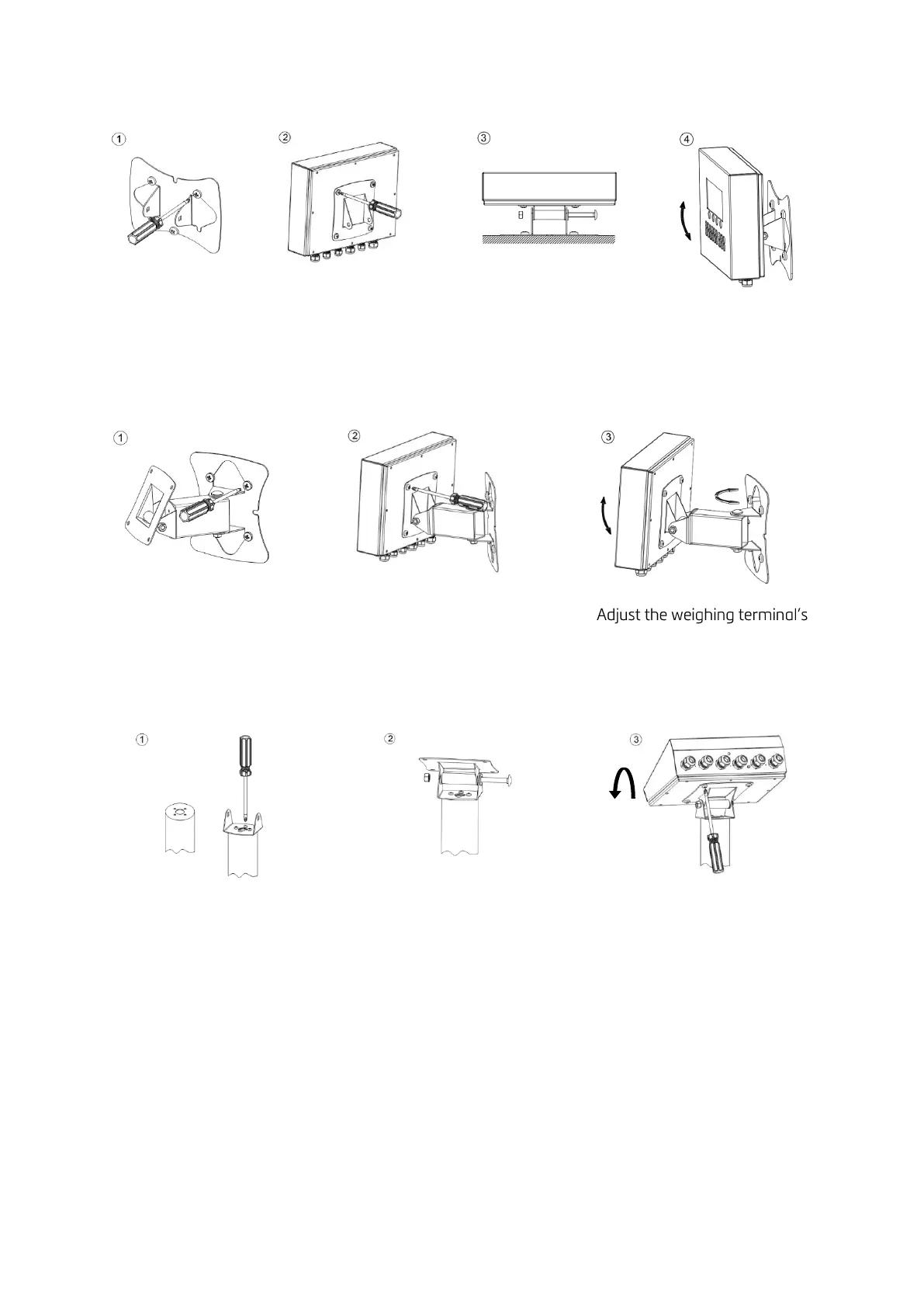
Wall mounting
Dismounting the wall mounting kit before installation and follow the steps below.
Install the wall
mounting part of the
kit to the wall with 3
screws.
Install the holder of the
kit to the rear the
instrument with 4 pcs M5
x 15 mm screws.
Reassemble the wall
mounting kit as seen in
the picture.
Adjust the angle of
weighing terminal.
Wall mounting with 2D kit
Install the mounting kit to the
wall with 4 pcs screws.
Install the mounting kit to the
rear of the instrument with 4 pcs
M5 x 15 mm screws.
Column mounting
Dismount the column mounting kit before installation and follow the steps below.
Install the small part of the kit
to the column.
Assemble the kit as seen in the
picture.
Install the weighing terminal to
the kit with 4 pcs M5 x 15 mm
screws.



 To Next Page