FT-111, User Manual Rev. 2.0.0, June 2022 Page 42 of 137
7.4 EPL FORMAT
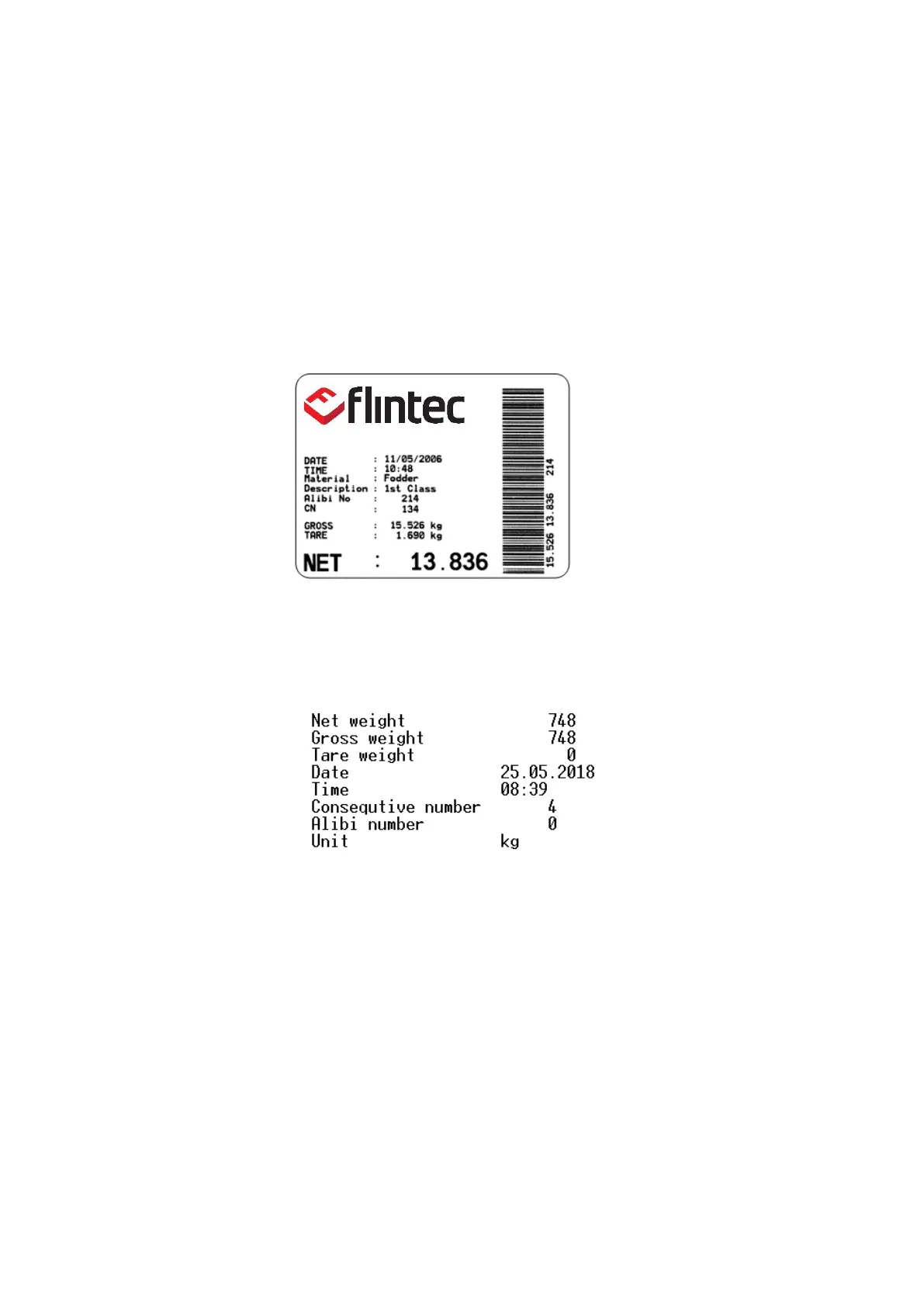
The EPL format of the data output in Print mode is selected to print the label data in graphical format EPL.
You can design your label in EPL format by using the printer label design software and Flintec software as
describe below.
1. Connect FT-111 weighing terminal to Flintec Indface2x software.
2. Enter EPL print format window. You will find the command table which includes commands to get data
from weighing in the label design.
3. Open label design software of the printer. Design your label by using the commands in item 2.
4. Save/Compile/ Convert your design to EPL format in Label design software.
5. Import the EPL file into Indface2x window.
6. Load this file into weighing terminal
Figure 7.1- Sample of the label printout of FT-111 which is designed in EPL format.
If the label design can be saved into the printer, the default of EPL format of FT-111 can be transferred to the
printer to print a designed label. The default of EPL format is as;
7.5 BSI DATA STRUCTURE FOR DIALOG WITH PC
Flintec instruments can be integrated into a computer system, data acquisition system, data logging system,
etc. FLINTEC weighing terminals launched on the market support the standardized BSI data format
command set, depending on the device functionality. This simple data format offers the advantages of a
reliable and fast interface with communicating PLC or PC for process control or transaction applications. FT-
111 has a BSI-Base command set for connecting peripheral devices.
Refer to BSI Protocol to Interface with PC and PLC for details, page 81.
7.6 FIELDBUS INTERFACE
The FT-111 weighing terminal has optional fieldbus interfaces like Profibus, Profinet, CANopen etc. to use the
instrument in process control.
Refer to section 11, Optional Boards for details.



 To Next Page