FT-111, User Manual Rev. 2.0.0, June 2022 Page 45 of 137
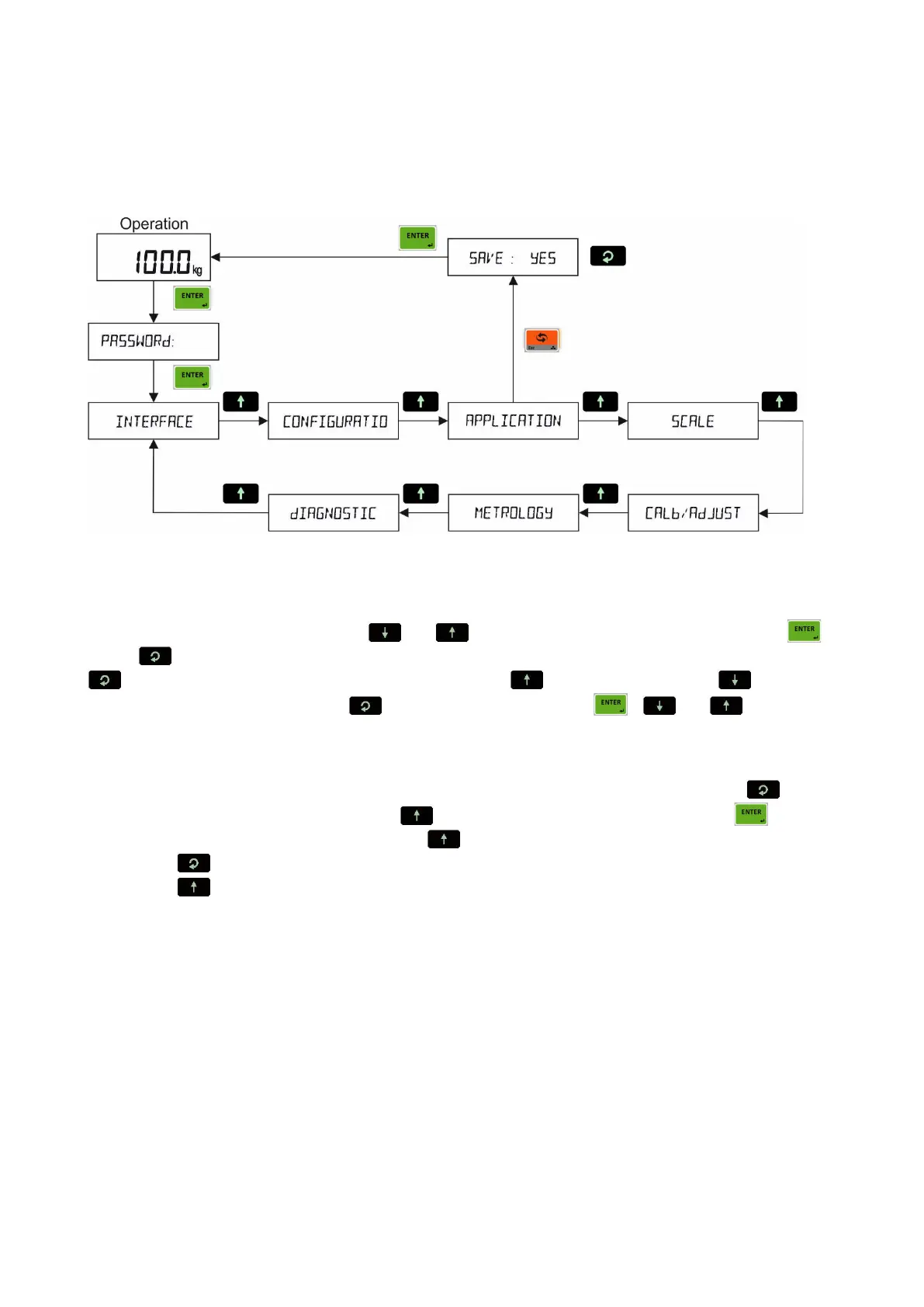
8.5 PROGRAMMING AND PARAMETERS
FT-111 weighing terminal is programmed under the seven main blocks in the programming menu which are
serial interface, configuration, application, scale, calibration, metrology, and diagnostic.
Main blocks in the programming menu are displayed like [1-- INTERFACE ] and sub-blocks are displayed
like [11- RS232C-1 ]. Parameters are located in the sub-blocks like [111 FORMAT: CONT ].
You can move in the blocks by pressing or keys. After reaching the desired block, press
key or key to enter it. After arriving the parameter to change, you may change its function by pressing
key. If the value will be entered to the parameter press key to increase or press key to
decrease the blanking digit and press key to select digit, then press , or keys to go to
the following parameter.
For example, to change the Baud rate of RS485 serial interface to 57600;
1. After entering the programming, the [1-- INTERFACE ] sub-block prompt appears. Press key.
2. [11- RS232C.1 ] prompt appears. Press key until appearing [13- RS485 ] and press key.
3. [131 FORMAT: NO ] prompt appears. Press key until appearing [132 BAUD: 9600 ] prompt.
4. Press key until [132 BAUD: 57K6 ] prompt appears.
5. Press key to go to the following parameter.
Legally related parameters can be changed if the calibration dip switch is at ON position. The values of these
parameters limited according to the OIML against wrong set up. Legally related parameters are marked with
M-symbol in the table below.



 To Next Page