EasyManua.ls Logo

Flintec FT-111 - Data Format; Ethernet;Ip Parameters; EDS Configuration

Flintec FT-111
137 pages
Print Icon
To Next Page IconTo Next Page
To Previous Page IconTo Previous Page
Loading...
FT-111, User Manual Rev. 2.0.0, June 2022 Page 109 of 137
11.11.2 Data Format
Data format of weight value can be programmable for Floating point (IEEE 754) or Integer. Refer to
parameter [ 191 ].
11.11.3 EtherNet/IP Parameters
EtherNet/IP parameters can be adjusted by keys in programming mode. Refer to parameter block [ 19- ].
Additionally, EtherNet/IP parameters set up are done by EtherX PC software over Local Network Area or by
IndFace2x. Both softwares on www.flintec.com
11.11.4 EDS Configuration
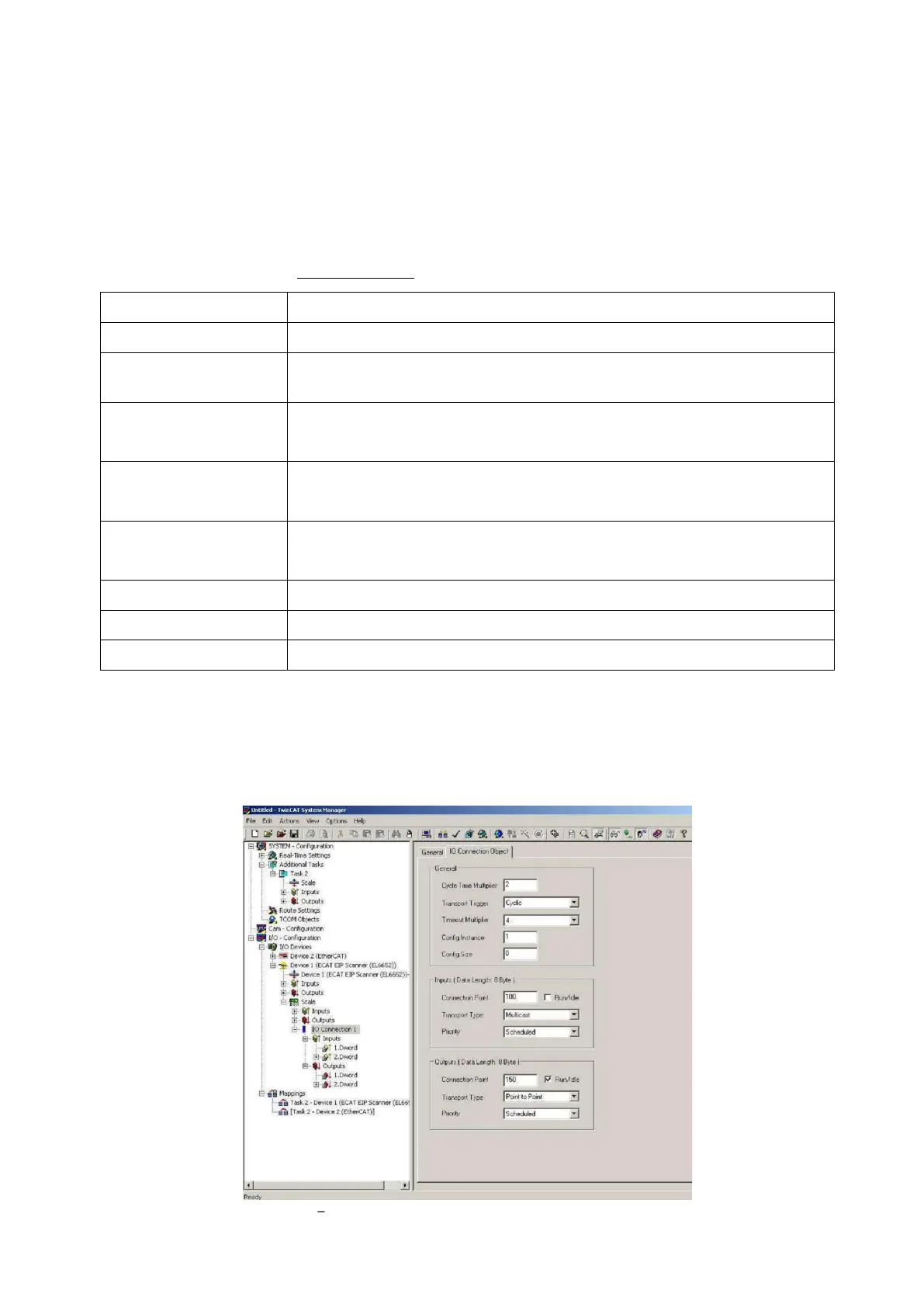
EtherNet/IP data structures consist of 2 pcs Input-2 words and 2 pcs Output-2 words. EDS configuration for
PLC programmers is shown in Figure 11.17 and Figure 11.18.
Figure 11.17 Configuration of module properties without EDS file

Parameters
Descriptions
Host Name
Device name of the instrument.
DHCP
Dynamic Host Configuration Protocol automates network parameters if it is
enabled.
IP Address
If DHCP is disabled, obtain IP address manually.
Refer to parameter 192.
Gateway
If DHCP is disabled, obtain default gateway manually.
Refer to parameter 195.
Subnet Mask
If DHCP is disabled, obtain subnet mask manually.
Refer to parameter 194.
Primary DNS
If DHCP is disabled, obtain primary DNS manually.
Secondary DNS
If DHCP is disabled, obtain secondary DNS manually.
Password
Default password is 123456.

Table of Contents

Related product manuals