FT-111, User Manual Rev. 2.0.0, June 2022 Page 14 of 137
3.2 KEYPAD
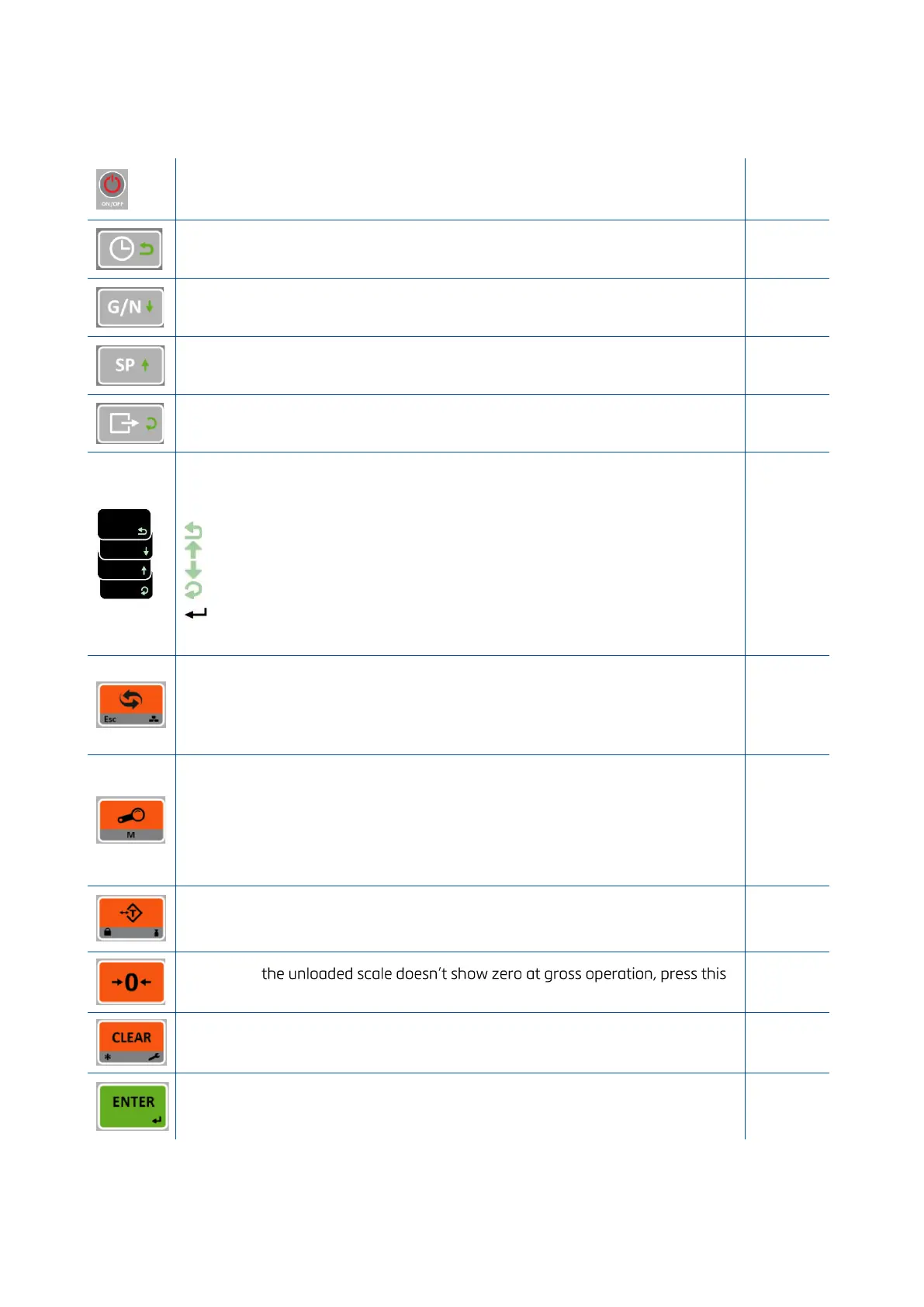
The keys and the key functions of FT-111 in usage are:
On: Press the key to switch on the weighing terminal.
Off: Press the key more than 2 seconds to switch off the instrument.
Date & Time: This key used to indicate date and time on the alphanumeric
display.
Temp. Gross in Net: This key is used to indicate the Gross weight temporarily in
net mode.
SET value entry: Press this key to enter set points.
Print: By pressing this key weight data transferred to a printer or to PC.
Navigation keys: Date, G/N, SP and Print keys have navigation functions in the
set point memory and in the programming.
The meanings of the symbols on keys at usage are;
Return.
Increase the blanking digit or next step.
Decrease the blanking digit or previous step Change the item or enter
into parameter.
Save the data after entry.
Go to the next parameter.
Unit change key: This key is used to change unit. The unit change is available
between kg and lb, and between g and oz.
Esc: The second function of this key is escape. Press the key to escape from any
entry or step in operation.
High resolution key: This key is used to indicate 10 times higher resolution of
the weight value.
Memory: The second function of the key is memory transactions. Press for
more than 2 seconds to enter memory. Or press this key to load any item from
memory in Set point entry step.
Tare: Press this key for taring the scale.
Key lock: This key is used to lock/unlock the keys.
Zeroing: If
key to compensate zero drift.
Clear: Clears the tare and indication returns to the gross value.
Plus/Minus: This key is used to set negative set point value.
Enter: Save the data and go to the next step.
Print: By pressing this key the weight data is transferred to a printer or to a PC.



 To Next Page