EasyManua.ls Logo

Flintec FT-111 - Programming and Calibration; Alphanumeric Entry for Headers and Footers

Flintec FT-111
137 pages
Print Icon
To Next Page IconTo Next Page
To Previous Page IconTo Previous Page
Loading...
FT-111, User Manual Rev. 2.0.0, June 2022 Page 43 of 137
8 PROGRAMMING AND CALIBRATION
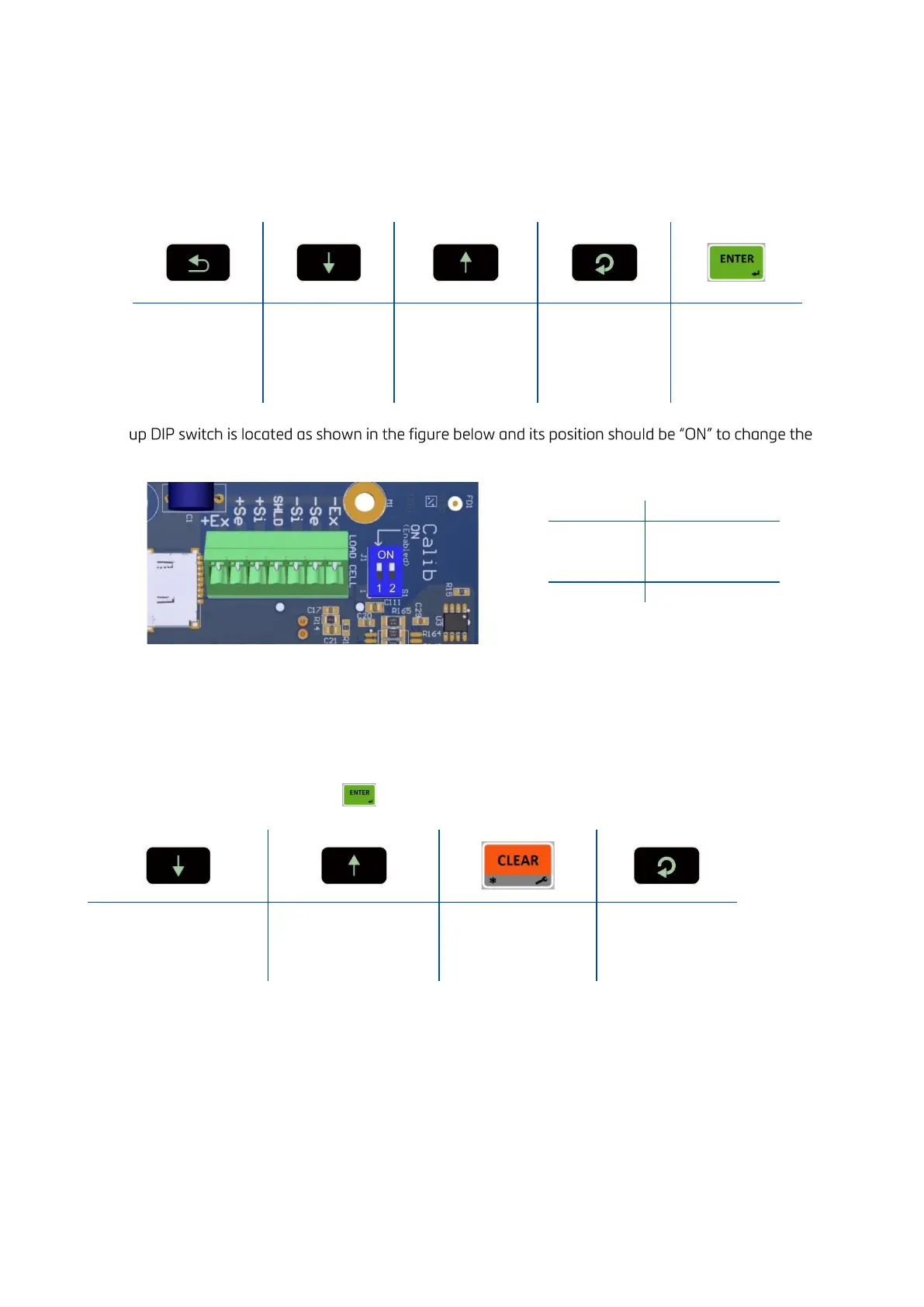
You will find the programming and calibration procedure of FT-111 weighing terminal in this section. The
arrows on the lower right corner of the keys under the display indicate the function of the keys in
programming menu. The basic meanings of these keys are;
Return
Decrease the
blanking digit or
previous step.
Increase the
blanking digit or
next step.
Change the item
or enter the
parameter and
select digit
Enter the
parameter or
confirm the entry
and go to the next
step
A set-
metrological related parameters including calibration.
Figure 8.1- Location of the calibration DIP switch
8.1 ALPHANUMERIC ENTRY FOR HEADERS AND FOOTERS
Press the following keys to enter alphanumeric data to the header and footer of the weighing ticket in
programming menu. Then press the key to go to the next step.

Decrease from Z to A
character the blanking
digit.
Increase from A to Z
character the blanking
digit.
Deletes last entered
digit
Shifts right the
cursor
DIP Switch
Description
1
Calibration SW
OFF : Locked
ON : Set- up
2
Reserve

Table of Contents

Related product manuals