FT-111, User Manual Rev. 2.0.0, June 2022 Page 76 of 137
11 OPTIONAL BOARDS
11.1 DIGITAL INPUTS AND OUTPUTS
APPLICATION: Digital inputs are used to control the instrument and the digital outputs can be used to control
gates, valves etc. or to produce alarm. Refer to section 6 for details.
CONDITION: The Digital I/O option board, analogue output option or one of the fieldbus option should be
installed in the weighing terminal, to use digital control inputs and set point output signals.
This weighing terminal can be equipped with programmable 4 inputs and 5 outputs to use them at weighing
process. If the specified set point values are exceeded or dropped below, digital outputs are set, e.g., for
controlling flaps, valves, lambs etc.
Entry the set point values
1. Press the key.
2. The set point 1 value appears on the display as value is seen on the display [ SP 1 1250 kg ].
3. Press key to increase or press key to decrease the blanking digit and press key to
select digit. You may press key to enter negative set point value. Press the key to save it
and to go to the next set point.
4. Repeat from step 2 for entering following set points.
5. FT-111 returns to the operation after displaying set point 5 and entering its value,
6. Press key to return operation at any step.
Digital Inputs
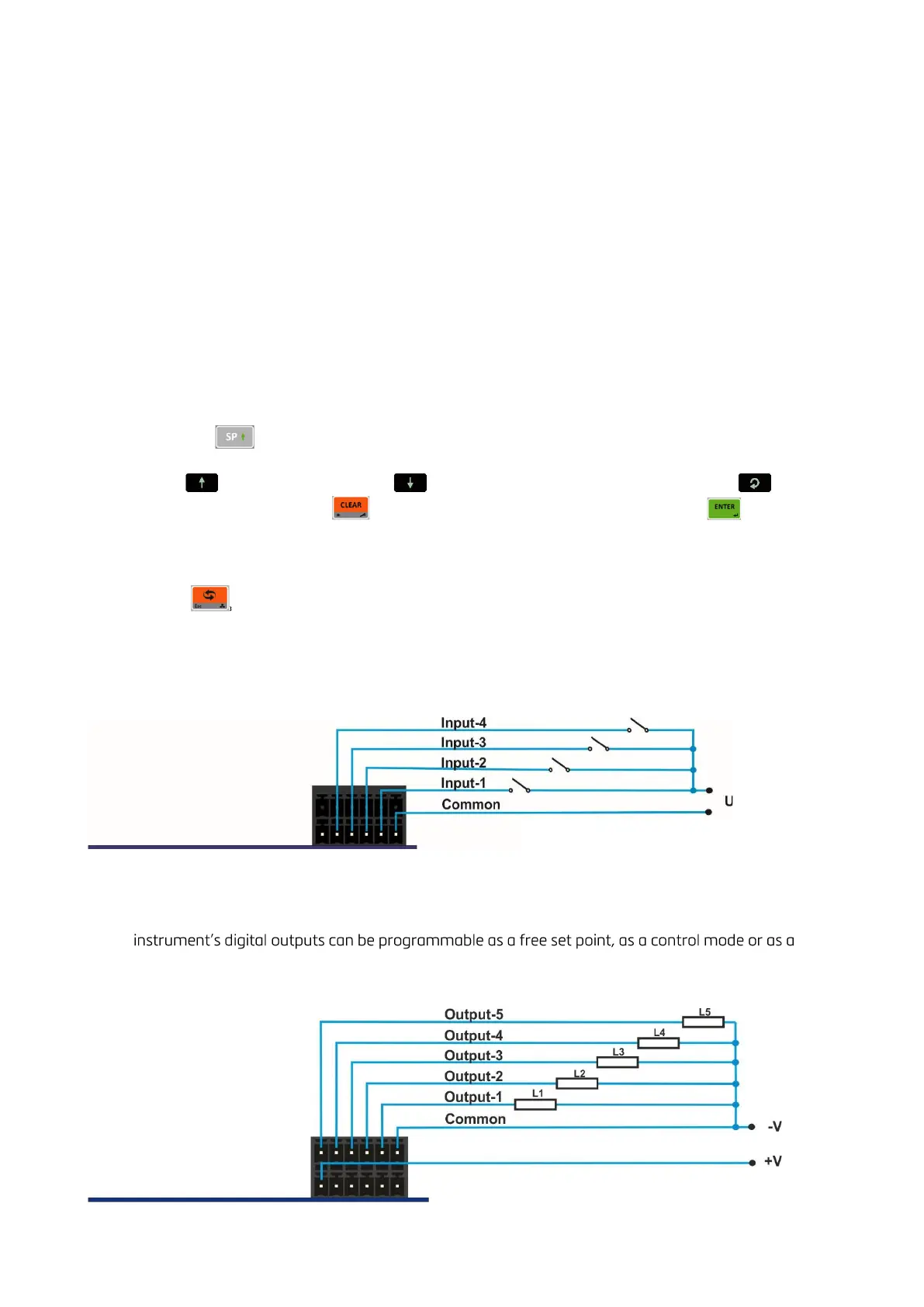
FT-111 digital inputs are independently programmable for zeroing, taring, clear, print, key lock and as a
fieldbus Remote input in industrial weighing applications. Input connection diagram is shown in Figure 11.1.
Figure 11.1 - Connection diagram of digital inputs
Digital Outputs
FT-111
remote output at basic weighing. Output connection diagram is shown in Figure 11.2.
Figure 11.2 - Connection diagram of digital outputs



 To Next Page