FT-111, User Manual Rev. 2.0.0, June 2022 Page 44 of 137
8.2 ENTERING TO THE PROGRAMMING AND CALIBRATION
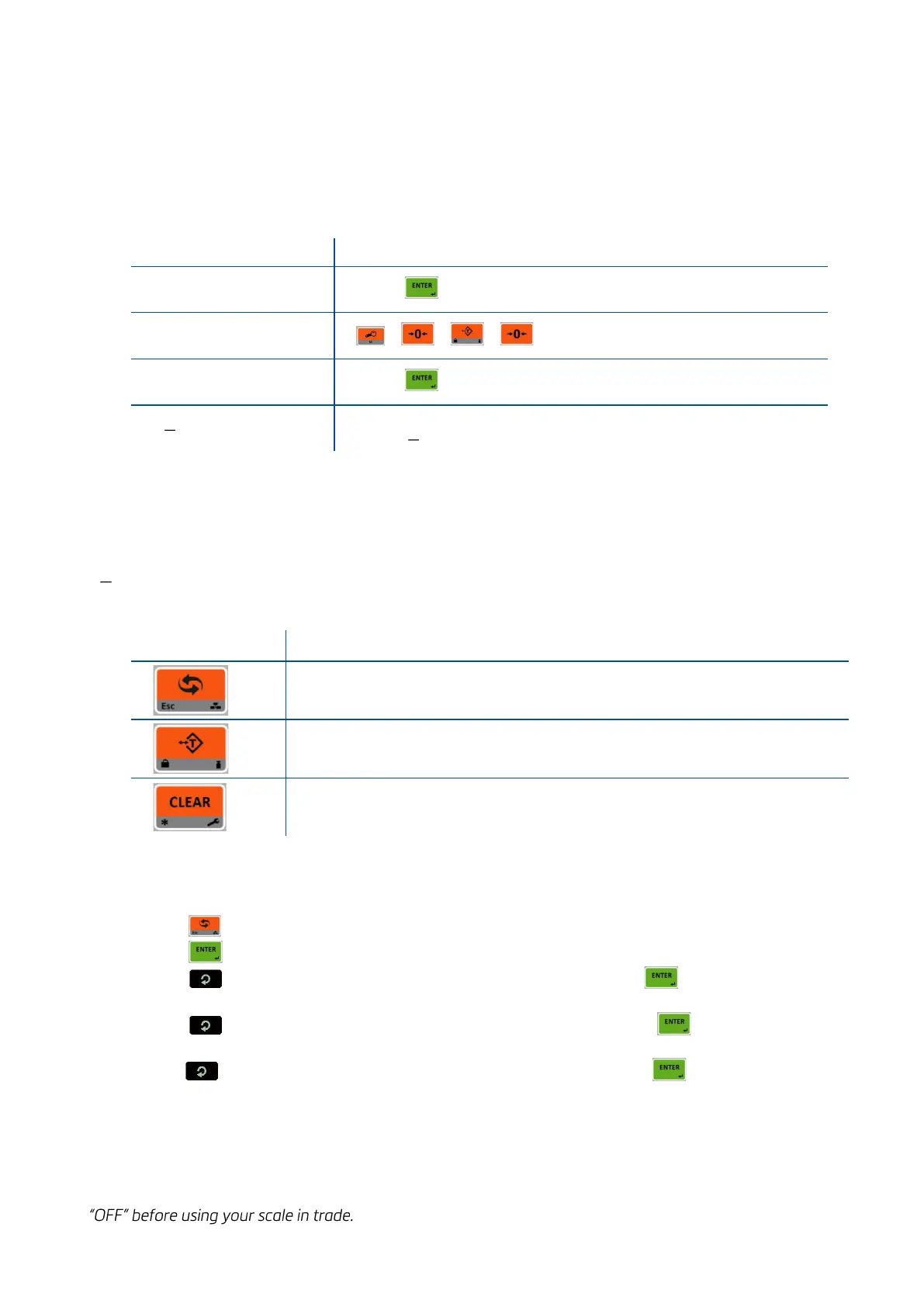
To enter the programming menu, you should follow the description in the table below. Legally related
parameters can be changed if the calibration dip switch is at ON position. These parameters are marked with
M-symbol in the parameter table in this section. If you will change any legally relate parameter or will
perform calibration, set the calibration switch to the ON position before entering to the programming.
Press key until [ PASSWORD : ] prompts seen.
+ + + keys sequentially for service entry.
You entered to the programming main menu and the first main
block [1 INTERFACE ] prompt appears.
8.3 QUICK ACCESS PARAMETER BLOCKS USED FREQUENTLY
The instrument has fast access feature to the frequently adjusted parameters for easy set-up or service. As
described in the previous section, if you press the keys below more than 2 seconds at main block
[1 INTERFACE ] , you will access to the parameter blocks fast.
Press this key to access the fieldbus parameters, Sub-block [ 19- ].
Press this key to access the calibration, Sub-block [ 621].
Press this key to access the diagnostic parameters, Main-block [9--].
8.4 EXIT FROM PROGRAMMING
1. Press key until [ SAVE : YES ] prompt appears on the display.
2. Press key to save the changes into the memory or
3. Press key to change item to [ SAVE : NO ] prompt appears, press key to leave the
programming without saving the changes or
4. Press key to change item to [ SAVE : BACK ] prompt appears, press key to return to
menu or
5. Press key to change item to [ SAVE : TEMP ] prompt appears, press key to store the
changes until the power off the instrument.
[ WAIT ] message appears on the display for a little while, and the weighing terminal returns to the weighing
mode.
WARNING: Do not forget to switch off the instrument and bring the calibration DIP switch position to the



 To Next Page