Issue/Rev. 0.2 (12/12)
Page 86 • MN0M023
7 Block OUTPUTS Device Functions Proline Promass 83
PULSE WIDTH
(4223)
! Note!
This function is not available unless the PULSE setting was selected in the OPERATION
MODE function (4200).
Use this function to enter the pulse width of the output pulse.
User input:
0.05...2000 ms
Factory setting:
100 ms
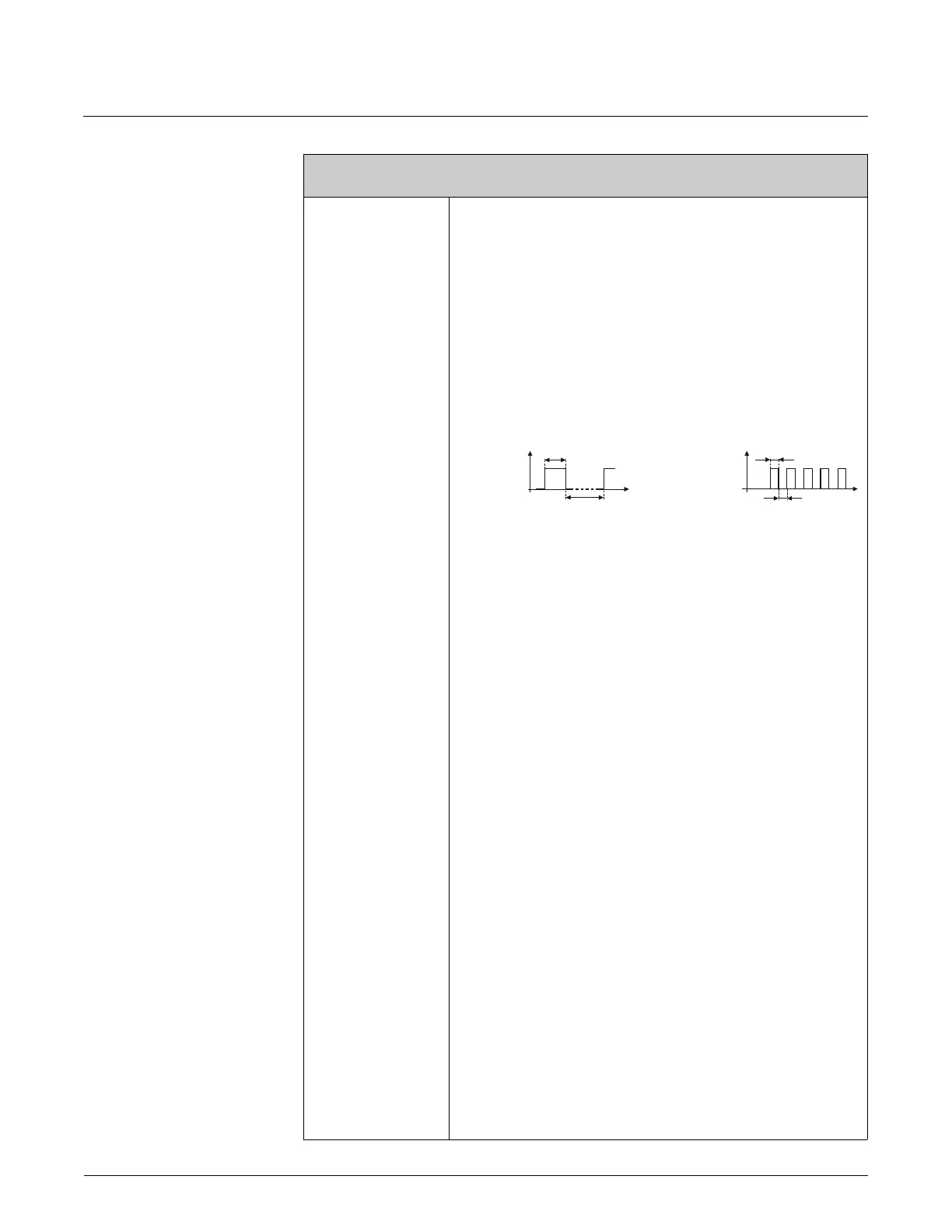
Pulse output is always with the pulse width (B) entered in this function. The pauses (P)
between the individual pulses are automatically configured. However, they must at least
correspond to the pulse width (B = P).
A0001233-en
B = Pulse width entered (the illustration applies to positive pulses)
P = Pauses between the individual pulses
! Note!
When entering the pulse width, select a value that can still be processed by an external
totalizer (e.g. mechanical totalizer, PLC, etc.).
" Caution!
If the pulse number or frequency resulting from the pulse value entered (see function
PULSE VALUE (4222) on page 85) and from the current flow is too large to maintain the
pulse width selected (the time interval is smaller than the pulse width B entered), a
system error message is generated (# 359...362, pulse buffer) after approx. 5 seconds
buffer/balance time.
Function description
OUTPUTS o PULSE/FREQUENCY OUTPUT (1...2) o CONFIGURATION (PULSE)
B
=
P
B
P
P
B
B
<
P
tt
transistor transistor
conducting
nonconducting
conducting
nonconducting


 To Next Page