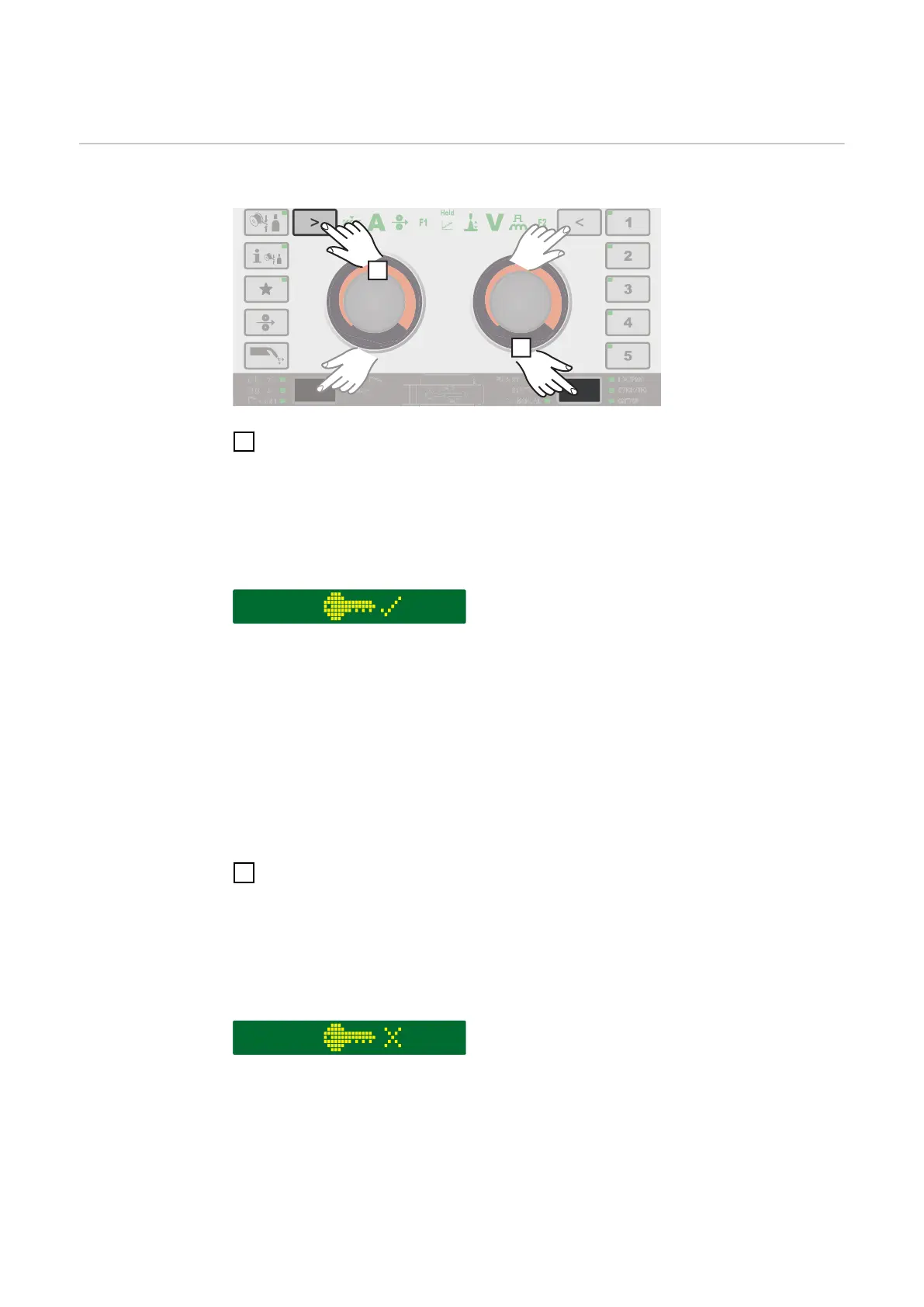
Keylock
Keylock To activate the keylock
1
Press the "Welding process" and left parameter selection buttons at the
same time
* Alternatively, the "Mode" and right parameter selection buttons can be
pressed.
The key symbol and a tick are shown on the display:
The following functions are dis-
abled:
-
the adjusting dial functions
-
selection of the filler metal
-
saving and deleting EasyJobs
-
the "Mode" button
-
the "Welding process" button
-
the Setup menu
The following functions are avail-
able:
-
the "Filler metal info" button
-
retrieving EasyJobs
-
the "Wire threading" button
-
the "Gas-test" button
-
the parameter selection buttons
To unlock keys again
1
Press the "Welding process" and left parameter selection buttons at the
same time
* Alternatively, the "Mode" and right parameter selection buttons can be
pressed.
The key symbol and a X are shown on the display:
134











 To Next Page