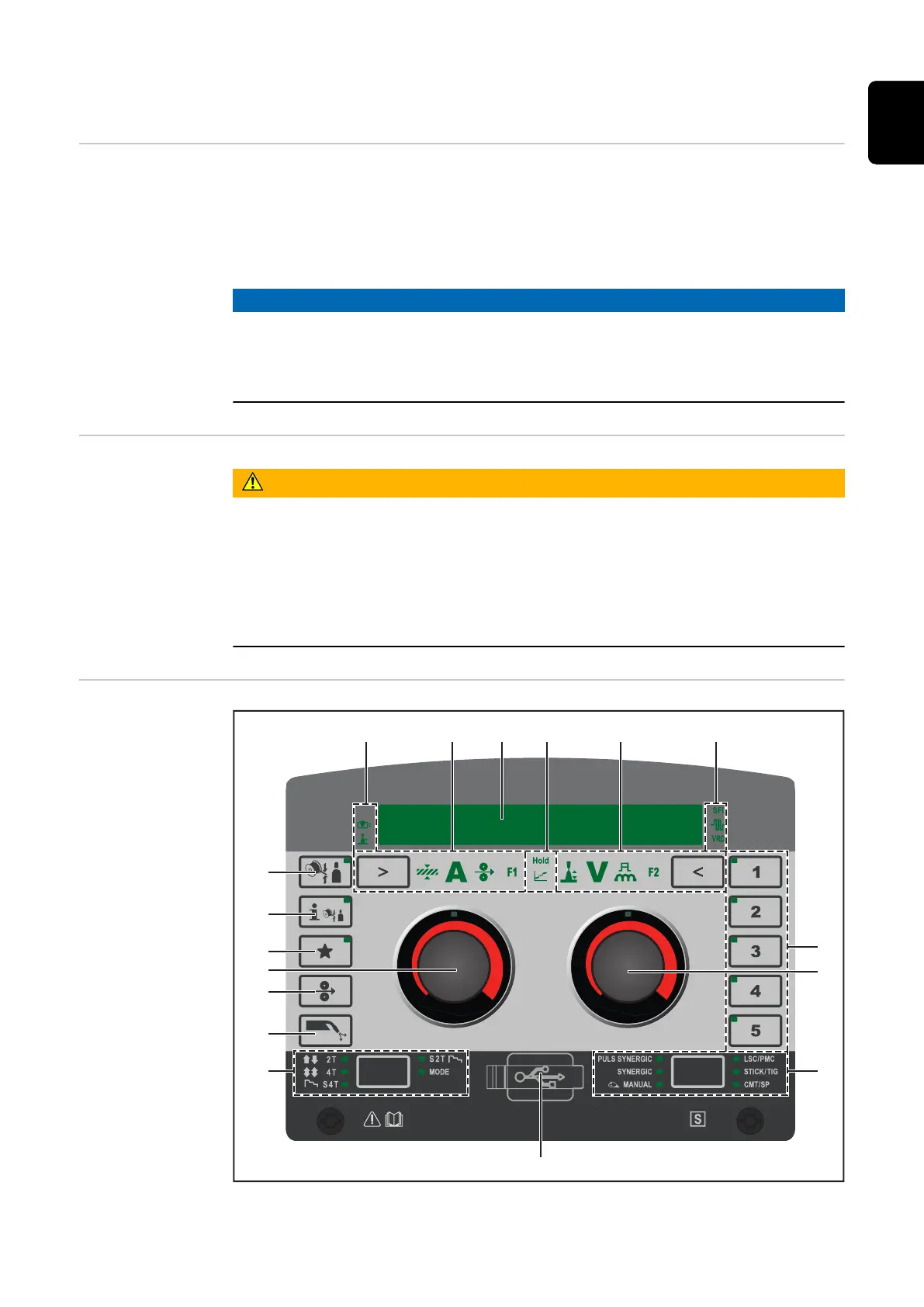
Control panel
General Welding parameters can be easily changed and selected using the adjusting dial.
The parameters are shown on the display while welding is in progress.
The synergic function ensures that other welding parameters are also adjusted
whenever an individual parameter is changed.
NOTE!
As a result of firmware updates, you may find that your device has certain func-
tions that are not described in these operating instructions, or vice versa.
Certain illustrations may also differ slightly from the actual controls on your
device, but these controls function in exactly the same way.
Safety
WARNING!
Danger from incorrect operation and work that is not carried out properly.
This can result in serious personal injury and damage to property.
▶
All the work and functions described in this document must only be carried
out by technically trained and qualified personnel.
▶
Read and understand this document in full.
▶
Read and understand all safety rules and user documentation for this device
and all system components.
Control panel
(1) (2) (3) (4) (5) (6)
(7)
(10)
(8)
(9)
(17)
(16)
(15)
(14)
(13)
(12)
(11)
45
EN











 To Next Page