1
Press the parameter selection button until F1 or F2 lights up:
F1 ... left parameter selection
F2 ... right parameter selection
The stored parameter is shown first, then the currently set value of the paramet-
er.
2
Change the value of the parameter by turning the adjusting dial:
F1 ... left adjusting dial
F2 ... right adjusting dial
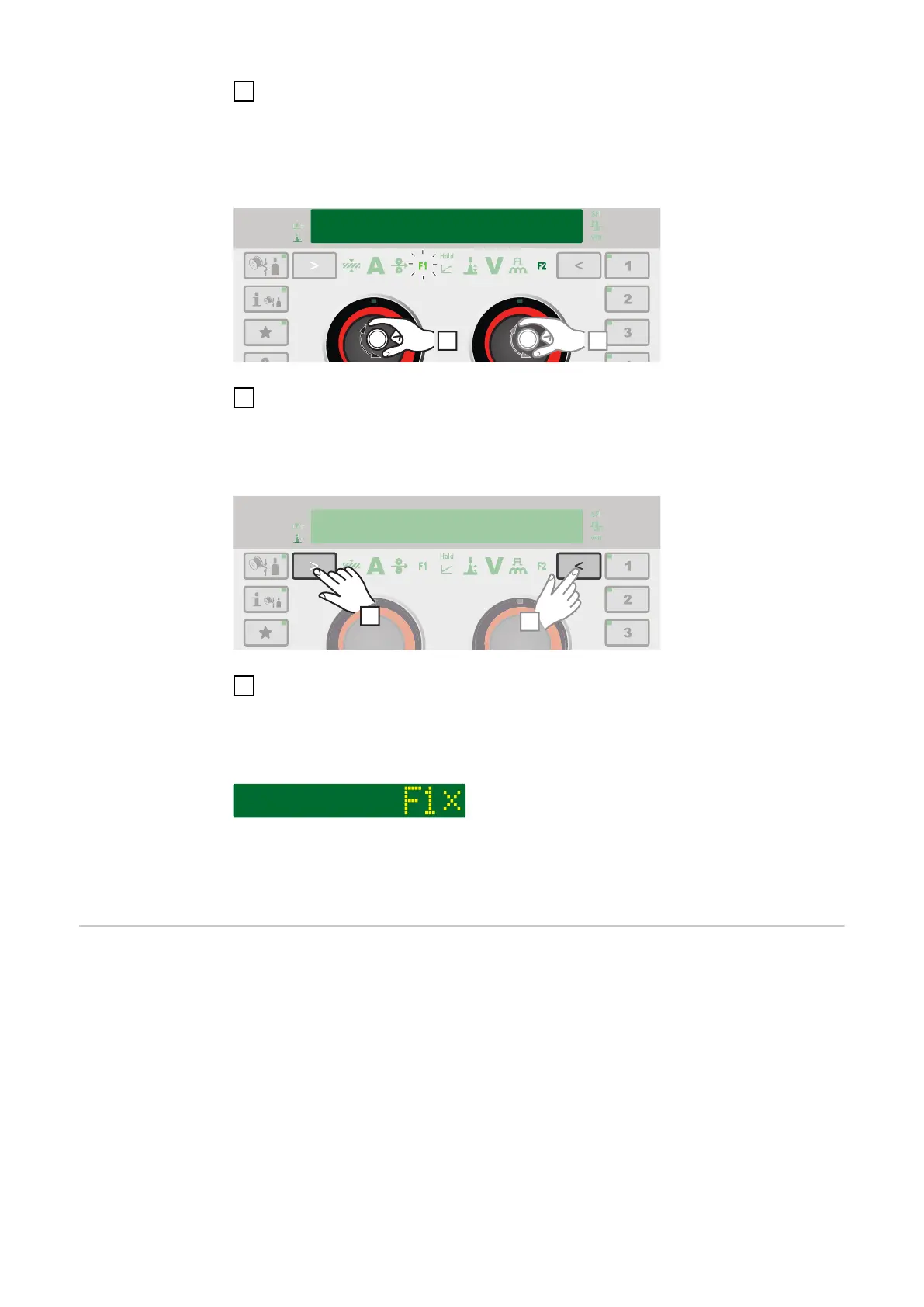
Deleting F1 and F2 special function parameters
1
Press the parameter selection button for at least 5 seconds:
F1 ... left parameter selection
F2 ... right parameter selection
The stored parameter is deleted, F1 (for example) and X is shown on the display:
The F1 and F2 special function parameters can also be set in the Setup menu
(page 129).
The Favourites
button
Assigning the Favourites button
Individual parameters or parent folders from the Setup menu can be assigned to
the Favourites button. These parameters or parent folders can then be called up
directly using the control panel.
52











 To Next Page