EasyJob mode
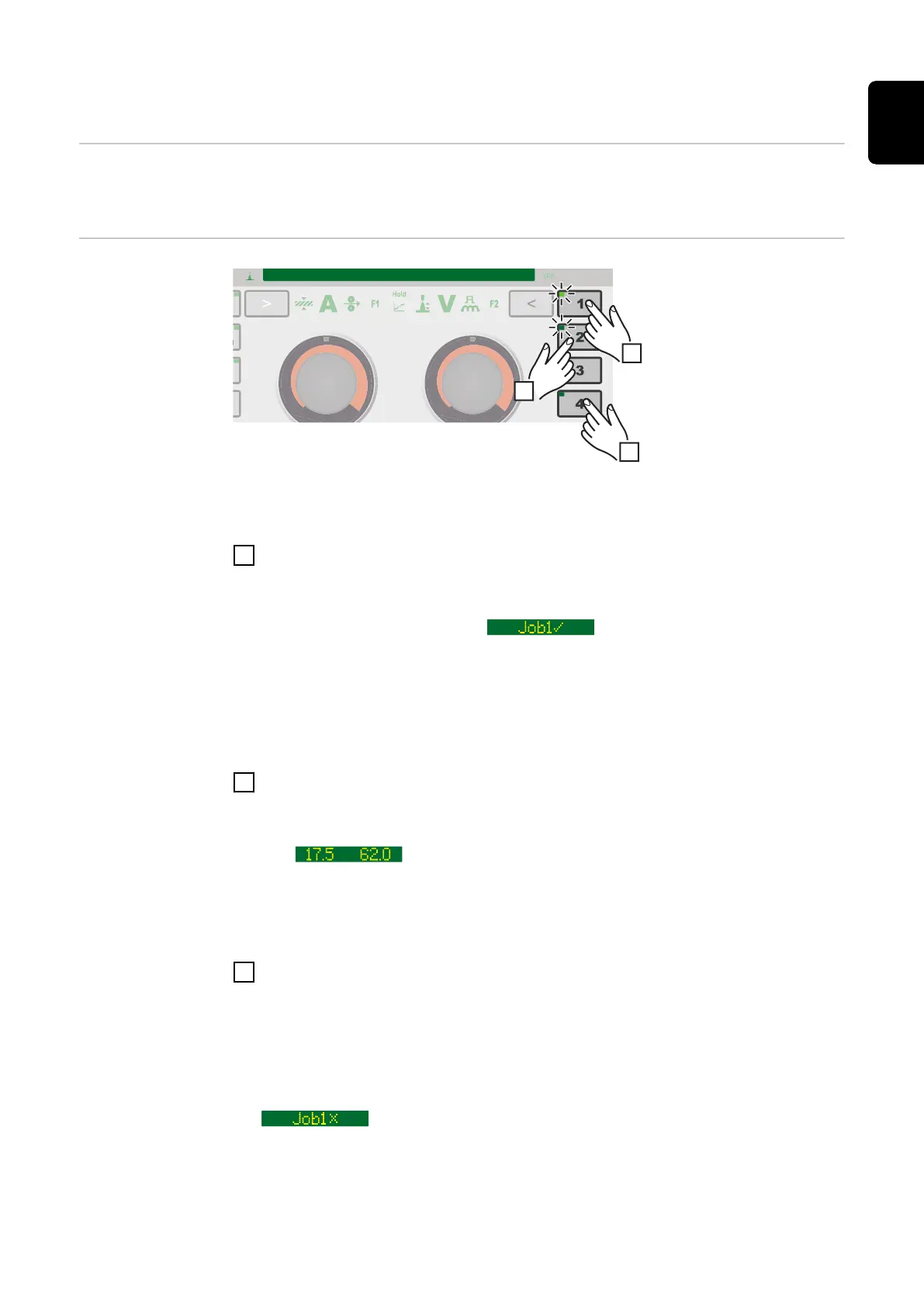
General The 5 EasyJob buttons enable up to 5 operating points to be saved quickly.
The current welding settings are saved.
EasyJob mode
Storing EasyJob operating points
1
To store the current welding settings, press one of the EasyJob buttons for
approx. 3 seconds.
"Job", the button number and a tick are shown on the display and the Easy-
Job button LED lights up, e.g.:
The settings have now been stored.
IMPORTANT! If an operating point has already been saved under an EasyJob
button it will be overwritten without any prior warning.
Retrieving EasyJob operating points
2
To retrieve a saved EasyJob operating point, press the corresponding EasyJob
button briefly (< 3 seconds).
The EasyJob button LED lights up and the saved values are shown on the dis-
play.
If no values are displayed after pressing an EasyJob button, an operating
point is not stored under this EasyJob button.
Deleting EasyJob operating points
3
To delete an EasyJob operating point, press the relevant EasyJob button for
approx. 5 seconds.
After approx. 3 seconds the saved operating point will be overwritten with the
current settings and "Job", the button number and a tick are shown on the
display.
After a total of approx. 5 seconds the EasyJob button LED goes out and
"Job", the button number and an X are shown on the display, e.g.:
The EasyJob operating point has been deleted.
95
EN











 To Next Page