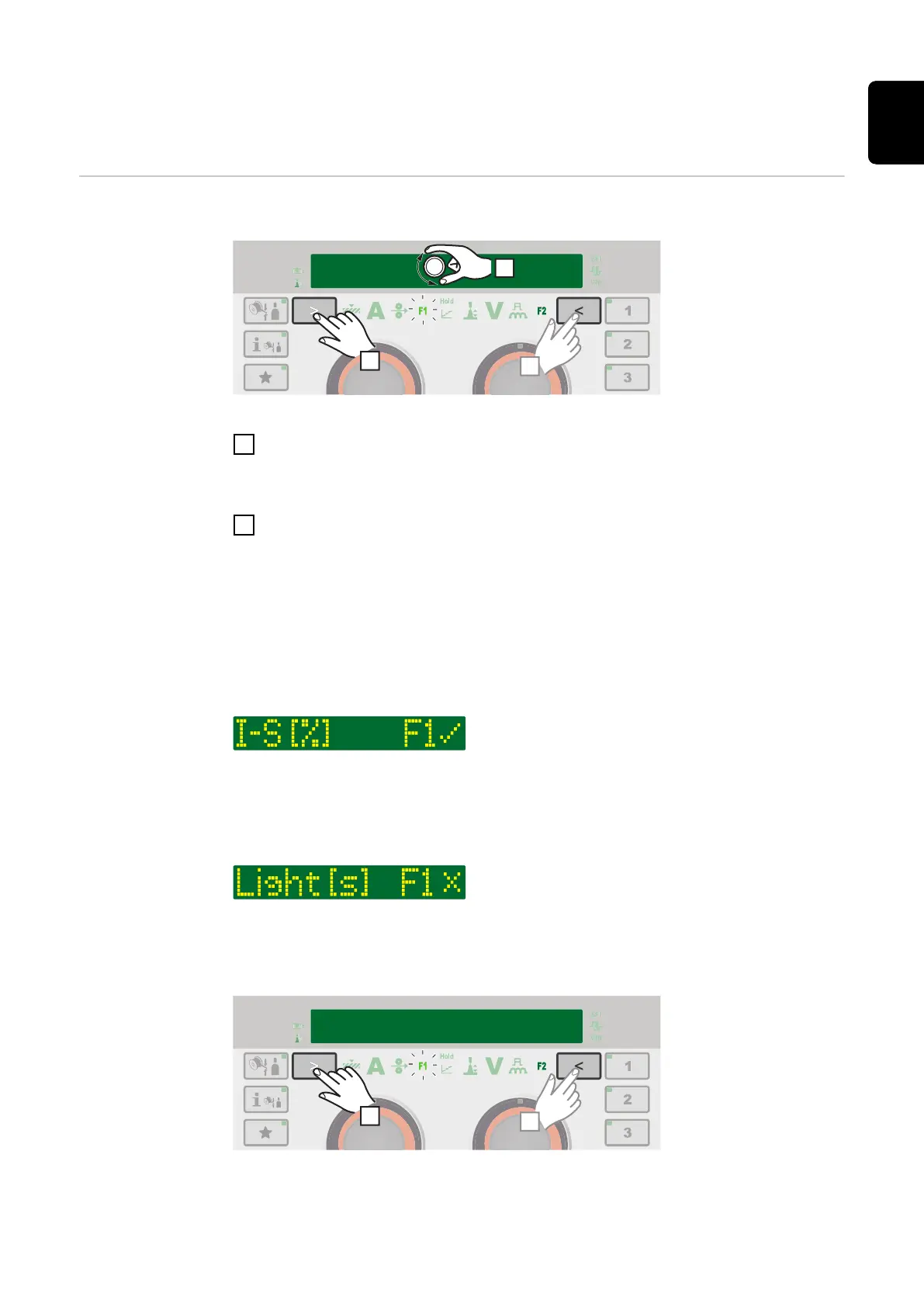
F1/F2 special function parameters, Favourites
button
F1 and F2 spe-
cial function
parameters
Setting F1 and F2 special function parameters
I-S [%] 150
~ 3 sec.
2
2
~ 3 sec.
1
Example: the selected parameter I-S is assigned to F1
1
Select the desired parameter in the Setup menu
Further information on the Setup menu can be found from page 103
2
To assign the selected parameter to F1 or F2, press the parameter selection
button for approx. 3 seconds:
F1 ... left parameter selection
F2 ... right parameter selection
F1/F2 flashes while the parameter selection button is pressed.
As soon as the parameter is saved, the indicator for the corresponding special
function parameter lights up.
F1 (for example) and a tick is shown next to the parameter:
The selected parameter is now stored under F1.
If a parameter cannot be assigned to the F1 or F2 special function parameters,
after approx. 5 seconds F1 (for example) and X is displayed:
This deletes an existing stored parameter.
Retrieving F1 and F2 special function parameters
51
EN











 To Next Page