14 Maintenance
466
Maintenance
14
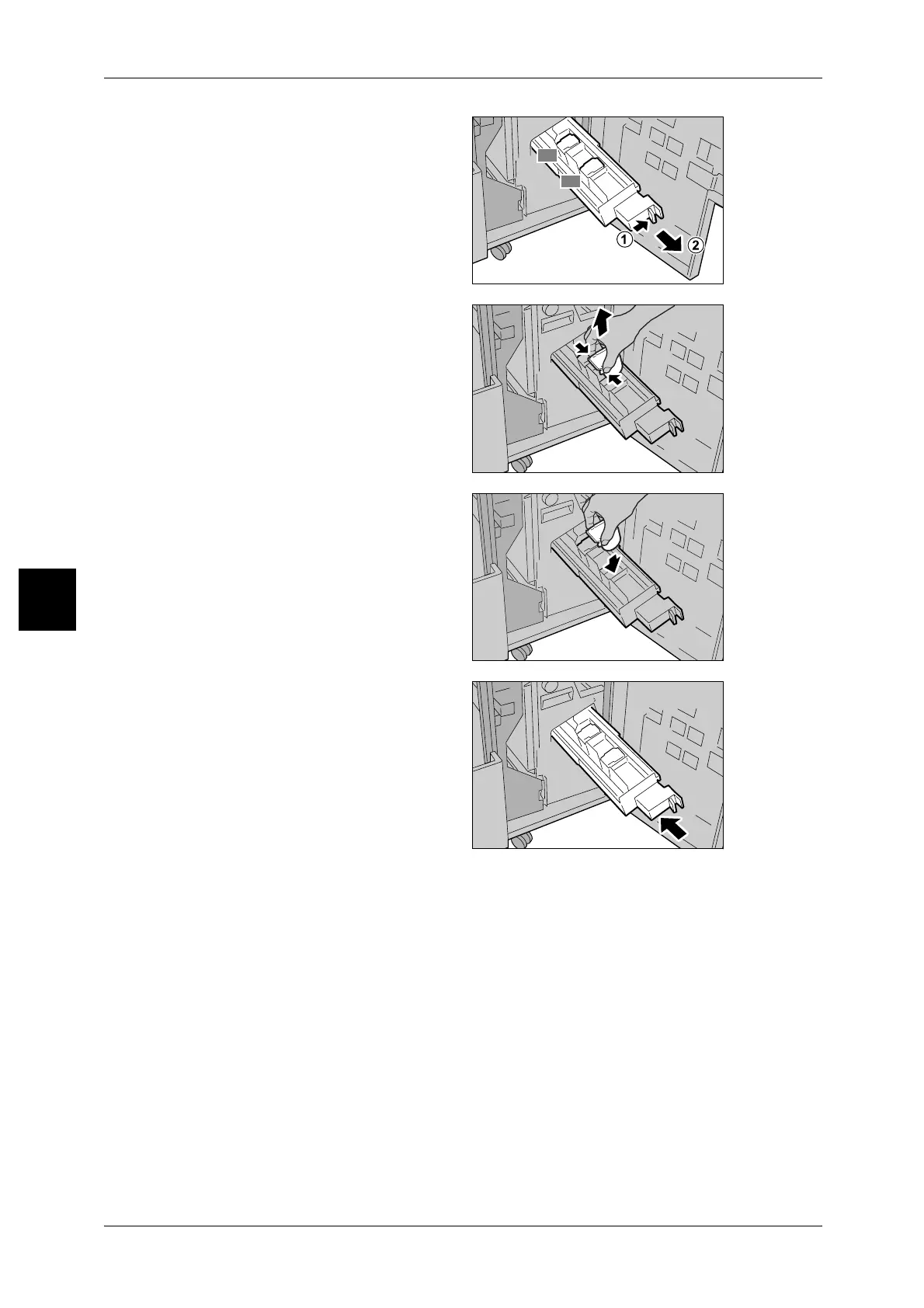
2 Pressing the lever to the right, pull
out the cartridge.
3 Holding the tabs of the booklet
staple cartridge, and then lift to
remove it.
4 Holding the tabs of a new booklet
staple cartridge, return the
cartridge to the original position
and gently push it until it clicks.
5 Return the unit to its original
position.
6 Close the Finisher's right cover.
Note • A message will be displayed and the machine will not operate if the Staple Finisher's right
cover is even slightly open.
R2
R3



 To Next Page
 Loading...







