10 Setups
356
Setups
10
Reduce/Enlarge Presets
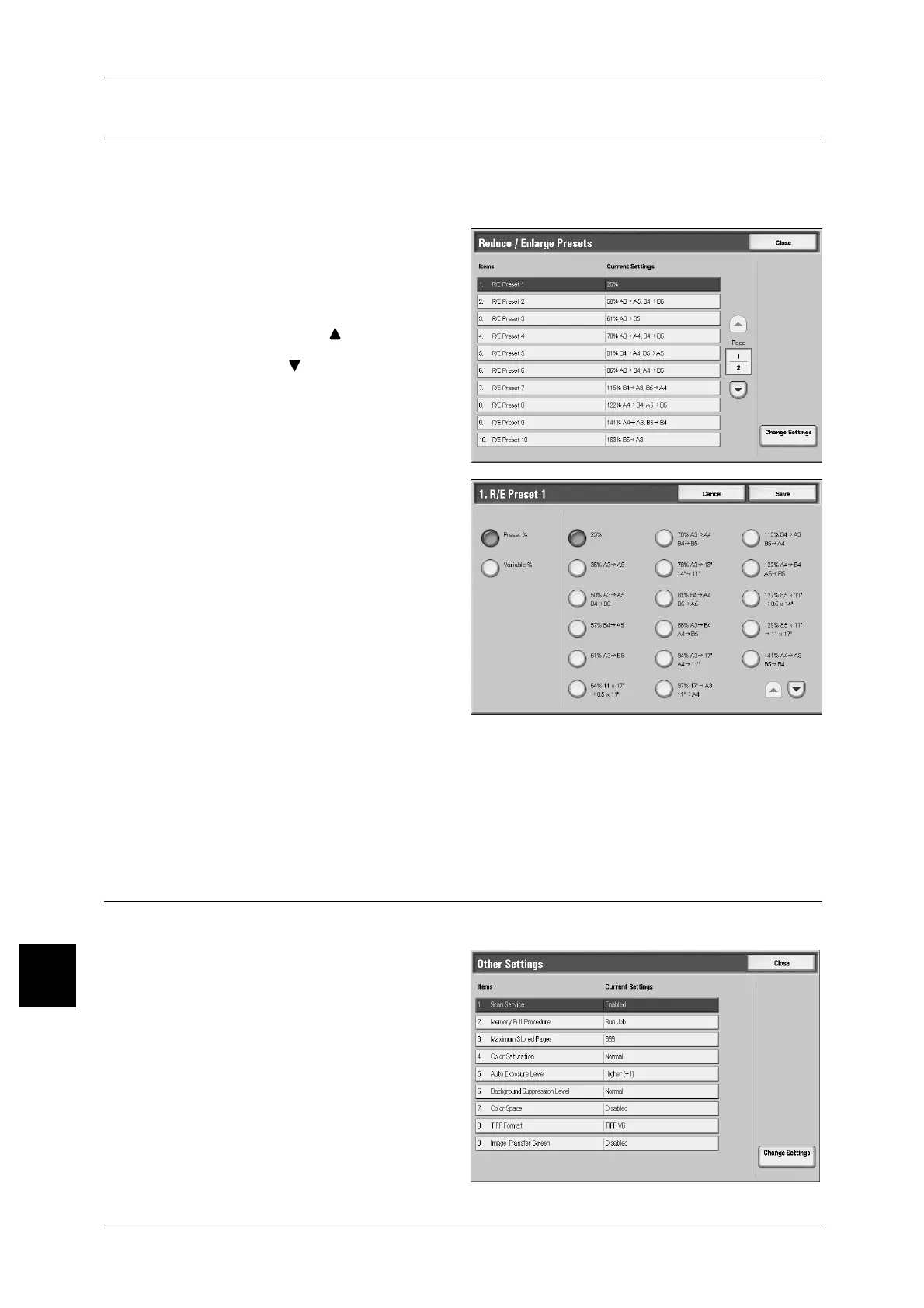
Set the magnifications shown in [Preset %] for [Reduce/Enlarge] in the [Scan Options]
screen.
You can assign any magnification to the R/E Preset buttons 1 to 7 other than [100%].
1 Select [Reduce/Enlarge Presets].
2 Select the item to be set or
changed, and select [Change
Settings].
Note • Select [ ] to display the
previous screen and select
[ ] to display the next screen.
3 Select [Preset %] or [Variable].
4 Select the setting value.
5 Select [Save].
Preset %
You can select from 25 standard magnification ratios.
Variable %
You can set any magnification. Specify a value from 25% to 400%, in 1% increments.
Other Settings
These settings relate to the scanner feature specification.
1 Select [Other Settings].
2 Select the item to be set or
changed, and select [Change
Settings].
Note • The screen at right is from
DocuCentre 9000.
3 Select the setting value.
4 Select [Save].



 To Next Page
 Loading...







