Removing the dummy cover
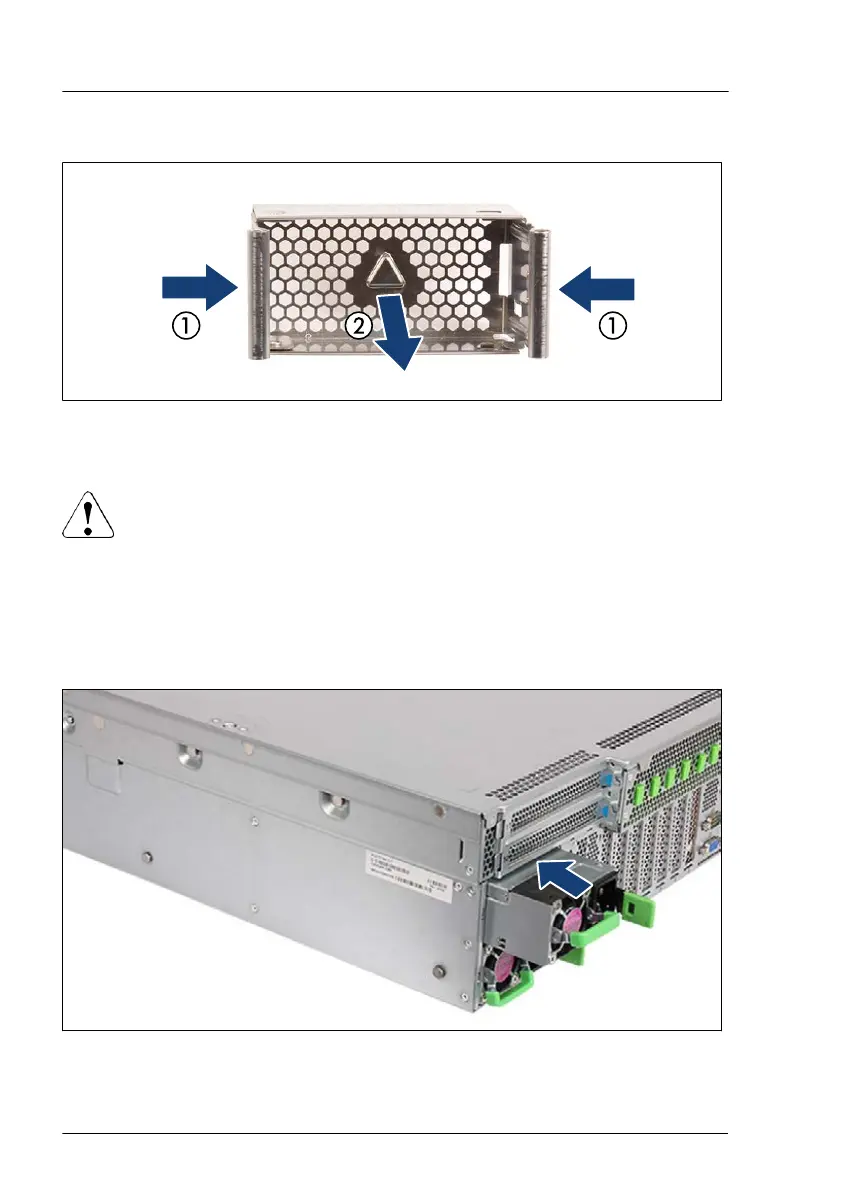
Figure 41: Removing the dummy cover
▶
Press in on both release latches (1) and remove the dummy cover (2).
CAUTION
▶
Keep the dummy cover for future use.
▶
If you remove a PSU and do not immediately replace it with a new
one, a dummy cover must be installed in the bay again to comply
with applicable EMC regulations and satisfy cooling requirements.
Installing a hot-plug PSU
Figure 42: Installing an PSU
Power supply unit (PSU)
124 Upgrade and Maintenance Manual RX4770 M6


 To Next Page
 Loading...