Installing the iRMC microSD card
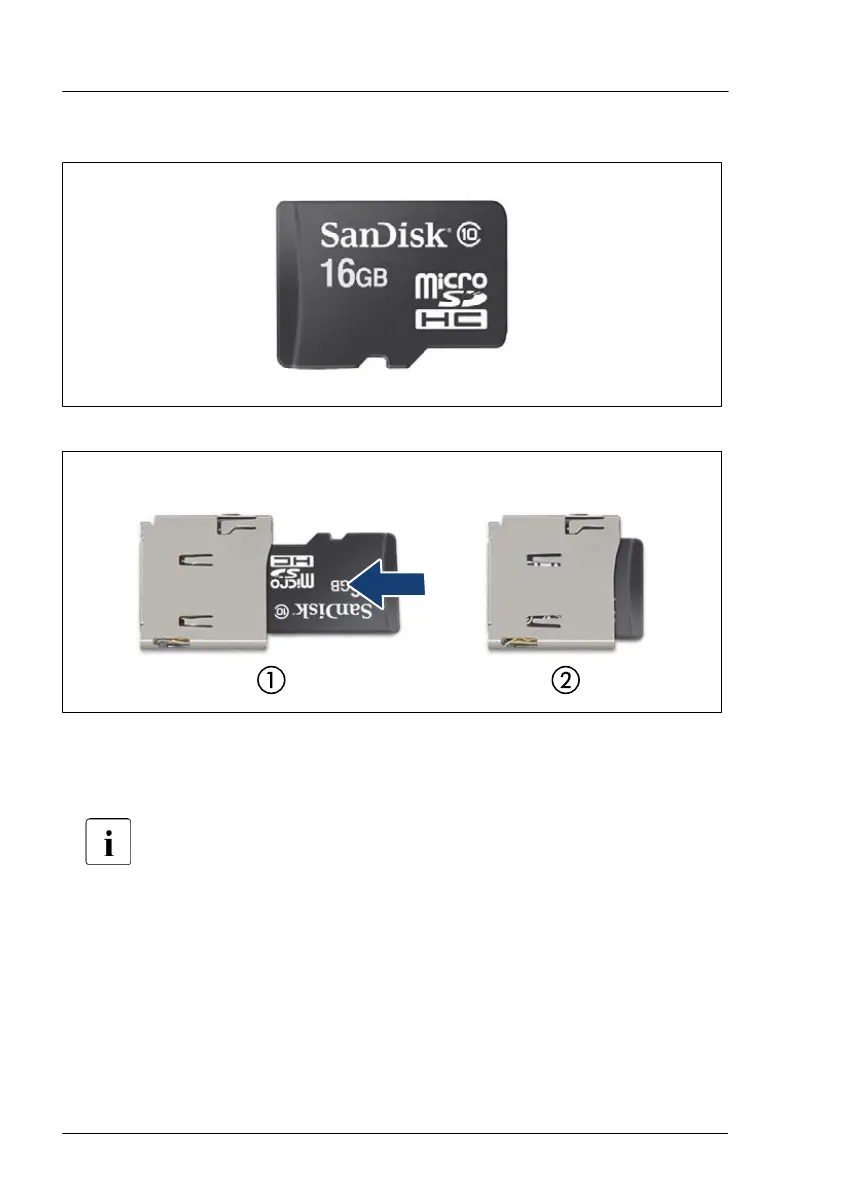
Figure 213: iRMC microSD card
Figure 214: Installing the iRMC microSD card
▶
With the label facing up, insert the iRMC microSD card into the microSD
card slot (1) until it locks in place (2).
The onboard position of the microSD card slot can be found in
"System board" on page 395
.
Concluding steps
▶
"Removing the OCP air duct" on page 70.
▶
"Installing the top system board carrier" on page
76.
▶
"Installing the air duct 1 (top system board)" on page 71.
▶
"Installing the fan cage" on page 66.
System board and components
346 Upgrade and Maintenance Manual RX4770 M6


 To Next Page
 Loading...