Chapter 7 Device Configuring Using EMS Multiplex & Decoding Outputs
© 2012 Harmonic Inc. 105 ProView 7000 v.2.6, Rev. E
7.3.2 Multiplex Output Properties
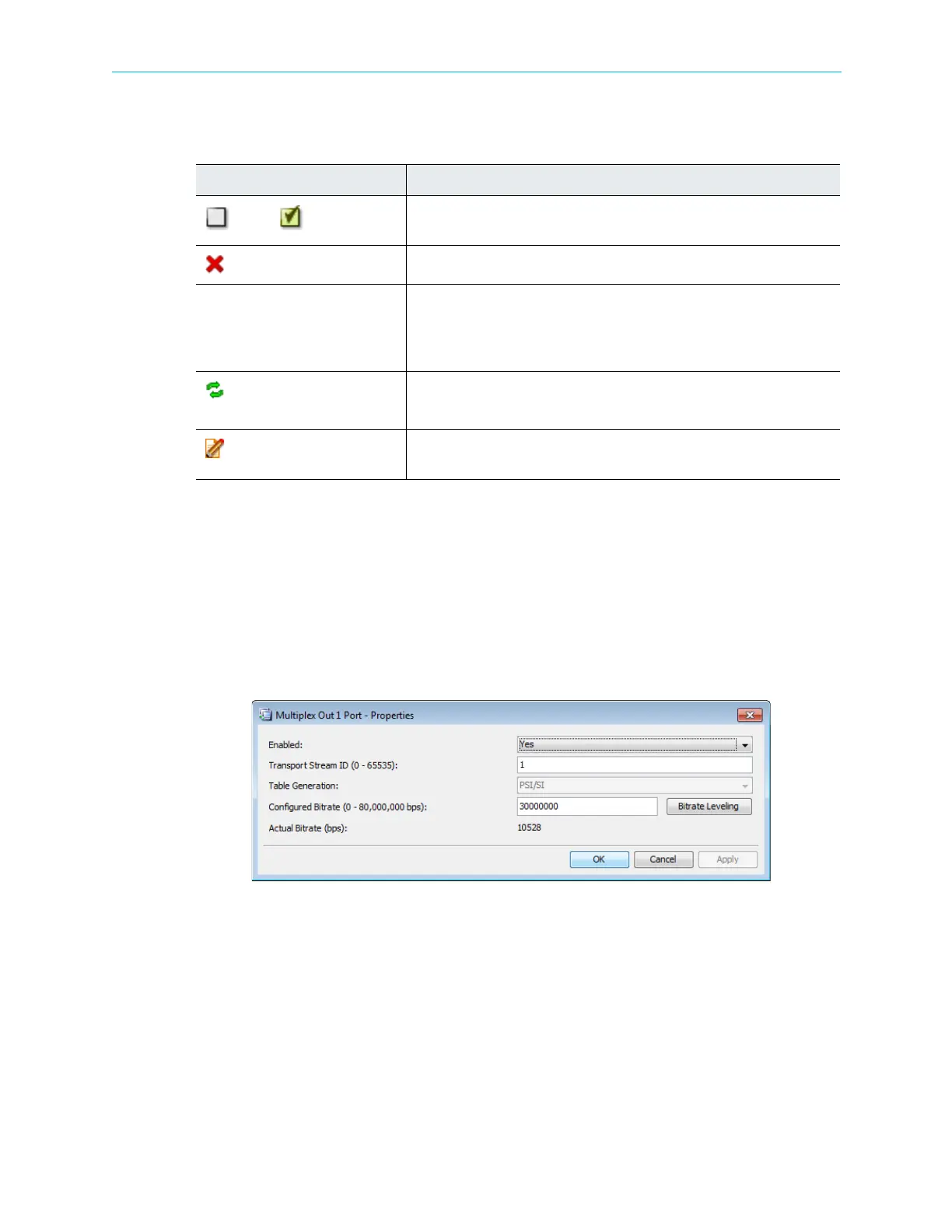
The Multiplex Output Port Properties dialog displays the current status of the multiplex
output stream features and enables setting up the editable ones.
To display the Multiplex Output Stream Properties dialog:
1. Select the Multiplex Output icon from the Multiplex & Decoding Output box on the Device
Explorer tab.
2. Click Properties on the EMS toolbar.
Figure 7–10: Multiplex Out 1 Port - Properties dialog
The information provided by the Multiplex Output Properties dialog includes the following:
■ Enabled – Enables (Yes/No) the multiplex output operation.
■ Transport Stream ID – Displays the transport-stream’s ID number.
■ Table Extraction – Select PSI/SI for DVB or PSI for MPEG. The default is PSI/SI.
■ Configured Bitrate – Displays the calculated bitrate of the output stream (in bps).
■ Actual Bitrate – Displays the actual bitrate of the output stream (in bps), not including
NULL stuffing.
Table 7–3: TS Port Output Port Context Menu
Command Description
Disable/ Enable
A dynamic command, changing according to the operational status of the
TS Output Port.
Remove Selected
Removes the selected element.
Remove All Displays the following sub-menu items:
■ Remove All Output Programs on Port
■ Remove All Output Programs on Device
■ Remove All Output Unreferenced PIDs on Port
Refresh Transport Stream
Port Route
Updates the Transport Stream Port Route.
Properties
Displays the marked element properties dialog. For details, see
7.3 Multiplex & Decoding Outputs.



 To Next Page