Chapter 7 Device Configuring Using EMS Device Properties
© 2012 Harmonic Inc. 162 ProView 7000 v.2.6, Rev. E
SNMP Timeout & Retries Box
The SNMP Configuration area allows the user to set-up the following SNMP parameters:
■ Timeout – defines the maximum time period for one connection attempt (in msec). This
parameter is set to 20000 by default.
■ Retries – sets the number of connections attempts in case of a connection failure. This
parameter is set to 2 tries by default.
Other Box
Last Reboot – displays the date and time of the last reboot performed on the device.
Last Configuration Change – displays the date and time of the last configuration change on
the device.
7.11.4 Device Users’ Access Properties
You can log in to ProView 7000™ devices using EMS on two levels; Configure and Monitor.
The Configure defined user can monitor and configure the ProView 7000™ devices and have
access to all set-up functions provided by the EMS.
The Monitor user can view all information displayed by the EMS, but is not enabled to change
any of the set-up options.
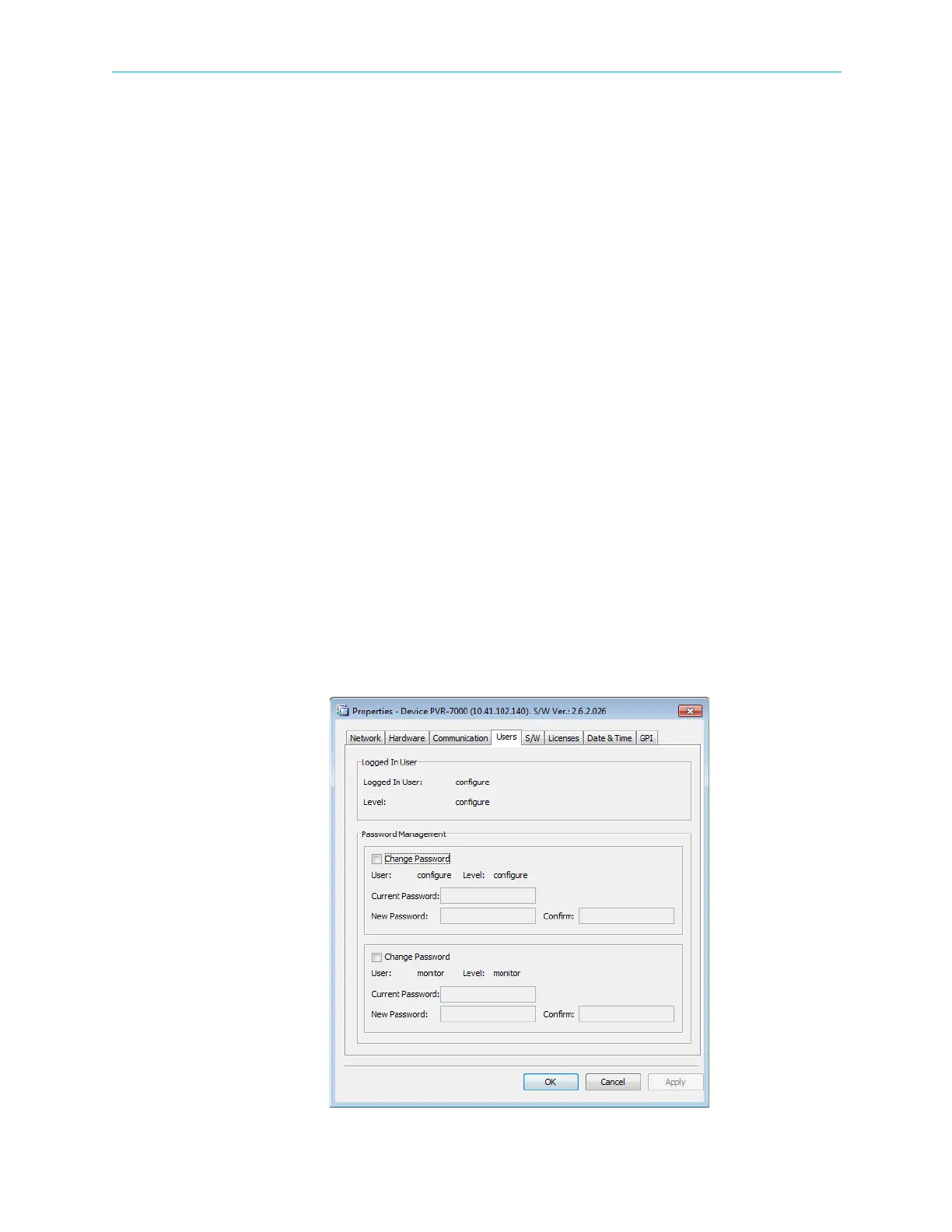
The Users properties tab provides the EMS user the ability to manage the user access to the
unit. It provides the following options:
■ Displays the currently logged in user identification and access level.
■ Enables the EMS Configure user to set a new password for the configure level and for the
monitor level.
Figure 7–44: Device Properties dialog – Users tab



 To Next Page