Chapter 6 Remote Management using EMS Disconnecting a Device
© 2012 Harmonic Inc. 68 ProView 7000 v.2.6, Rev. E
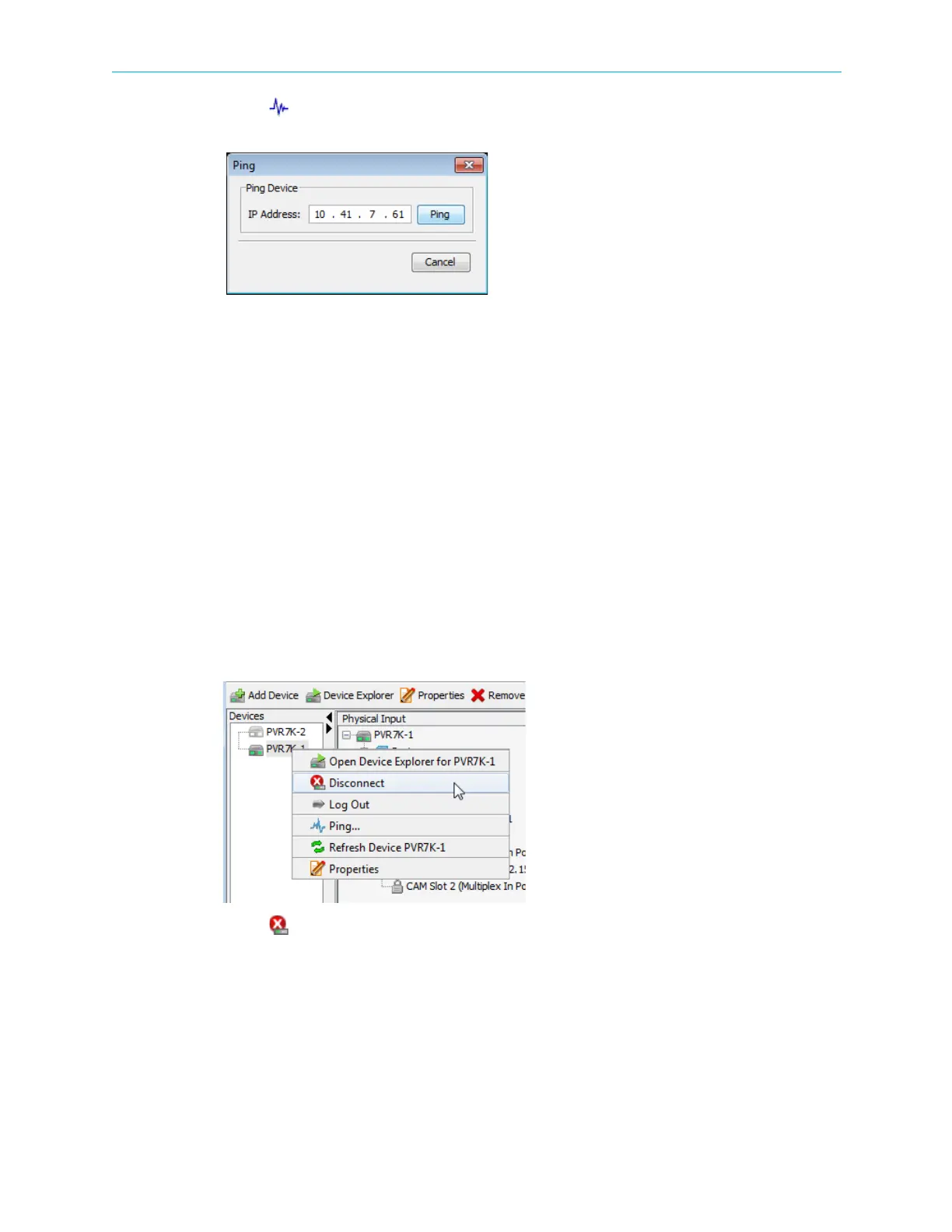
2. Select Ping… in the menu.
The Ping test dialog displays with the IP address of the device.
3. Click Ping.
A message displays the response of the device to the test.
4. Click OK to confirm the test result.
5. Click Close to complete the ping test.
6.9 Disconnecting a Device
A connected ProView 7000™ device is communicating with the ProView 7000™ EMS and is
marked in the device list by a fully colored device icon. The icon is displayed in the Device box,
and, if activated, it is also displayed in the Physical Input and Physical Output boxes.
Disconnecting a device closes the tab and all relevant information displayed on the Device
Explorer tab for the device.
To disconnect a connected ProView 7000™ device from the EMS:
1. Right-click the icon of the connected ProView 7000™ device in the Device box.
A device context menu displays.
2. Select Disconnect in the menu.
The ProView 7000™ device disconnects.
The colors of the ProView 7000™ device icon fade to the disconnected shades (gray).



 To Next Page