Chapter 7 Device Configuring Using EMS Element Properties
© 2012 Harmonic Inc. 128 ProView 7000 v.2.6, Rev. E
7.4.2.3 MPE Properties
12
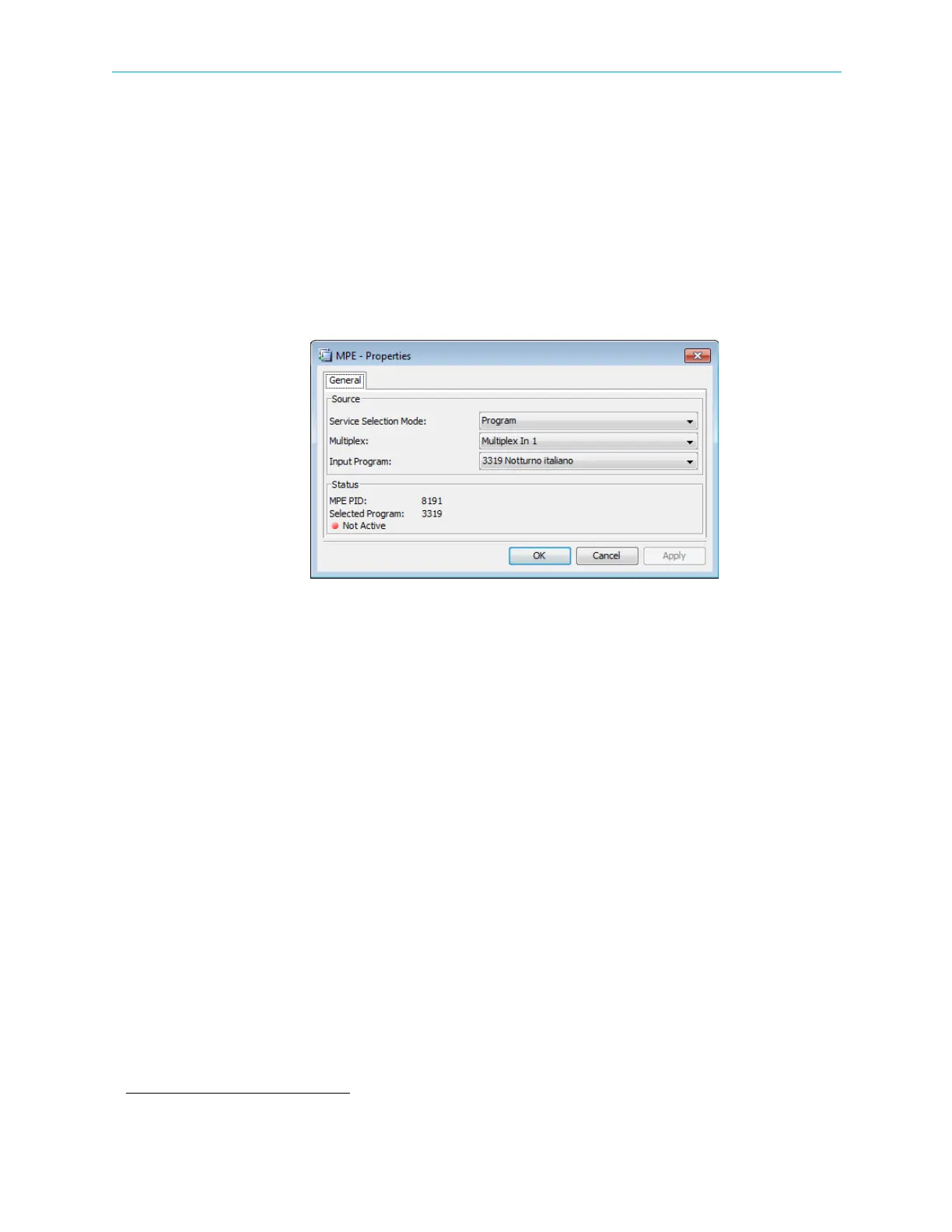
Use the MPE Properties dialog to configure one MPE PID source for GbE out. There are three
service selection modes, Program, PID and Disabled. The selected MPE PID displays in the
Status box.
To display the MPE Properties dialog:
1. Expand the Ports and GbE branches in the Physical Output box on the Device Explorer tab.
2. Select MPE.
3. Click Properties on the EMS toolbar.
Program Mode
Use Program Mode to select a program from a list. The procedure is:
1. Select a multiplex in.
EMS lists all the input programs in that multiplex that contain MPE PIDs.
2. Select a program from the list and apply.
PID Mode
Use PID mode to select a multiplex and enter the input PID number.
Disabled
Use Disabled mode to disable MPE PID selection.
7.5 Element Properties
The Element Properties Configuration function, provided by the ProView 7000™ EMS, allows
monitoring and setting ProView 7000™ properties at device level and down to specific
operational elements in the device.
This element can be a device selected in the Device box or any object selected on the Device
Explorer tab.
The information displays on an Element Properties Configuration pop-up dialog.
12. Requires a license.



 To Next Page