Chapter 6 Remote Management using EMS Refreshing the EMS Screen
© 2012 Harmonic Inc. 72 ProView 7000 v.2.6, Rev. E
6.14.1 EMS Device Explorer
The Device Explorer tabs display the input and output stream parameters for the selected
device. The tab is divided into four management boxes, namely:
■ The Physical Input box
■ The Multiplex Input box
■ The Multiplex & Decoding Output box
■ The Physical Output box
Use these parameters to monitor and configure the device.
You can manage several devices with the EMS. Each device stream tab is labeled with the
same device name that displays in the Devices box. The selected device stream tab label
displays in white. All other tab labels display in gray.
To display the Device Explorer tab:
❖ Select File > Open Device Explorer and select a device from the displayed device list.
—or—
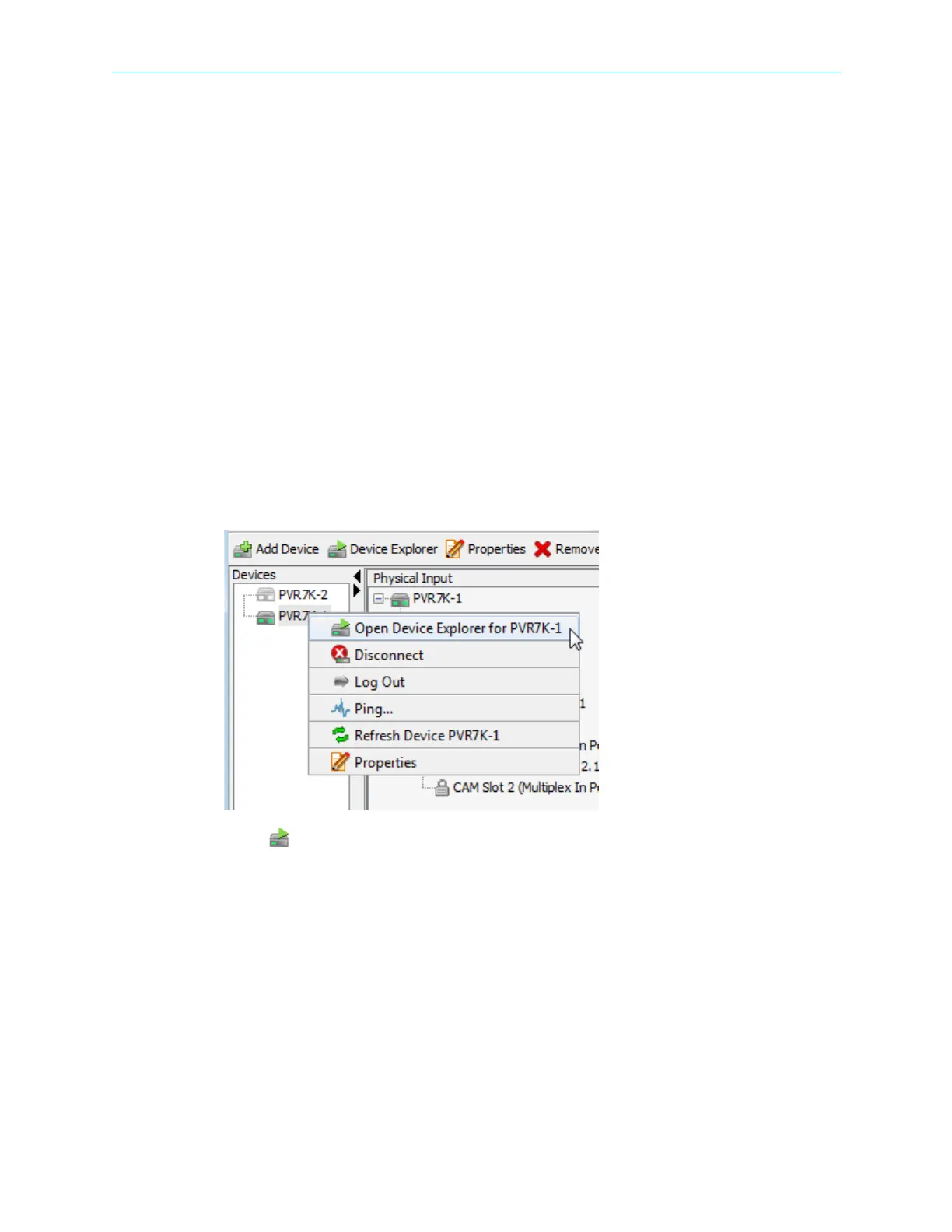
1. Right-click the icon of the ProView 7000™ device in the Device Management box.
The Device context menu displays.
2. Select Open Device Explorer for {ProView 7000™ Name} in the menu.
The Device Explorer tab for the selected device displays.
To bring device stream tab to the top:
❖ Click a tab label
—or—
Double-click the icon of the device in the Devices box.



 To Next Page