Chapter 7 Device Configuring Using EMS Physical Outputs
© 2012 Harmonic Inc. 123 ProView 7000 v.2.6, Rev. E
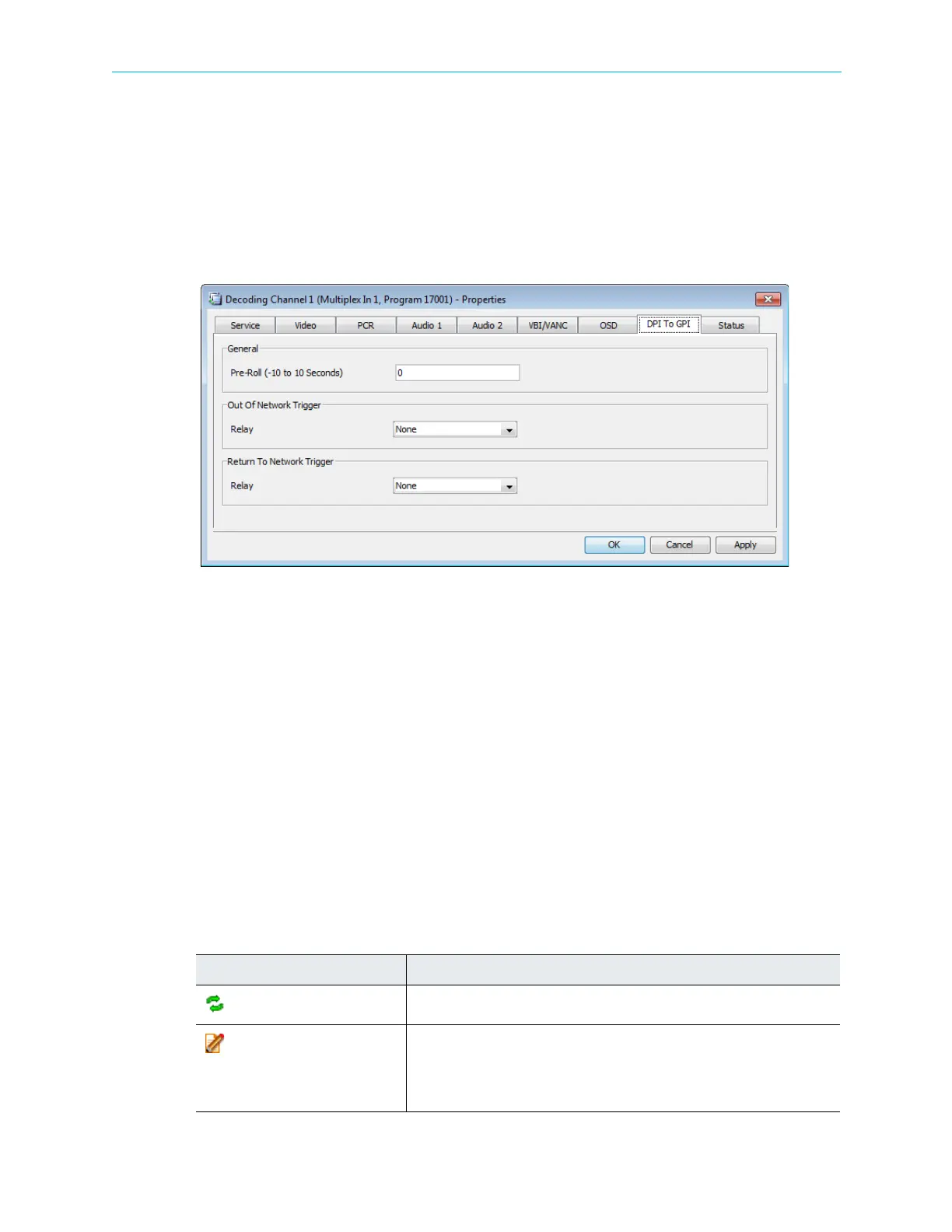
7.3.8.7 DPI To GPI Parameters Tab
Use the DPI To GPI tab to configure SCTE 35 commands to switch GPI relays for Digital
Program Insertion. It comprises the following sub-menus:
■ Pre-Roll – Use to configure the pre-roll.
■ Out Of Network Trigger Relay – Use to configure the Out Of Network alarm switch.
■ RTN Trigger GPI Port – Use to configure the Return to Network alarm switch.
7.4 Physical Outputs
The Physical Output box of the Device Explorer tab presents a hierarchical tree-structure of
the ProView 7000™ physical output ports for monitoring and configuring the features of each
element displayed in the tree, see Figure 6–2 for the box location.
The ProView 7000™ features various types of outputs:
■ ASI output ports
■ GbE ports and sockets
When the Decoder module is installed in the ProView 7000™ device the module provides a
wide range of physical video and audio interfaces. All interfaces are displayed under the
decoder card branch.
Right-click the device icon or any of the sub-elements in the Physical Output box to display a
context menu which includes the following items:
Table 7–4: Device Icon Context Menu
Command Description
Refresh
Updates the physical outputs for the selected device.
Properties
Displays the marked element properties dialog for the marked element.
For details, see 7.4.1 ASI Output Port Properties, 7.4.2.1 GbE Port
Properties, 7.4.2.2 GbE Socket Properties and 7.4.2.3 MPE Properties.
NOTE: No properties are available for the decoder output interfaces.



 To Next Page