Chapter 7 Device Configuring Using EMS Multiplex & Decoding Outputs
© 2012 Harmonic Inc. 122 ProView 7000 v.2.6, Rev. E
7.3.8.6 OSD Parameters Tab
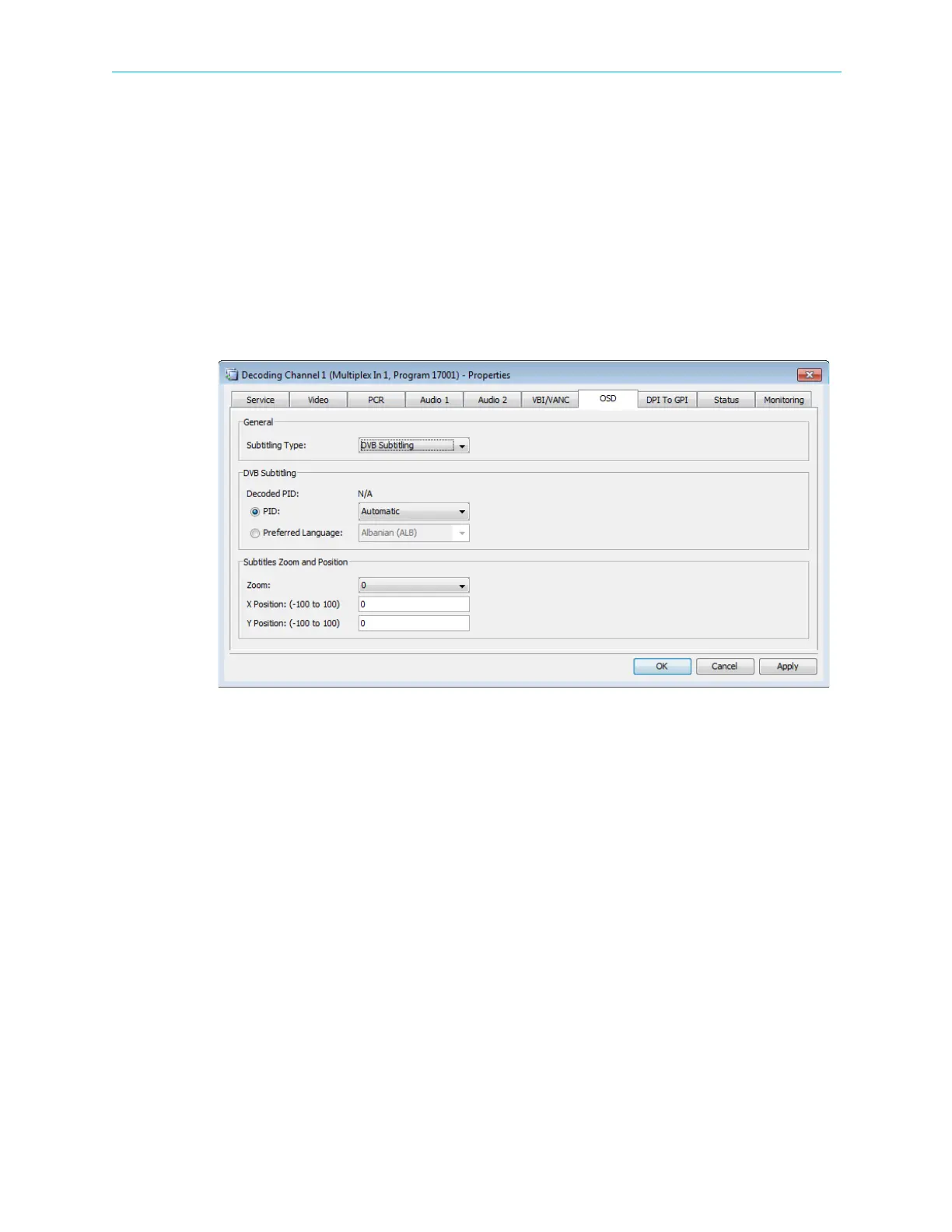
The On Screen Display (OSD) enables you to configure the insertion of subtitles. It operates in
Auto Mode and Program Mode in HD and SD. The OSD parameters tab provides the EMS user
the following information and set-up capabilities:
■ Subtitling Type:
❑ DVB Subtitling
•Decoded PID
• PID – Automatic/None
• Preferred Language
Figure 7–20: Decoding Channel Properties - OSD tab
❑ VBI Teletext – you can search by page or preferred language
•Current PID Page
• Current PID Preferred Language – first page that contains the specified language
❑ Disabled
■ Subtitles Zoom and Position
You can set the following:
❑ Zoom
❑ X Posion – range −100 to 100, the default is 0
❑ Y Posion – range −100 to 100, the default is 0



 To Next Page