Chapter 7 Device Configuring Using EMS Device Management
© 2012 Harmonic Inc. 145 ProView 7000 v.2.6, Rev. E
7.10 Device Management
To manage a ProView 7000™ device using EMS, the device must be connected. To add and
connect a device, see 6.5 Adding a Device and 6.7 Connecting a Device.
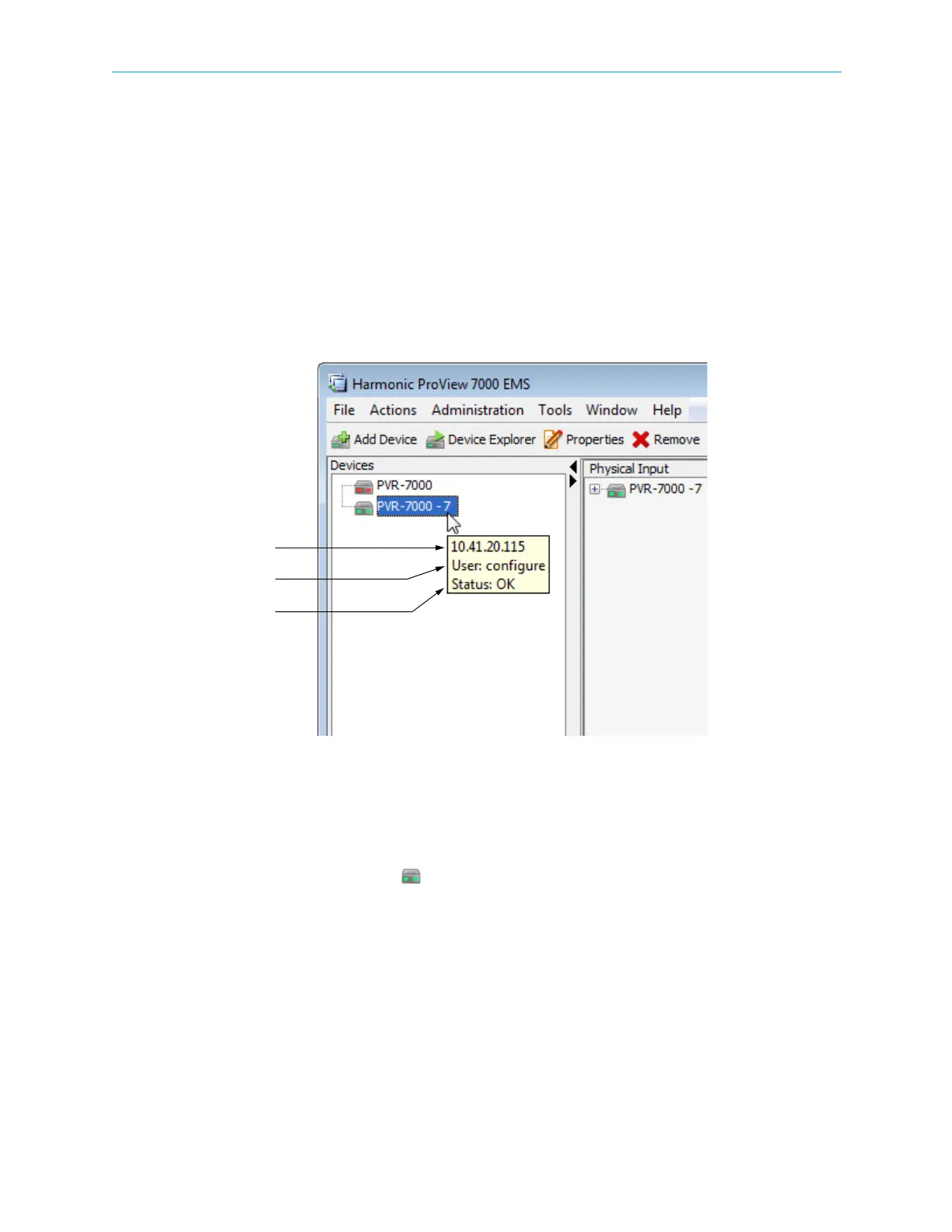
The connected devices are listed and displayed in the Devices box. Hover the mouse pointer
over a device icon to display the display tip. See Figure 7–34. The three text rows display the
following:
■ IP Address
■ Username
■ Status
Figure 7–34: Device tooltip
You can access the ProView 7000™ device management functions in the following ways:
■ From the EMS menu
■ From the EMS toolbar
■ Right-click the device icon ( ) to display the devices management context menu
Related topics:
■ HDMI and DVI Output
■ Reboot Device
■ Device Identification
■ Reset CAM Slot
■ Log-In / Log-Out Control of the Device
■ Setting Up/Changing the Device Log-in Password
■ Managing Presets



 To Next Page